Why Your Next Hire Should Be an AI Data Analyst Assistant

Staring at that ticket queue again? Waiting weeks for an answer to a simple question like, "Which marketing campaign is actually working?" or "Why did sign-ups dip last Tuesday?" is a relic of the past. It’s a growth-killing bottleneck your business can no longer afford.

The real problem isn't your data team. They're brilliant but buried under ad-hoc requests. The issue is the slow, manual process of turning questions into answers. That’s a painful trade-off no founder, product manager, or marketing lead should have to make.

TL;DR: Key Takeaways

  • Waiting is a bottleneck. Founders, product teams, and marketers lose momentum waiting for data reports.

  • The process is broken, not the people. The old way of manually writing SQL for every question is too slow.

  • An AI data analyst assistant solves this. These tools let non-technical users ask questions in plain English and get charts in seconds.

  • Statspresso is a Conversational AI Data Analyst. Our goal is simple: Skip the SQL. Just ask your data a question and get a chart in seconds.

The End of Waiting for Data

Watercolor illustration of a stressed man managing a ticket queue on a laptop under time pressure.

Let's be blunt. The old BI workflow—file a ticket, wait for an analyst, get a static dashboard—is broken. By the time you get the report, the data is stale and the opportunity is gone. This forces you to choose between waiting for hard facts or making a quick call based on your gut.

This is precisely the problem a data analyst assistant is built to solve. It’s not another complicated dashboard. It's a new kind of tool: a Conversational AI Data Analyst.

A New Workflow for Instant Answers

Imagine an AI teammate fluent in your business data. Instead of filing a ticket and waiting, you just ask your question in plain English.

A data analyst assistant eliminates the data request queue entirely. It turns weeks of waiting into seconds of asking.

Tools like Statspresso act as your on-demand analyst. You connect it to your database, and it handles the hard part. The goal is to get you from "I have a question" to "I have a data-backed chart" in the time it takes to type a message. This idea is the foundation of modern self-serve business intelligence.

This isn't just about convenience. It’s about creating a culture where data-driven decisions are the norm for everyone, not a privilege for those who can write code.

What Is an AI Data Analyst Assistant?

Let's get one thing straight. An AI data analyst assistant is not a generic chatbot. It's a specialized tool that’s a game-changer for anyone who needs answers from their business data.

Think of it as a senior data analyst on call 24/7. This analyst has a perfect memory of every row of data in your company, never gets tired, and can build a presentation-ready chart in seconds. This isn't science fiction; it’s what these assistants do right now.

At its core, an AI analyst securely plugs into your live data sources—like a Postgres database, a Shopify store, or a HubSpot CRM. It uses a powerful Large Language Model (LLM) to do one thing perfectly: translate your plain-English questions into the precise code needed to query your database.
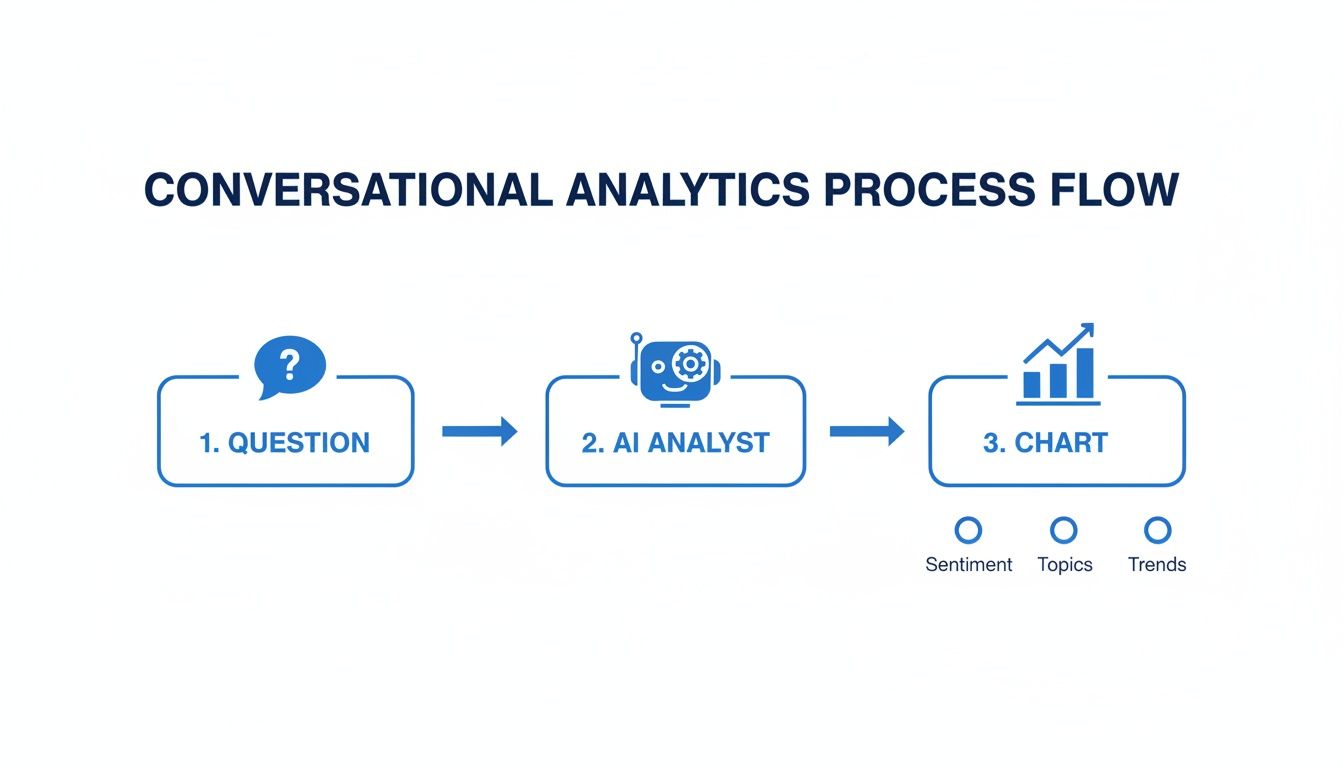
Diagram illustrating a conversational analytics process flow from question to AI analysis and chart generation.

From Question to Chart in Seconds

The real magic is the translation. You ask, "What was our customer churn rate last month?" In the background, the AI writes the SQL, runs it securely against your database, and instantly turns the result into a chart. It’s a workflow built for speed, often called conversational analytics or Generative BI (GenBI).

With a Conversational AI Data Analyst like Statspresso, you skip the SQL. Just ask your data a question and get a chart in seconds.

Try asking Statspresso: "Show me our top 5 products by revenue for Q2 as a pie chart."

This approach frees up your human experts. While an AI assistant handles routine queries, your analysts can focus on strategic work, the kind that demands deep problem-solving skills often tested in key data analyst interview questions.

The demand for instant insights is exploding. According to one in-depth data analytics trend report, the big data and analytics market is rocketing toward $343.4 billion by 2026, yet we face a massive talent shortage. AI data analyst assistants are the bridge closing that gap.

The Old Way vs. The New Way

The old way is painful. It’s a linear, slow-motion relay race that discourages curiosity. Why ask a follow-up question if you know it means another week of waiting?

The new way, powered by an AI data analyst assistant, flips the script. It makes getting answers as easy as sending a message. This change is fundamental for any company that wants to be more agile. Let’s compare the two workflows side-by-side.

Data Analysis Workflow Comparison

Stage

The Old Way (Manual BI)

The New Way (AI Data Analyst Assistant)

1. The Ask

File a ticket in a project management tool.

Type your question directly into a chat interface.

2. The Wait

Your request sits in a queue for days.

The AI starts working on your question instantly.

3. The Work

An analyst manually writes and tests SQL code.

The AI automatically generates and runs optimized code.

4. The Result

You get a static chart or dashboard link.

You get an interactive chart and a plain-English summary.

5. The Follow-up

File another ticket and wait again.

Just ask your follow-up question in the same chat.

The key difference isn't just speed; it's control. The old way makes you a passive waiter. The new way empowers you to be an active explorer of your own data.

With a Conversational AI Data Analyst like Statspresso, a question like, "How did user retention change by cohort last month?" gets an answer in seconds, not weeks. This isn’t a small improvement; it's a completely different way of operating.

How Your Teams Can Use an AI Assistant Today
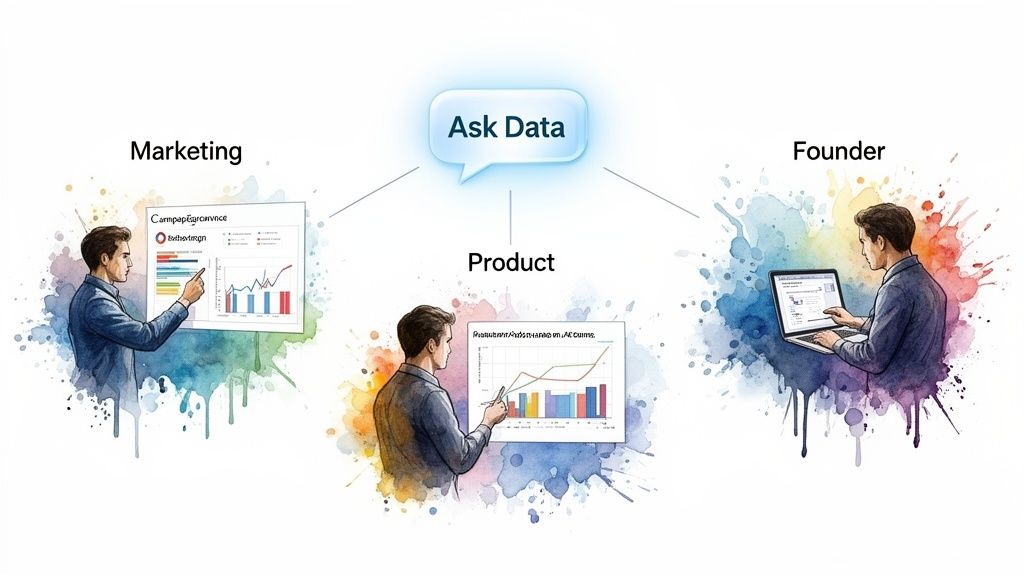
Three professionals (Marketing, Product, Founder) accessing and analyzing data through an 'Ask Data' platform.

Let's get practical. An AI data analyst assistant solves real problems for your teams right now.

For Marketing Leads

Stop guessing about campaign performance. Get hard numbers in seconds, connecting ad spend directly to revenue. This creates an immediate feedback loop so you can double down on what’s working and kill what isn’t—before your weekly stand-up even starts.

Try asking Statspresso: “Which marketing channels had the highest MQL to SQL conversion rate last quarter? Show it as a bar chart.”

For Product Managers

Just shipped a feature? Instead of waiting weeks for an engagement report, get a snapshot of adoption rates right now. Iterate faster, understand user behavior, and make decisions based on live data, not good intentions.

Try asking Statspresso: “Show me the adoption rate for our new checkout flow, broken down by user segment.”

For Founders

As a founder, you need a constant pulse on business health. An AI data analyst assistant is your personal executive dashboard, answering questions the moment they pop into your head. It's the best way to maintain a real-time grip on the KPIs that matter most.

Try asking Statspresso: “What is our monthly recurring revenue (MRR) growth rate, and how does it compare to our churn rate over the last six months?”

Each example shows how a Conversational AI Data Analyst makes smarter decisions a reality. You skip the SQL and get a chart in seconds. This automates the routine work, freeing up your human analysts to focus on high-value strategic projects. As expert insights on the data job market show, companies are hiring six-figure talent for complex work, not for running simple reports.

How the Technology Works (and Why It’s Secure)

So, what happens when you ask an AI data analyst assistant a question? It feels like magic, but it’s just clever, security-first engineering.

The most important principle: a tool like Statspresso connects to your database with secure, read-only permissions. It's a fundamental rule. The AI can look at your data's structure, but it can never change, update, or delete a single thing. Your source of truth remains untouched.

It Learns the Map, Not the Treasure

The AI doesn't see or store your raw customer data. It only analyzes your metadata. Think of it like giving someone a map of your warehouse without letting them peek inside the boxes.

It learns your data's structure:

  • Table Names (users, sales)

  • Column Definitions (created_at, order_total)

  • Relationships (how tables connect)

This map is all it needs to answer your questions. Your actual data—customer names, emails, and purchase details—stays securely inside your own database.

Generating Answers, Not Hallucinations

When you ask a question, the AI acts as a logical translator, converting your English into a precise SQL query. This is what makes a specialized data analyst assistant so reliable. A Conversational AI Data Analyst isn't a creative writer; it's grounded in your data. If the data isn't there, it can't make something up.

Because your data never leaves your environment, you maintain complete control and governance. This makes creating an AI acceptable use policy far simpler. You get to skip the SQL and just ask your data a question, all while knowing your information is safe.

Choosing and Implementing Your AI Data Analyst Assistant

Ready to stop waiting? Implementing a data analyst assistant isn't a massive overhaul. It’s a quick, high-impact change that delivers value from day one. Think of it as onboarding a new, incredibly efficient teammate.

A Practical 5-Step Rollout

Getting started with a Conversational AI Data Analyst is straightforward. Here’s a simple plan:

  1. Identify Key Data Sources: Start small. Pinpoint the one or two databases that hold the answers you need most, whether it's your production Postgres, Shopify data, or HubSpot CRM.

  2. Define Top Business Questions: Write down the 3-5 critical questions your team asks over and over. This gives your pilot a clear focus.

  3. Start a Trial and Connect: The best way to see the value is to use it. Sign up for a trial and connect that first data source. It takes less than five minutes.

  4. Invite a Small Pilot Team: Invite a small group to test it out. A marketer, a product manager, and a founder make a perfect initial team.

  5. Measure Immediate Success: The ROI should be obvious within the first week. Track the reduction in data request tickets and how much faster your team can make decisions.

Try asking your new assistant: "Compare our new user sign-ups from last month to this month and show the trend as a line chart."

With an AI data analyst assistant, you skip the SQL and just get a chart in seconds. As the high-performance data analytics market report shows, this kind of automation is how smaller companies are now competing with enterprises. And by establishing a simple AI acceptable use policy, you can ensure everyone uses these new capabilities responsibly.

Frequently Asked Questions

Still have questions? Let’s clear up the most common ones.

Does the AI See or Store Our Sensitive Customer Data?

No. A properly designed data analyst assistant like Statspresso uses read-only permissions. The AI learns the structure of your data (the "map"), but never sees or stores the sensitive customer information within it (the "treasure"). Your data stays in your database.

How Accurate Are the Answers It Generates?

The answers are as accurate as your data. A specialized data analyst assistant isn't creative like ChatGPT; it's a logical translator. It writes a precise SQL query based on your question and shows you the result. No guesswork, no "hallucinations"—just facts.

Will This Replace Our Human Data Analysts?

No. It makes them more valuable. An AI assistant automates the 80% of routine, repetitive data pulls that bury your analysts. This frees them to focus on high-impact strategic work: digging into complex business problems, building sophisticated data models, and proactively hunting for hidden opportunities. The AI handles the "what" so your team can focus on the "so what."

How Long Does It Take to Set Up?

Under five minutes. Seriously. The entire process is self-service. You can go from signing up to asking your first question in the time it takes to drink your coffee. Our goal is to let you skip the SQL and just ask your data a question to get a chart in seconds.

Ready to stop waiting and start asking?
Connect your first data source for free and ask your first question.

Staring at that ticket queue again? Waiting weeks for an answer to a simple question like, "Which marketing campaign is actually working?" or "Why did sign-ups dip last Tuesday?" is a relic of the past. It’s a growth-killing bottleneck your business can no longer afford.

The real problem isn't your data team. They're brilliant but buried under ad-hoc requests. The issue is the slow, manual process of turning questions into answers. That’s a painful trade-off no founder, product manager, or marketing lead should have to make.

TL;DR: Key Takeaways

  • Waiting is a bottleneck. Founders, product teams, and marketers lose momentum waiting for data reports.

  • The process is broken, not the people. The old way of manually writing SQL for every question is too slow.

  • An AI data analyst assistant solves this. These tools let non-technical users ask questions in plain English and get charts in seconds.

  • Statspresso is a Conversational AI Data Analyst. Our goal is simple: Skip the SQL. Just ask your data a question and get a chart in seconds.

The End of Waiting for Data

Watercolor illustration of a stressed man managing a ticket queue on a laptop under time pressure.

Let's be blunt. The old BI workflow—file a ticket, wait for an analyst, get a static dashboard—is broken. By the time you get the report, the data is stale and the opportunity is gone. This forces you to choose between waiting for hard facts or making a quick call based on your gut.

This is precisely the problem a data analyst assistant is built to solve. It’s not another complicated dashboard. It's a new kind of tool: a Conversational AI Data Analyst.

A New Workflow for Instant Answers

Imagine an AI teammate fluent in your business data. Instead of filing a ticket and waiting, you just ask your question in plain English.

A data analyst assistant eliminates the data request queue entirely. It turns weeks of waiting into seconds of asking.

Tools like Statspresso act as your on-demand analyst. You connect it to your database, and it handles the hard part. The goal is to get you from "I have a question" to "I have a data-backed chart" in the time it takes to type a message. This idea is the foundation of modern self-serve business intelligence.

This isn't just about convenience. It’s about creating a culture where data-driven decisions are the norm for everyone, not a privilege for those who can write code.

What Is an AI Data Analyst Assistant?

Let's get one thing straight. An AI data analyst assistant is not a generic chatbot. It's a specialized tool that’s a game-changer for anyone who needs answers from their business data.

Think of it as a senior data analyst on call 24/7. This analyst has a perfect memory of every row of data in your company, never gets tired, and can build a presentation-ready chart in seconds. This isn't science fiction; it’s what these assistants do right now.

At its core, an AI analyst securely plugs into your live data sources—like a Postgres database, a Shopify store, or a HubSpot CRM. It uses a powerful Large Language Model (LLM) to do one thing perfectly: translate your plain-English questions into the precise code needed to query your database.

Diagram illustrating a conversational analytics process flow from question to AI analysis and chart generation.

From Question to Chart in Seconds

The real magic is the translation. You ask, "What was our customer churn rate last month?" In the background, the AI writes the SQL, runs it securely against your database, and instantly turns the result into a chart. It’s a workflow built for speed, often called conversational analytics or Generative BI (GenBI).

With a Conversational AI Data Analyst like Statspresso, you skip the SQL. Just ask your data a question and get a chart in seconds.

Try asking Statspresso: "Show me our top 5 products by revenue for Q2 as a pie chart."

This approach frees up your human experts. While an AI assistant handles routine queries, your analysts can focus on strategic work, the kind that demands deep problem-solving skills often tested in key data analyst interview questions.

The demand for instant insights is exploding. According to one in-depth data analytics trend report, the big data and analytics market is rocketing toward $343.4 billion by 2026, yet we face a massive talent shortage. AI data analyst assistants are the bridge closing that gap.

The Old Way vs. The New Way

The old way is painful. It’s a linear, slow-motion relay race that discourages curiosity. Why ask a follow-up question if you know it means another week of waiting?

The new way, powered by an AI data analyst assistant, flips the script. It makes getting answers as easy as sending a message. This change is fundamental for any company that wants to be more agile. Let’s compare the two workflows side-by-side.

Data Analysis Workflow Comparison

Stage

The Old Way (Manual BI)

The New Way (AI Data Analyst Assistant)

1. The Ask

File a ticket in a project management tool.

Type your question directly into a chat interface.

2. The Wait

Your request sits in a queue for days.

The AI starts working on your question instantly.

3. The Work

An analyst manually writes and tests SQL code.

The AI automatically generates and runs optimized code.

4. The Result

You get a static chart or dashboard link.

You get an interactive chart and a plain-English summary.

5. The Follow-up

File another ticket and wait again.

Just ask your follow-up question in the same chat.

The key difference isn't just speed; it's control. The old way makes you a passive waiter. The new way empowers you to be an active explorer of your own data.

With a Conversational AI Data Analyst like Statspresso, a question like, "How did user retention change by cohort last month?" gets an answer in seconds, not weeks. This isn’t a small improvement; it's a completely different way of operating.

How Your Teams Can Use an AI Assistant Today

Three professionals (Marketing, Product, Founder) accessing and analyzing data through an 'Ask Data' platform.

Let's get practical. An AI data analyst assistant solves real problems for your teams right now.

For Marketing Leads

Stop guessing about campaign performance. Get hard numbers in seconds, connecting ad spend directly to revenue. This creates an immediate feedback loop so you can double down on what’s working and kill what isn’t—before your weekly stand-up even starts.

Try asking Statspresso: “Which marketing channels had the highest MQL to SQL conversion rate last quarter? Show it as a bar chart.”

For Product Managers

Just shipped a feature? Instead of waiting weeks for an engagement report, get a snapshot of adoption rates right now. Iterate faster, understand user behavior, and make decisions based on live data, not good intentions.

Try asking Statspresso: “Show me the adoption rate for our new checkout flow, broken down by user segment.”

For Founders

As a founder, you need a constant pulse on business health. An AI data analyst assistant is your personal executive dashboard, answering questions the moment they pop into your head. It's the best way to maintain a real-time grip on the KPIs that matter most.

Try asking Statspresso: “What is our monthly recurring revenue (MRR) growth rate, and how does it compare to our churn rate over the last six months?”

Each example shows how a Conversational AI Data Analyst makes smarter decisions a reality. You skip the SQL and get a chart in seconds. This automates the routine work, freeing up your human analysts to focus on high-value strategic projects. As expert insights on the data job market show, companies are hiring six-figure talent for complex work, not for running simple reports.

How the Technology Works (and Why It’s Secure)

So, what happens when you ask an AI data analyst assistant a question? It feels like magic, but it’s just clever, security-first engineering.

The most important principle: a tool like Statspresso connects to your database with secure, read-only permissions. It's a fundamental rule. The AI can look at your data's structure, but it can never change, update, or delete a single thing. Your source of truth remains untouched.

It Learns the Map, Not the Treasure

The AI doesn't see or store your raw customer data. It only analyzes your metadata. Think of it like giving someone a map of your warehouse without letting them peek inside the boxes.

It learns your data's structure:

  • Table Names (users, sales)

  • Column Definitions (created_at, order_total)

  • Relationships (how tables connect)

This map is all it needs to answer your questions. Your actual data—customer names, emails, and purchase details—stays securely inside your own database.

Generating Answers, Not Hallucinations

When you ask a question, the AI acts as a logical translator, converting your English into a precise SQL query. This is what makes a specialized data analyst assistant so reliable. A Conversational AI Data Analyst isn't a creative writer; it's grounded in your data. If the data isn't there, it can't make something up.

Because your data never leaves your environment, you maintain complete control and governance. This makes creating an AI acceptable use policy far simpler. You get to skip the SQL and just ask your data a question, all while knowing your information is safe.

Choosing and Implementing Your AI Data Analyst Assistant

Ready to stop waiting? Implementing a data analyst assistant isn't a massive overhaul. It’s a quick, high-impact change that delivers value from day one. Think of it as onboarding a new, incredibly efficient teammate.

A Practical 5-Step Rollout

Getting started with a Conversational AI Data Analyst is straightforward. Here’s a simple plan:

  1. Identify Key Data Sources: Start small. Pinpoint the one or two databases that hold the answers you need most, whether it's your production Postgres, Shopify data, or HubSpot CRM.

  2. Define Top Business Questions: Write down the 3-5 critical questions your team asks over and over. This gives your pilot a clear focus.

  3. Start a Trial and Connect: The best way to see the value is to use it. Sign up for a trial and connect that first data source. It takes less than five minutes.

  4. Invite a Small Pilot Team: Invite a small group to test it out. A marketer, a product manager, and a founder make a perfect initial team.

  5. Measure Immediate Success: The ROI should be obvious within the first week. Track the reduction in data request tickets and how much faster your team can make decisions.

Try asking your new assistant: "Compare our new user sign-ups from last month to this month and show the trend as a line chart."

With an AI data analyst assistant, you skip the SQL and just get a chart in seconds. As the high-performance data analytics market report shows, this kind of automation is how smaller companies are now competing with enterprises. And by establishing a simple AI acceptable use policy, you can ensure everyone uses these new capabilities responsibly.

Frequently Asked Questions

Still have questions? Let’s clear up the most common ones.

Does the AI See or Store Our Sensitive Customer Data?

No. A properly designed data analyst assistant like Statspresso uses read-only permissions. The AI learns the structure of your data (the "map"), but never sees or stores the sensitive customer information within it (the "treasure"). Your data stays in your database.

How Accurate Are the Answers It Generates?

The answers are as accurate as your data. A specialized data analyst assistant isn't creative like ChatGPT; it's a logical translator. It writes a precise SQL query based on your question and shows you the result. No guesswork, no "hallucinations"—just facts.

Will This Replace Our Human Data Analysts?

No. It makes them more valuable. An AI assistant automates the 80% of routine, repetitive data pulls that bury your analysts. This frees them to focus on high-impact strategic work: digging into complex business problems, building sophisticated data models, and proactively hunting for hidden opportunities. The AI handles the "what" so your team can focus on the "so what."

How Long Does It Take to Set Up?

Under five minutes. Seriously. The entire process is self-service. You can go from signing up to asking your first question in the time it takes to drink your coffee. Our goal is to let you skip the SQL and just ask your data a question to get a chart in seconds.

Ready to stop waiting and start asking?
Connect your first data source for free and ask your first question.

Staring at that ticket queue again? Waiting weeks for an answer to a simple question like, "Which marketing campaign is actually working?" or "Why did sign-ups dip last Tuesday?" is a relic of the past. It’s a growth-killing bottleneck your business can no longer afford.

The real problem isn't your data team. They're brilliant but buried under ad-hoc requests. The issue is the slow, manual process of turning questions into answers. That’s a painful trade-off no founder, product manager, or marketing lead should have to make.

TL;DR: Key Takeaways

  • Waiting is a bottleneck. Founders, product teams, and marketers lose momentum waiting for data reports.

  • The process is broken, not the people. The old way of manually writing SQL for every question is too slow.

  • An AI data analyst assistant solves this. These tools let non-technical users ask questions in plain English and get charts in seconds.

  • Statspresso is a Conversational AI Data Analyst. Our goal is simple: Skip the SQL. Just ask your data a question and get a chart in seconds.

The End of Waiting for Data

Watercolor illustration of a stressed man managing a ticket queue on a laptop under time pressure.

Let's be blunt. The old BI workflow—file a ticket, wait for an analyst, get a static dashboard—is broken. By the time you get the report, the data is stale and the opportunity is gone. This forces you to choose between waiting for hard facts or making a quick call based on your gut.

This is precisely the problem a data analyst assistant is built to solve. It’s not another complicated dashboard. It's a new kind of tool: a Conversational AI Data Analyst.

A New Workflow for Instant Answers

Imagine an AI teammate fluent in your business data. Instead of filing a ticket and waiting, you just ask your question in plain English.

A data analyst assistant eliminates the data request queue entirely. It turns weeks of waiting into seconds of asking.

Tools like Statspresso act as your on-demand analyst. You connect it to your database, and it handles the hard part. The goal is to get you from "I have a question" to "I have a data-backed chart" in the time it takes to type a message. This idea is the foundation of modern self-serve business intelligence.

This isn't just about convenience. It’s about creating a culture where data-driven decisions are the norm for everyone, not a privilege for those who can write code.

What Is an AI Data Analyst Assistant?

Let's get one thing straight. An AI data analyst assistant is not a generic chatbot. It's a specialized tool that’s a game-changer for anyone who needs answers from their business data.

Think of it as a senior data analyst on call 24/7. This analyst has a perfect memory of every row of data in your company, never gets tired, and can build a presentation-ready chart in seconds. This isn't science fiction; it’s what these assistants do right now.

At its core, an AI analyst securely plugs into your live data sources—like a Postgres database, a Shopify store, or a HubSpot CRM. It uses a powerful Large Language Model (LLM) to do one thing perfectly: translate your plain-English questions into the precise code needed to query your database.

Diagram illustrating a conversational analytics process flow from question to AI analysis and chart generation.

From Question to Chart in Seconds

The real magic is the translation. You ask, "What was our customer churn rate last month?" In the background, the AI writes the SQL, runs it securely against your database, and instantly turns the result into a chart. It’s a workflow built for speed, often called conversational analytics or Generative BI (GenBI).

With a Conversational AI Data Analyst like Statspresso, you skip the SQL. Just ask your data a question and get a chart in seconds.

Try asking Statspresso: "Show me our top 5 products by revenue for Q2 as a pie chart."

This approach frees up your human experts. While an AI assistant handles routine queries, your analysts can focus on strategic work, the kind that demands deep problem-solving skills often tested in key data analyst interview questions.

The demand for instant insights is exploding. According to one in-depth data analytics trend report, the big data and analytics market is rocketing toward $343.4 billion by 2026, yet we face a massive talent shortage. AI data analyst assistants are the bridge closing that gap.

The Old Way vs. The New Way

The old way is painful. It’s a linear, slow-motion relay race that discourages curiosity. Why ask a follow-up question if you know it means another week of waiting?

The new way, powered by an AI data analyst assistant, flips the script. It makes getting answers as easy as sending a message. This change is fundamental for any company that wants to be more agile. Let’s compare the two workflows side-by-side.

Data Analysis Workflow Comparison

Stage

The Old Way (Manual BI)

The New Way (AI Data Analyst Assistant)

1. The Ask

File a ticket in a project management tool.

Type your question directly into a chat interface.

2. The Wait

Your request sits in a queue for days.

The AI starts working on your question instantly.

3. The Work

An analyst manually writes and tests SQL code.

The AI automatically generates and runs optimized code.

4. The Result

You get a static chart or dashboard link.

You get an interactive chart and a plain-English summary.

5. The Follow-up

File another ticket and wait again.

Just ask your follow-up question in the same chat.

The key difference isn't just speed; it's control. The old way makes you a passive waiter. The new way empowers you to be an active explorer of your own data.

With a Conversational AI Data Analyst like Statspresso, a question like, "How did user retention change by cohort last month?" gets an answer in seconds, not weeks. This isn’t a small improvement; it's a completely different way of operating.

How Your Teams Can Use an AI Assistant Today

Three professionals (Marketing, Product, Founder) accessing and analyzing data through an 'Ask Data' platform.

Let's get practical. An AI data analyst assistant solves real problems for your teams right now.

For Marketing Leads

Stop guessing about campaign performance. Get hard numbers in seconds, connecting ad spend directly to revenue. This creates an immediate feedback loop so you can double down on what’s working and kill what isn’t—before your weekly stand-up even starts.

Try asking Statspresso: “Which marketing channels had the highest MQL to SQL conversion rate last quarter? Show it as a bar chart.”

For Product Managers

Just shipped a feature? Instead of waiting weeks for an engagement report, get a snapshot of adoption rates right now. Iterate faster, understand user behavior, and make decisions based on live data, not good intentions.

Try asking Statspresso: “Show me the adoption rate for our new checkout flow, broken down by user segment.”

For Founders

As a founder, you need a constant pulse on business health. An AI data analyst assistant is your personal executive dashboard, answering questions the moment they pop into your head. It's the best way to maintain a real-time grip on the KPIs that matter most.

Try asking Statspresso: “What is our monthly recurring revenue (MRR) growth rate, and how does it compare to our churn rate over the last six months?”

Each example shows how a Conversational AI Data Analyst makes smarter decisions a reality. You skip the SQL and get a chart in seconds. This automates the routine work, freeing up your human analysts to focus on high-value strategic projects. As expert insights on the data job market show, companies are hiring six-figure talent for complex work, not for running simple reports.

How the Technology Works (and Why It’s Secure)

So, what happens when you ask an AI data analyst assistant a question? It feels like magic, but it’s just clever, security-first engineering.

The most important principle: a tool like Statspresso connects to your database with secure, read-only permissions. It's a fundamental rule. The AI can look at your data's structure, but it can never change, update, or delete a single thing. Your source of truth remains untouched.

It Learns the Map, Not the Treasure

The AI doesn't see or store your raw customer data. It only analyzes your metadata. Think of it like giving someone a map of your warehouse without letting them peek inside the boxes.

It learns your data's structure:

  • Table Names (users, sales)

  • Column Definitions (created_at, order_total)

  • Relationships (how tables connect)

This map is all it needs to answer your questions. Your actual data—customer names, emails, and purchase details—stays securely inside your own database.

Generating Answers, Not Hallucinations

When you ask a question, the AI acts as a logical translator, converting your English into a precise SQL query. This is what makes a specialized data analyst assistant so reliable. A Conversational AI Data Analyst isn't a creative writer; it's grounded in your data. If the data isn't there, it can't make something up.

Because your data never leaves your environment, you maintain complete control and governance. This makes creating an AI acceptable use policy far simpler. You get to skip the SQL and just ask your data a question, all while knowing your information is safe.

Choosing and Implementing Your AI Data Analyst Assistant

Ready to stop waiting? Implementing a data analyst assistant isn't a massive overhaul. It’s a quick, high-impact change that delivers value from day one. Think of it as onboarding a new, incredibly efficient teammate.

A Practical 5-Step Rollout

Getting started with a Conversational AI Data Analyst is straightforward. Here’s a simple plan:

  1. Identify Key Data Sources: Start small. Pinpoint the one or two databases that hold the answers you need most, whether it's your production Postgres, Shopify data, or HubSpot CRM.

  2. Define Top Business Questions: Write down the 3-5 critical questions your team asks over and over. This gives your pilot a clear focus.

  3. Start a Trial and Connect: The best way to see the value is to use it. Sign up for a trial and connect that first data source. It takes less than five minutes.

  4. Invite a Small Pilot Team: Invite a small group to test it out. A marketer, a product manager, and a founder make a perfect initial team.

  5. Measure Immediate Success: The ROI should be obvious within the first week. Track the reduction in data request tickets and how much faster your team can make decisions.

Try asking your new assistant: "Compare our new user sign-ups from last month to this month and show the trend as a line chart."

With an AI data analyst assistant, you skip the SQL and just get a chart in seconds. As the high-performance data analytics market report shows, this kind of automation is how smaller companies are now competing with enterprises. And by establishing a simple AI acceptable use policy, you can ensure everyone uses these new capabilities responsibly.

Frequently Asked Questions

Still have questions? Let’s clear up the most common ones.

Does the AI See or Store Our Sensitive Customer Data?

No. A properly designed data analyst assistant like Statspresso uses read-only permissions. The AI learns the structure of your data (the "map"), but never sees or stores the sensitive customer information within it (the "treasure"). Your data stays in your database.

How Accurate Are the Answers It Generates?

The answers are as accurate as your data. A specialized data analyst assistant isn't creative like ChatGPT; it's a logical translator. It writes a precise SQL query based on your question and shows you the result. No guesswork, no "hallucinations"—just facts.

Will This Replace Our Human Data Analysts?

No. It makes them more valuable. An AI assistant automates the 80% of routine, repetitive data pulls that bury your analysts. This frees them to focus on high-impact strategic work: digging into complex business problems, building sophisticated data models, and proactively hunting for hidden opportunities. The AI handles the "what" so your team can focus on the "so what."

How Long Does It Take to Set Up?

Under five minutes. Seriously. The entire process is self-service. You can go from signing up to asking your first question in the time it takes to drink your coffee. Our goal is to let you skip the SQL and just ask your data a question to get a chart in seconds.

Ready to stop waiting and start asking?
Connect your first data source for free and ask your first question.