ChatGPT for Data Analysis: The 2026 Guide for Founders Who Can't Wait

You've got the data. You know the answers are in there. But waiting weeks for an analyst to build a dashboard is a relic of the past. So, is using ChatGPT for data analysis the game-changing shortcut you've been looking for, or just a risky gamble?

Let's cut to the chase. This guide will show you the real-world uses of GenBI, expose the risks you can't ignore, and introduce specialized tools built for one job: letting you skip the SQL and get a chart in seconds. We’ll show you how a Conversational AI Data Analyst like Statspresso gets you from question to clarity, fast.
TL;DR: Key Takeaways
ChatGPT is a Bad Idea for Live Data: Never upload sensitive business data (CSVs, customer lists) to a public AI. It's a massive security and compliance risk.
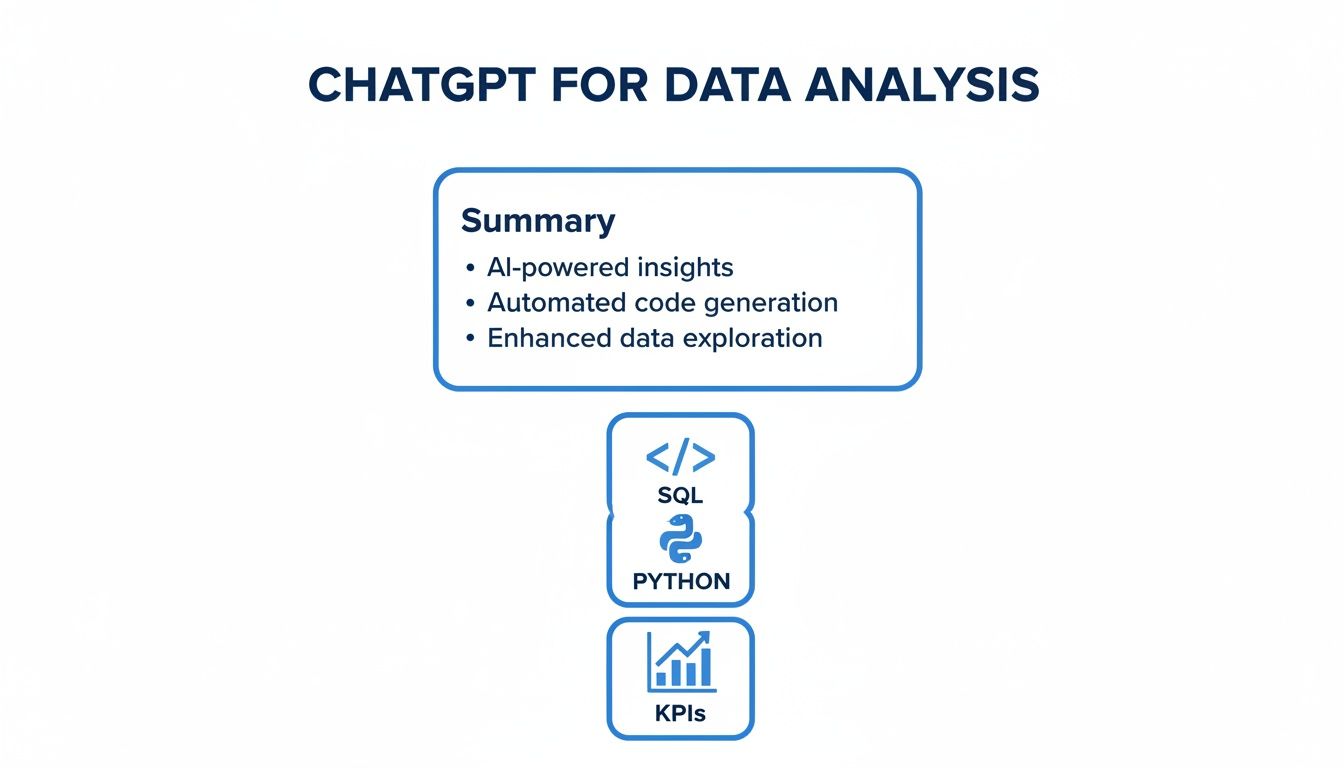
It's a Brainstorming Partner, Not an Analyst: Use ChatGPT for low-risk tasks like generating starter SQL code (with an expert review) or brainstorming KPIs. It can't connect to your live database.
AI 'Hallucinations' Are Real: General AIs can invent numbers or write flawed code, leading to bad business decisions. Accuracy is not their primary design goal.
Purpose-Built is the Way: A dedicated Conversational AI Data Analyst like Statspresso connects securely to your live data sources (Postgres, Shopify, etc.), so you can just ask a question and get a verified chart in seconds.
What ‘ChatGPT for Data Analysis’ Actually Means
When people talk about using ChatGPT for data analysis, they imagine an AI plugging into a database and spitting out flawless charts. The reality is far more manual and messy.
Think of ChatGPT as a brilliant, eager intern. It can help with specific tasks, but it needs constant supervision and you'd never give it the keys to the entire data warehouse.
This approach means you're not giving a general-purpose AI like ChatGPT direct access to your live, sensitive company data. Instead, you're using its impressive language and coding skills to help a human get their work done faster. It’s like asking a master chef for a recipe—you get great advice, but you’re still the one doing all the cooking.
Common Workflows with a General AI
So, what does this look like day-to-day? Teams using ChatGPT for analytics are leaning on it for a few tasks:
Generating Starter Code: An analyst describes a database schema (the structure, not the data) and asks ChatGPT to write a first draft of a SQL query. This saves time, but that code absolutely must be reviewed by an expert. A small error can lead to completely wrong answers.
Brainstorming KPIs: A product manager could ask for ideas on Key Performance Indicators (KPIs) for a new feature. The AI is great at suggesting things like "user engagement rate" or "feature adoption percentage," giving the team a solid starting point.
Cleaning Messy Spreadsheets: You can describe a messy CSV file to ChatGPT and ask for a Python script to help clean it up. It’s a powerful way to handle tedious work, but it still requires you to export data and apply the code yourself.
The common theme here is that ChatGPT is an assistant, not the analyst. It works off descriptions you provide, never touching your actual database. This manual, multi-step process is where you see the gaps. This is exactly the problem a dedicated Conversational AI Data Analyst like Statspresso was built to solve. It bridges the gap by connecting securely to your live data, so you can just ask a question and get a chart.
Try asking Statspresso: "Show me my monthly recurring revenue growth over the last 12 months."
The Hard Truth: Risks of Using a General AI for Business Data
On the surface, using a general-purpose AI for business intelligence seems like a brilliant shortcut. The appeal of using ChatGPT for data analysis is undeniable, but it's a path loaded with trade-offs many teams don't see until it's too late.
Acting on flawed insights or exposing your company to a privacy breach are real possibilities. The core problem is that tools like ChatGPT were never designed to be secure, live BI platforms. They're incredible generalists, but their design introduces serious risks when analyzing private company data.
The Data Privacy And Security Blind Spot
Uploading your business data to a public AI model is a massive gamble. Even with "private" modes, you are sending your most sensitive information—customer lists, sales figures, strategic plans—to a third-party server you don't control.
This opens the door to several deal-breakers:
Who owns the data? When you upload data, you often grant the AI provider broad rights to use it for model training. Your proprietary info could be used to train the next version of the AI.
A compliance nightmare. For any company handling customer information, this is a fast track to violating regulations like GDPR or CCPA.
You lose all control. Once your data is on their servers, it's out of your hands. You can't audit who accesses it or be certain it’s ever truly deleted.
A dedicated Conversational AI Data Analyst like Statspresso avoids this. It connects securely to your database with read-only permissions, so your data never leaves your environment.
The Hidden Danger of AI 'Hallucinations'
General-purpose AIs are masters of generating plausible-sounding text, not performing perfect calculations. When it comes to chatgpt for data analysis, this can be a fatal flaw. The AI can literally invent figures, misinterpret your question, or generate code that looks right but is subtly wrong.
This phenomenon, an AI hallucination, isn't a rare bug. It’s a fundamental part of how language models operate. They’re built for fluency, not the rigid accuracy required in data analysis.
For instance, you might ask for your "average order value." The AI could write a SQL query that gives you the mean when you really needed the median to account for outliers. That one mistake could drastically skew your results, leading you to make a bad decision based on a number that seemed correct.
The Unavoidable Data Access Problem
Maybe the biggest hurdle is the simplest: ChatGPT cannot connect directly to your live database. Whether your data lives in Postgres, Shopify, or HubSpot, there's just no way to plug it in.
This forces you into a clunky, error-prone loop:
Manual Data Pull: Export the data you need into a CSV.
Upload and Explain: Upload the static file and explain the context to the AI.
Rinse and Repeat: The moment data updates, the file is obsolete. Start over.
This isn't just slow; it invites manual errors at every step.
Old Way vs. New Way: A Quick Comparison
The difference between wrestling with a general AI and using a dedicated tool becomes obvious when you compare the workflows.
Feature | Old Way (ChatGPT) | New Way (Statspresso) |
|---|---|---|
Data Connection | Manual CSV/file upload; static data | Direct, secure connection to live databases |
Security | Data sent to third-party servers; high risk | Data stays in your environment; secure by design |
Accuracy | Prone to hallucinations and incorrect code | Generates verified queries against your actual schema |
Workflow | Export, upload, prompt, repeat | Skip the SQL. Just ask your data a question and get a chart in seconds. |
The new way eliminates the biggest risks. With a purpose-built Conversational AI Data Analyst, you sidestep the security headaches and get instant, trustworthy answers directly from your live data.
Practical Prompts and Workflows That Actually Work
Despite the risks, using ChatGPT for data analysis isn't useless. You just have to be smart. The golden rule: treat it like a brainstorming partner, not a trusted employee. That means you never, ever give it your actual, sensitive data.
Instead, you provide structure and anonymized descriptions. Think of it as briefing a brilliant but forgetful coder. You have to explain the problem from scratch every time and double-check their work. Before we jump in, it helps to understand what a prompt is and how it instructs the AI.
Generating Starter SQL and Python Code
One of the most useful ways to use ChatGPT is for help writing code. Instead of staring at a blank screen, you can describe your database tables and ask it to generate a query.
The trick is to provide the schema, not the data. A schema is the blueprint of your database: table names, column names, and data types. It contains no sensitive information.
Here’s a practical prompt:
"I have a Postgres database with two tables.
usershas columns:user_id(integer),created_at(timestamp), andplan_type(text).subscriptionshas columns:subscription_id(integer),user_id(integer), andmrr(numeric). Write a SQL query to show the total MRR by user signup month for users on the 'pro' plan."
This prompt gives the AI all the context it needs without sharing customer data. It will spit out a starter query that your developer must then verify, test, and run in your secure environment. It’s still a multi-step process demanding technical oversight.
Or, just try asking Statspresso: "'Show me my total MRR from 'pro' plan users, broken down by signup month.'"
Brainstorming and Defining KPIs
You know you need to track "success," but what does that mean for your new feature? A general-purpose AI can be a great sounding board for brainstorming Key Performance Indicators (KPIs).
Example Prompt for a SaaS Founder:
"I run a B2B SaaS company that helps teams manage projects. We just launched an AI task summarization feature. What are the top 5 KPIs I should track to measure its adoption and impact?"
ChatGPT might suggest:
Feature Adoption Rate: % of active users who have used the feature once.
Frequency of Use: How many times per week the average user engages with it.
Task Completion Velocity: Do teams using the feature complete projects faster?
User Retention Cohorts: Compare retention of users who adopt the feature vs. those who don't.
Qualitative Feedback Score: Track user satisfaction via in-app surveys.
This list gives you a great starting point for a team conversation. Of course, once you pick your KPIs, you still have to calculate them—a task a Conversational AI Data Analyst like Statspresso handles for you.
When to Graduate to a Purpose-Built AI Data Analyst
Using ChatGPT for data analysis is like using a Swiss Army knife to build a house. It's handy for small tasks, but you wouldn't frame the walls with it. For that, you need professional-grade tools.
The time to upgrade comes when "good enough" isn't good enough. This is when your team moves beyond casual exploration and gets serious about execution. While ChatGPT is for brainstorming, a Conversational AI Data Analyst like Statspresso is built for running a business on data.
When Live Data Becomes Non-Negotiable
The clearest sign you've outgrown a general AI is when you can no longer afford to work with static, exported CSV files. Your business moves in real-time; your decisions need to keep pace.
A purpose-built AI plugs directly into your live data sources—your Postgres database, your Shopify store, your HubSpot account. This means answers are always based on the latest information.
No more stale data. You’re not analyzing last week's sales; you're seeing what happened two minutes ago.
No more manual exports. You can skip the SQL and the whole tedious export-upload-prompt cycle.
When your team needs to track a product launch in real-time or monitor a campaign as it unfolds, a live data connection is the only way.
Try asking Statspresso: "Compare user signups from our Google Ads campaign this week versus last week."
When Security and Governance Are Paramount
As your business matures, so do your responsibilities. A dedicated platform like Statspresso is built with security in mind. It connects to your database with read-only permissions, so your sensitive data never leaves your secure environment. This is the only way to maintain data governance and meet compliance standards like GDPR and CCPA.
When Your Team Needs a Single Source of Truth
Nothing kills productivity faster than inconsistent metrics. When marketing's "customer" count from a spreadsheet differs from product's count from a custom query, trust in the data evaporates.
A Conversational AI Data Analyst creates a single source of truth. Metrics are defined centrally, so everyone gets the same, consistent answer. When you ask, "What was our churn rate last month?" you get one trusted number, every time.
We're seeing this shift happen now. Business adoption of generative AI is projected to nearly double from 12% in 2024 to 22% in 2025, according to industry reports. As you can see from these accelerating AI adoption trends on zapier.com, companies are moving past experiments and integrating tools like a dedicated AI data analyst into their core strategy.
How to Get Started with Conversational Analytics Today
So, what’s the right way forward? Making the switch to a purpose-built conversational analytics tool isn't a big project. You don't need a team of engineers. It takes minutes.
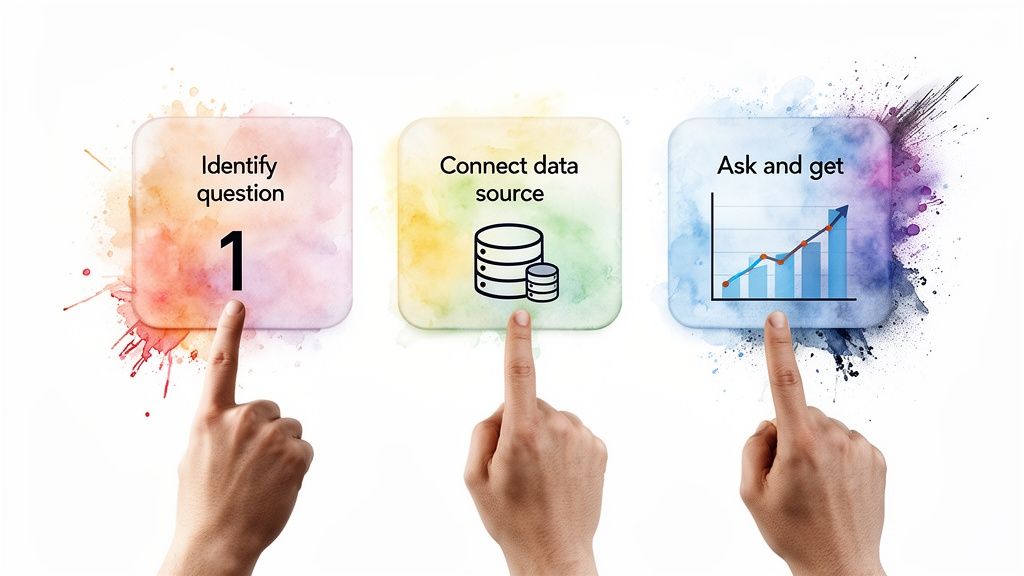
It’s a simple, three-step process that removes friction and lets you focus on your questions. For anyone building a strategy around this, understanding how to implement AI in business effectively is a great starting point.
Step 1: Identify Your Most Pressing Question
First, forget the dashboards. What's the one business question that, if answered right now, would make the biggest impact?
It could be:
"Which marketing channel brings in our most profitable customers?"
"What's the average time for a new user to become a paid subscriber?"
"How did our Black Friday sales compare to last year's, by product?"
Start with your business need, not the data.
Step 2: Connect Your Primary Data Source
Next, connect your data. This is what a Conversational AI Data Analyst like Statspresso is built for. It integrates directly with tools like your Postgres database or Shopify store.
The connection is secure and fast. You authorize a read-only connection, which ensures your data stays in your environment. No more exporting risky CSV files.
You are granting secure, read-only access. Think of it like giving a valet a key that only unlocks the doors but can't start the engine. Your data's integrity is never compromised.
Step 3: Ask Your Question in Plain English
This is where it all comes together. Take that question from Step 1 and just… ask it. No special syntax, no functions to memorize, no code to write.
Try asking Statspresso: "Show me my weekly active users from the US over the past six months."
You ask your question, and in seconds, you get a chart. You can finally stop wrestling with prompts and start having a direct conversation with your data. This is the power of a purpose-built tool. You skip the SQL and get straight to the insight.
Frequently Asked Questions About AI for Data Analysis
Let's dig into some of the most common questions from teams just like yours.
Can ChatGPT Connect Directly to My Database?
No, and you should be glad it can't. A general-purpose AI like ChatGPT has no built-in capability to connect directly to your database. This isn't an oversight; it's a critical security boundary.
Giving a public AI a direct line into your live business data would be an enormous privacy nightmare. This is precisely why a purpose-built Conversational AI Data Analyst like Statspresso exists. It uses secure, read-only connections designed for this exact job.
How Is an AI Data Analyst Different from Tableau?
The biggest difference is speed and who gets to ask the questions. A BI tool like Tableau is powerful, but it's manual. An analyst spends hours or days building dashboards. If you have a new question, you're back in the queue.
A conversational platform changes that. You skip the SQL and dashboard building. Instead, just ask your question in plain English and get a chart in seconds. It's the difference between being handed a toolbox to build a car versus telling a chauffeur where you need to go.
Is My Data Safe When Using a Conversational Analytics Platform?
Absolutely, as long as you're using a platform designed for business security. A service like Statspresso is built from the ground up to address this.
Here’s how it works:
Read-Only Access: The platform is only granted permission to read your data. It can't change, write, or delete anything.
Data Stays Put: Your data isn't copied or moved. The tool sends secure queries to your database and gets the results, but the data itself stays with you.
Enterprise-Grade Compliance: These tools are built to meet strict data privacy standards like GDPR and CCPA.
This approach is worlds safer than uploading CSVs to a public AI chatbot.
What Skills Does My Team Need to Use an AI Data Analyst?
This is the best part: practically none. The point of a Conversational AI Data Analyst is to make data accessible to everyone, without forcing them to become experts. If you can type a question, you’re ready to go.
There's no SQL to learn and no code to write. Your founders, marketers, and product managers can finally get answers on their own. This frees up your data team to stop running repetitive reports and start focusing on bigger, strategic challenges.
Ready to stop waiting and start asking? With Statspresso, you can skip the technical hurdles and get straight to the answers.
Connect your first data source for free and ask your first question.
You've got the data. You know the answers are in there. But waiting weeks for an analyst to build a dashboard is a relic of the past. So, is using ChatGPT for data analysis the game-changing shortcut you've been looking for, or just a risky gamble?

Let's cut to the chase. This guide will show you the real-world uses of GenBI, expose the risks you can't ignore, and introduce specialized tools built for one job: letting you skip the SQL and get a chart in seconds. We’ll show you how a Conversational AI Data Analyst like Statspresso gets you from question to clarity, fast.
TL;DR: Key Takeaways
ChatGPT is a Bad Idea for Live Data: Never upload sensitive business data (CSVs, customer lists) to a public AI. It's a massive security and compliance risk.
It's a Brainstorming Partner, Not an Analyst: Use ChatGPT for low-risk tasks like generating starter SQL code (with an expert review) or brainstorming KPIs. It can't connect to your live database.
AI 'Hallucinations' Are Real: General AIs can invent numbers or write flawed code, leading to bad business decisions. Accuracy is not their primary design goal.
Purpose-Built is the Way: A dedicated Conversational AI Data Analyst like Statspresso connects securely to your live data sources (Postgres, Shopify, etc.), so you can just ask a question and get a verified chart in seconds.
What ‘ChatGPT for Data Analysis’ Actually Means
When people talk about using ChatGPT for data analysis, they imagine an AI plugging into a database and spitting out flawless charts. The reality is far more manual and messy.
Think of ChatGPT as a brilliant, eager intern. It can help with specific tasks, but it needs constant supervision and you'd never give it the keys to the entire data warehouse.
This approach means you're not giving a general-purpose AI like ChatGPT direct access to your live, sensitive company data. Instead, you're using its impressive language and coding skills to help a human get their work done faster. It’s like asking a master chef for a recipe—you get great advice, but you’re still the one doing all the cooking.
Common Workflows with a General AI
So, what does this look like day-to-day? Teams using ChatGPT for analytics are leaning on it for a few tasks:
Generating Starter Code: An analyst describes a database schema (the structure, not the data) and asks ChatGPT to write a first draft of a SQL query. This saves time, but that code absolutely must be reviewed by an expert. A small error can lead to completely wrong answers.
Brainstorming KPIs: A product manager could ask for ideas on Key Performance Indicators (KPIs) for a new feature. The AI is great at suggesting things like "user engagement rate" or "feature adoption percentage," giving the team a solid starting point.
Cleaning Messy Spreadsheets: You can describe a messy CSV file to ChatGPT and ask for a Python script to help clean it up. It’s a powerful way to handle tedious work, but it still requires you to export data and apply the code yourself.
The common theme here is that ChatGPT is an assistant, not the analyst. It works off descriptions you provide, never touching your actual database. This manual, multi-step process is where you see the gaps. This is exactly the problem a dedicated Conversational AI Data Analyst like Statspresso was built to solve. It bridges the gap by connecting securely to your live data, so you can just ask a question and get a chart.
Try asking Statspresso: "Show me my monthly recurring revenue growth over the last 12 months."
The Hard Truth: Risks of Using a General AI for Business Data
On the surface, using a general-purpose AI for business intelligence seems like a brilliant shortcut. The appeal of using ChatGPT for data analysis is undeniable, but it's a path loaded with trade-offs many teams don't see until it's too late.
Acting on flawed insights or exposing your company to a privacy breach are real possibilities. The core problem is that tools like ChatGPT were never designed to be secure, live BI platforms. They're incredible generalists, but their design introduces serious risks when analyzing private company data.

The Data Privacy And Security Blind Spot
Uploading your business data to a public AI model is a massive gamble. Even with "private" modes, you are sending your most sensitive information—customer lists, sales figures, strategic plans—to a third-party server you don't control.
This opens the door to several deal-breakers:
Who owns the data? When you upload data, you often grant the AI provider broad rights to use it for model training. Your proprietary info could be used to train the next version of the AI.
A compliance nightmare. For any company handling customer information, this is a fast track to violating regulations like GDPR or CCPA.
You lose all control. Once your data is on their servers, it's out of your hands. You can't audit who accesses it or be certain it’s ever truly deleted.
A dedicated Conversational AI Data Analyst like Statspresso avoids this. It connects securely to your database with read-only permissions, so your data never leaves your environment.
The Hidden Danger of AI 'Hallucinations'
General-purpose AIs are masters of generating plausible-sounding text, not performing perfect calculations. When it comes to chatgpt for data analysis, this can be a fatal flaw. The AI can literally invent figures, misinterpret your question, or generate code that looks right but is subtly wrong.
This phenomenon, an AI hallucination, isn't a rare bug. It’s a fundamental part of how language models operate. They’re built for fluency, not the rigid accuracy required in data analysis.
For instance, you might ask for your "average order value." The AI could write a SQL query that gives you the mean when you really needed the median to account for outliers. That one mistake could drastically skew your results, leading you to make a bad decision based on a number that seemed correct.
The Unavoidable Data Access Problem
Maybe the biggest hurdle is the simplest: ChatGPT cannot connect directly to your live database. Whether your data lives in Postgres, Shopify, or HubSpot, there's just no way to plug it in.
This forces you into a clunky, error-prone loop:
Manual Data Pull: Export the data you need into a CSV.
Upload and Explain: Upload the static file and explain the context to the AI.
Rinse and Repeat: The moment data updates, the file is obsolete. Start over.
This isn't just slow; it invites manual errors at every step.
Old Way vs. New Way: A Quick Comparison
The difference between wrestling with a general AI and using a dedicated tool becomes obvious when you compare the workflows.
Feature | Old Way (ChatGPT) | New Way (Statspresso) |
|---|---|---|
Data Connection | Manual CSV/file upload; static data | Direct, secure connection to live databases |
Security | Data sent to third-party servers; high risk | Data stays in your environment; secure by design |
Accuracy | Prone to hallucinations and incorrect code | Generates verified queries against your actual schema |
Workflow | Export, upload, prompt, repeat | Skip the SQL. Just ask your data a question and get a chart in seconds. |
The new way eliminates the biggest risks. With a purpose-built Conversational AI Data Analyst, you sidestep the security headaches and get instant, trustworthy answers directly from your live data.
Practical Prompts and Workflows That Actually Work
Despite the risks, using ChatGPT for data analysis isn't useless. You just have to be smart. The golden rule: treat it like a brainstorming partner, not a trusted employee. That means you never, ever give it your actual, sensitive data.
Instead, you provide structure and anonymized descriptions. Think of it as briefing a brilliant but forgetful coder. You have to explain the problem from scratch every time and double-check their work. Before we jump in, it helps to understand what a prompt is and how it instructs the AI.
Generating Starter SQL and Python Code
One of the most useful ways to use ChatGPT is for help writing code. Instead of staring at a blank screen, you can describe your database tables and ask it to generate a query.
The trick is to provide the schema, not the data. A schema is the blueprint of your database: table names, column names, and data types. It contains no sensitive information.
Here’s a practical prompt:
"I have a Postgres database with two tables.
usershas columns:user_id(integer),created_at(timestamp), andplan_type(text).subscriptionshas columns:subscription_id(integer),user_id(integer), andmrr(numeric). Write a SQL query to show the total MRR by user signup month for users on the 'pro' plan."
This prompt gives the AI all the context it needs without sharing customer data. It will spit out a starter query that your developer must then verify, test, and run in your secure environment. It’s still a multi-step process demanding technical oversight.
Or, just try asking Statspresso: "'Show me my total MRR from 'pro' plan users, broken down by signup month.'"
Brainstorming and Defining KPIs
You know you need to track "success," but what does that mean for your new feature? A general-purpose AI can be a great sounding board for brainstorming Key Performance Indicators (KPIs).
Example Prompt for a SaaS Founder:
"I run a B2B SaaS company that helps teams manage projects. We just launched an AI task summarization feature. What are the top 5 KPIs I should track to measure its adoption and impact?"
ChatGPT might suggest:
Feature Adoption Rate: % of active users who have used the feature once.
Frequency of Use: How many times per week the average user engages with it.
Task Completion Velocity: Do teams using the feature complete projects faster?
User Retention Cohorts: Compare retention of users who adopt the feature vs. those who don't.
Qualitative Feedback Score: Track user satisfaction via in-app surveys.
This list gives you a great starting point for a team conversation. Of course, once you pick your KPIs, you still have to calculate them—a task a Conversational AI Data Analyst like Statspresso handles for you.
When to Graduate to a Purpose-Built AI Data Analyst
Using ChatGPT for data analysis is like using a Swiss Army knife to build a house. It's handy for small tasks, but you wouldn't frame the walls with it. For that, you need professional-grade tools.
The time to upgrade comes when "good enough" isn't good enough. This is when your team moves beyond casual exploration and gets serious about execution. While ChatGPT is for brainstorming, a Conversational AI Data Analyst like Statspresso is built for running a business on data.
When Live Data Becomes Non-Negotiable
The clearest sign you've outgrown a general AI is when you can no longer afford to work with static, exported CSV files. Your business moves in real-time; your decisions need to keep pace.
A purpose-built AI plugs directly into your live data sources—your Postgres database, your Shopify store, your HubSpot account. This means answers are always based on the latest information.
No more stale data. You’re not analyzing last week's sales; you're seeing what happened two minutes ago.
No more manual exports. You can skip the SQL and the whole tedious export-upload-prompt cycle.
When your team needs to track a product launch in real-time or monitor a campaign as it unfolds, a live data connection is the only way.
Try asking Statspresso: "Compare user signups from our Google Ads campaign this week versus last week."
When Security and Governance Are Paramount
As your business matures, so do your responsibilities. A dedicated platform like Statspresso is built with security in mind. It connects to your database with read-only permissions, so your sensitive data never leaves your secure environment. This is the only way to maintain data governance and meet compliance standards like GDPR and CCPA.
When Your Team Needs a Single Source of Truth
Nothing kills productivity faster than inconsistent metrics. When marketing's "customer" count from a spreadsheet differs from product's count from a custom query, trust in the data evaporates.
A Conversational AI Data Analyst creates a single source of truth. Metrics are defined centrally, so everyone gets the same, consistent answer. When you ask, "What was our churn rate last month?" you get one trusted number, every time.
We're seeing this shift happen now. Business adoption of generative AI is projected to nearly double from 12% in 2024 to 22% in 2025, according to industry reports. As you can see from these accelerating AI adoption trends on zapier.com, companies are moving past experiments and integrating tools like a dedicated AI data analyst into their core strategy.
How to Get Started with Conversational Analytics Today
So, what’s the right way forward? Making the switch to a purpose-built conversational analytics tool isn't a big project. You don't need a team of engineers. It takes minutes.

It’s a simple, three-step process that removes friction and lets you focus on your questions. For anyone building a strategy around this, understanding how to implement AI in business effectively is a great starting point.
Step 1: Identify Your Most Pressing Question
First, forget the dashboards. What's the one business question that, if answered right now, would make the biggest impact?
It could be:
"Which marketing channel brings in our most profitable customers?"
"What's the average time for a new user to become a paid subscriber?"
"How did our Black Friday sales compare to last year's, by product?"
Start with your business need, not the data.
Step 2: Connect Your Primary Data Source
Next, connect your data. This is what a Conversational AI Data Analyst like Statspresso is built for. It integrates directly with tools like your Postgres database or Shopify store.
The connection is secure and fast. You authorize a read-only connection, which ensures your data stays in your environment. No more exporting risky CSV files.
You are granting secure, read-only access. Think of it like giving a valet a key that only unlocks the doors but can't start the engine. Your data's integrity is never compromised.
Step 3: Ask Your Question in Plain English
This is where it all comes together. Take that question from Step 1 and just… ask it. No special syntax, no functions to memorize, no code to write.
Try asking Statspresso: "Show me my weekly active users from the US over the past six months."
You ask your question, and in seconds, you get a chart. You can finally stop wrestling with prompts and start having a direct conversation with your data. This is the power of a purpose-built tool. You skip the SQL and get straight to the insight.
Frequently Asked Questions About AI for Data Analysis
Let's dig into some of the most common questions from teams just like yours.
Can ChatGPT Connect Directly to My Database?
No, and you should be glad it can't. A general-purpose AI like ChatGPT has no built-in capability to connect directly to your database. This isn't an oversight; it's a critical security boundary.
Giving a public AI a direct line into your live business data would be an enormous privacy nightmare. This is precisely why a purpose-built Conversational AI Data Analyst like Statspresso exists. It uses secure, read-only connections designed for this exact job.
How Is an AI Data Analyst Different from Tableau?
The biggest difference is speed and who gets to ask the questions. A BI tool like Tableau is powerful, but it's manual. An analyst spends hours or days building dashboards. If you have a new question, you're back in the queue.
A conversational platform changes that. You skip the SQL and dashboard building. Instead, just ask your question in plain English and get a chart in seconds. It's the difference between being handed a toolbox to build a car versus telling a chauffeur where you need to go.
Is My Data Safe When Using a Conversational Analytics Platform?
Absolutely, as long as you're using a platform designed for business security. A service like Statspresso is built from the ground up to address this.
Here’s how it works:
Read-Only Access: The platform is only granted permission to read your data. It can't change, write, or delete anything.
Data Stays Put: Your data isn't copied or moved. The tool sends secure queries to your database and gets the results, but the data itself stays with you.
Enterprise-Grade Compliance: These tools are built to meet strict data privacy standards like GDPR and CCPA.
This approach is worlds safer than uploading CSVs to a public AI chatbot.
What Skills Does My Team Need to Use an AI Data Analyst?
This is the best part: practically none. The point of a Conversational AI Data Analyst is to make data accessible to everyone, without forcing them to become experts. If you can type a question, you’re ready to go.
There's no SQL to learn and no code to write. Your founders, marketers, and product managers can finally get answers on their own. This frees up your data team to stop running repetitive reports and start focusing on bigger, strategic challenges.
Ready to stop waiting and start asking? With Statspresso, you can skip the technical hurdles and get straight to the answers.
Connect your first data source for free and ask your first question.
You've got the data. You know the answers are in there. But waiting weeks for an analyst to build a dashboard is a relic of the past. So, is using ChatGPT for data analysis the game-changing shortcut you've been looking for, or just a risky gamble?

Let's cut to the chase. This guide will show you the real-world uses of GenBI, expose the risks you can't ignore, and introduce specialized tools built for one job: letting you skip the SQL and get a chart in seconds. We’ll show you how a Conversational AI Data Analyst like Statspresso gets you from question to clarity, fast.
TL;DR: Key Takeaways
ChatGPT is a Bad Idea for Live Data: Never upload sensitive business data (CSVs, customer lists) to a public AI. It's a massive security and compliance risk.
It's a Brainstorming Partner, Not an Analyst: Use ChatGPT for low-risk tasks like generating starter SQL code (with an expert review) or brainstorming KPIs. It can't connect to your live database.
AI 'Hallucinations' Are Real: General AIs can invent numbers or write flawed code, leading to bad business decisions. Accuracy is not their primary design goal.
Purpose-Built is the Way: A dedicated Conversational AI Data Analyst like Statspresso connects securely to your live data sources (Postgres, Shopify, etc.), so you can just ask a question and get a verified chart in seconds.
What ‘ChatGPT for Data Analysis’ Actually Means
When people talk about using ChatGPT for data analysis, they imagine an AI plugging into a database and spitting out flawless charts. The reality is far more manual and messy.
Think of ChatGPT as a brilliant, eager intern. It can help with specific tasks, but it needs constant supervision and you'd never give it the keys to the entire data warehouse.
This approach means you're not giving a general-purpose AI like ChatGPT direct access to your live, sensitive company data. Instead, you're using its impressive language and coding skills to help a human get their work done faster. It’s like asking a master chef for a recipe—you get great advice, but you’re still the one doing all the cooking.
Common Workflows with a General AI
So, what does this look like day-to-day? Teams using ChatGPT for analytics are leaning on it for a few tasks:
Generating Starter Code: An analyst describes a database schema (the structure, not the data) and asks ChatGPT to write a first draft of a SQL query. This saves time, but that code absolutely must be reviewed by an expert. A small error can lead to completely wrong answers.
Brainstorming KPIs: A product manager could ask for ideas on Key Performance Indicators (KPIs) for a new feature. The AI is great at suggesting things like "user engagement rate" or "feature adoption percentage," giving the team a solid starting point.
Cleaning Messy Spreadsheets: You can describe a messy CSV file to ChatGPT and ask for a Python script to help clean it up. It’s a powerful way to handle tedious work, but it still requires you to export data and apply the code yourself.
The common theme here is that ChatGPT is an assistant, not the analyst. It works off descriptions you provide, never touching your actual database. This manual, multi-step process is where you see the gaps. This is exactly the problem a dedicated Conversational AI Data Analyst like Statspresso was built to solve. It bridges the gap by connecting securely to your live data, so you can just ask a question and get a chart.
Try asking Statspresso: "Show me my monthly recurring revenue growth over the last 12 months."
The Hard Truth: Risks of Using a General AI for Business Data
On the surface, using a general-purpose AI for business intelligence seems like a brilliant shortcut. The appeal of using ChatGPT for data analysis is undeniable, but it's a path loaded with trade-offs many teams don't see until it's too late.
Acting on flawed insights or exposing your company to a privacy breach are real possibilities. The core problem is that tools like ChatGPT were never designed to be secure, live BI platforms. They're incredible generalists, but their design introduces serious risks when analyzing private company data.

The Data Privacy And Security Blind Spot
Uploading your business data to a public AI model is a massive gamble. Even with "private" modes, you are sending your most sensitive information—customer lists, sales figures, strategic plans—to a third-party server you don't control.
This opens the door to several deal-breakers:
Who owns the data? When you upload data, you often grant the AI provider broad rights to use it for model training. Your proprietary info could be used to train the next version of the AI.
A compliance nightmare. For any company handling customer information, this is a fast track to violating regulations like GDPR or CCPA.
You lose all control. Once your data is on their servers, it's out of your hands. You can't audit who accesses it or be certain it’s ever truly deleted.
A dedicated Conversational AI Data Analyst like Statspresso avoids this. It connects securely to your database with read-only permissions, so your data never leaves your environment.
The Hidden Danger of AI 'Hallucinations'
General-purpose AIs are masters of generating plausible-sounding text, not performing perfect calculations. When it comes to chatgpt for data analysis, this can be a fatal flaw. The AI can literally invent figures, misinterpret your question, or generate code that looks right but is subtly wrong.
This phenomenon, an AI hallucination, isn't a rare bug. It’s a fundamental part of how language models operate. They’re built for fluency, not the rigid accuracy required in data analysis.
For instance, you might ask for your "average order value." The AI could write a SQL query that gives you the mean when you really needed the median to account for outliers. That one mistake could drastically skew your results, leading you to make a bad decision based on a number that seemed correct.
The Unavoidable Data Access Problem
Maybe the biggest hurdle is the simplest: ChatGPT cannot connect directly to your live database. Whether your data lives in Postgres, Shopify, or HubSpot, there's just no way to plug it in.
This forces you into a clunky, error-prone loop:
Manual Data Pull: Export the data you need into a CSV.
Upload and Explain: Upload the static file and explain the context to the AI.
Rinse and Repeat: The moment data updates, the file is obsolete. Start over.
This isn't just slow; it invites manual errors at every step.
Old Way vs. New Way: A Quick Comparison
The difference between wrestling with a general AI and using a dedicated tool becomes obvious when you compare the workflows.
Feature | Old Way (ChatGPT) | New Way (Statspresso) |
|---|---|---|
Data Connection | Manual CSV/file upload; static data | Direct, secure connection to live databases |
Security | Data sent to third-party servers; high risk | Data stays in your environment; secure by design |
Accuracy | Prone to hallucinations and incorrect code | Generates verified queries against your actual schema |
Workflow | Export, upload, prompt, repeat | Skip the SQL. Just ask your data a question and get a chart in seconds. |
The new way eliminates the biggest risks. With a purpose-built Conversational AI Data Analyst, you sidestep the security headaches and get instant, trustworthy answers directly from your live data.
Practical Prompts and Workflows That Actually Work
Despite the risks, using ChatGPT for data analysis isn't useless. You just have to be smart. The golden rule: treat it like a brainstorming partner, not a trusted employee. That means you never, ever give it your actual, sensitive data.
Instead, you provide structure and anonymized descriptions. Think of it as briefing a brilliant but forgetful coder. You have to explain the problem from scratch every time and double-check their work. Before we jump in, it helps to understand what a prompt is and how it instructs the AI.
Generating Starter SQL and Python Code
One of the most useful ways to use ChatGPT is for help writing code. Instead of staring at a blank screen, you can describe your database tables and ask it to generate a query.
The trick is to provide the schema, not the data. A schema is the blueprint of your database: table names, column names, and data types. It contains no sensitive information.
Here’s a practical prompt:
"I have a Postgres database with two tables.
usershas columns:user_id(integer),created_at(timestamp), andplan_type(text).subscriptionshas columns:subscription_id(integer),user_id(integer), andmrr(numeric). Write a SQL query to show the total MRR by user signup month for users on the 'pro' plan."
This prompt gives the AI all the context it needs without sharing customer data. It will spit out a starter query that your developer must then verify, test, and run in your secure environment. It’s still a multi-step process demanding technical oversight.
Or, just try asking Statspresso: "'Show me my total MRR from 'pro' plan users, broken down by signup month.'"
Brainstorming and Defining KPIs
You know you need to track "success," but what does that mean for your new feature? A general-purpose AI can be a great sounding board for brainstorming Key Performance Indicators (KPIs).
Example Prompt for a SaaS Founder:
"I run a B2B SaaS company that helps teams manage projects. We just launched an AI task summarization feature. What are the top 5 KPIs I should track to measure its adoption and impact?"
ChatGPT might suggest:
Feature Adoption Rate: % of active users who have used the feature once.
Frequency of Use: How many times per week the average user engages with it.
Task Completion Velocity: Do teams using the feature complete projects faster?
User Retention Cohorts: Compare retention of users who adopt the feature vs. those who don't.
Qualitative Feedback Score: Track user satisfaction via in-app surveys.
This list gives you a great starting point for a team conversation. Of course, once you pick your KPIs, you still have to calculate them—a task a Conversational AI Data Analyst like Statspresso handles for you.
When to Graduate to a Purpose-Built AI Data Analyst
Using ChatGPT for data analysis is like using a Swiss Army knife to build a house. It's handy for small tasks, but you wouldn't frame the walls with it. For that, you need professional-grade tools.
The time to upgrade comes when "good enough" isn't good enough. This is when your team moves beyond casual exploration and gets serious about execution. While ChatGPT is for brainstorming, a Conversational AI Data Analyst like Statspresso is built for running a business on data.
When Live Data Becomes Non-Negotiable
The clearest sign you've outgrown a general AI is when you can no longer afford to work with static, exported CSV files. Your business moves in real-time; your decisions need to keep pace.
A purpose-built AI plugs directly into your live data sources—your Postgres database, your Shopify store, your HubSpot account. This means answers are always based on the latest information.
No more stale data. You’re not analyzing last week's sales; you're seeing what happened two minutes ago.
No more manual exports. You can skip the SQL and the whole tedious export-upload-prompt cycle.
When your team needs to track a product launch in real-time or monitor a campaign as it unfolds, a live data connection is the only way.
Try asking Statspresso: "Compare user signups from our Google Ads campaign this week versus last week."
When Security and Governance Are Paramount
As your business matures, so do your responsibilities. A dedicated platform like Statspresso is built with security in mind. It connects to your database with read-only permissions, so your sensitive data never leaves your secure environment. This is the only way to maintain data governance and meet compliance standards like GDPR and CCPA.
When Your Team Needs a Single Source of Truth
Nothing kills productivity faster than inconsistent metrics. When marketing's "customer" count from a spreadsheet differs from product's count from a custom query, trust in the data evaporates.
A Conversational AI Data Analyst creates a single source of truth. Metrics are defined centrally, so everyone gets the same, consistent answer. When you ask, "What was our churn rate last month?" you get one trusted number, every time.
We're seeing this shift happen now. Business adoption of generative AI is projected to nearly double from 12% in 2024 to 22% in 2025, according to industry reports. As you can see from these accelerating AI adoption trends on zapier.com, companies are moving past experiments and integrating tools like a dedicated AI data analyst into their core strategy.
How to Get Started with Conversational Analytics Today
So, what’s the right way forward? Making the switch to a purpose-built conversational analytics tool isn't a big project. You don't need a team of engineers. It takes minutes.

It’s a simple, three-step process that removes friction and lets you focus on your questions. For anyone building a strategy around this, understanding how to implement AI in business effectively is a great starting point.
Step 1: Identify Your Most Pressing Question
First, forget the dashboards. What's the one business question that, if answered right now, would make the biggest impact?
It could be:
"Which marketing channel brings in our most profitable customers?"
"What's the average time for a new user to become a paid subscriber?"
"How did our Black Friday sales compare to last year's, by product?"
Start with your business need, not the data.
Step 2: Connect Your Primary Data Source
Next, connect your data. This is what a Conversational AI Data Analyst like Statspresso is built for. It integrates directly with tools like your Postgres database or Shopify store.
The connection is secure and fast. You authorize a read-only connection, which ensures your data stays in your environment. No more exporting risky CSV files.
You are granting secure, read-only access. Think of it like giving a valet a key that only unlocks the doors but can't start the engine. Your data's integrity is never compromised.
Step 3: Ask Your Question in Plain English
This is where it all comes together. Take that question from Step 1 and just… ask it. No special syntax, no functions to memorize, no code to write.
Try asking Statspresso: "Show me my weekly active users from the US over the past six months."
You ask your question, and in seconds, you get a chart. You can finally stop wrestling with prompts and start having a direct conversation with your data. This is the power of a purpose-built tool. You skip the SQL and get straight to the insight.
Frequently Asked Questions About AI for Data Analysis
Let's dig into some of the most common questions from teams just like yours.
Can ChatGPT Connect Directly to My Database?
No, and you should be glad it can't. A general-purpose AI like ChatGPT has no built-in capability to connect directly to your database. This isn't an oversight; it's a critical security boundary.
Giving a public AI a direct line into your live business data would be an enormous privacy nightmare. This is precisely why a purpose-built Conversational AI Data Analyst like Statspresso exists. It uses secure, read-only connections designed for this exact job.
How Is an AI Data Analyst Different from Tableau?
The biggest difference is speed and who gets to ask the questions. A BI tool like Tableau is powerful, but it's manual. An analyst spends hours or days building dashboards. If you have a new question, you're back in the queue.
A conversational platform changes that. You skip the SQL and dashboard building. Instead, just ask your question in plain English and get a chart in seconds. It's the difference between being handed a toolbox to build a car versus telling a chauffeur where you need to go.
Is My Data Safe When Using a Conversational Analytics Platform?
Absolutely, as long as you're using a platform designed for business security. A service like Statspresso is built from the ground up to address this.
Here’s how it works:
Read-Only Access: The platform is only granted permission to read your data. It can't change, write, or delete anything.
Data Stays Put: Your data isn't copied or moved. The tool sends secure queries to your database and gets the results, but the data itself stays with you.
Enterprise-Grade Compliance: These tools are built to meet strict data privacy standards like GDPR and CCPA.
This approach is worlds safer than uploading CSVs to a public AI chatbot.
What Skills Does My Team Need to Use an AI Data Analyst?
This is the best part: practically none. The point of a Conversational AI Data Analyst is to make data accessible to everyone, without forcing them to become experts. If you can type a question, you’re ready to go.
There's no SQL to learn and no code to write. Your founders, marketers, and product managers can finally get answers on their own. This frees up your data team to stop running repetitive reports and start focusing on bigger, strategic challenges.
Ready to stop waiting and start asking? With Statspresso, you can skip the technical hurdles and get straight to the answers.
Connect your first data source for free and ask your first question.