10 Practical Business Intelligence Examples to Try Today

You’re sitting on a goldmine of data. But getting answers feels like pulling teeth. Waiting weeks for an analyst to build a dashboard is a relic of the past. Your business can't afford that bottleneck. It’s time to stop drowning in raw data and start having a direct conversation with it.

This article gives you 10 actionable business intelligence examples you can use today, broken down by department. We’ll show you the exact questions to ask and how to get answers in seconds with a Conversational AI Data Analyst like Statspresso.

Let's dive in.

Key Takeaways (TL;DR)

  • Pain Point: Traditional BI is slow. Waiting for data analysts to write SQL and build dashboards is a major bottleneck for fast-moving teams.

  • The Shift: Modern BI is moving from static dashboards to "conversational analytics." Instead of looking at a report, you ask your data a direct question.

  • The Solution (Statspresso): Skip the SQL. Just ask your data a question and get a chart in seconds. This empowers founders, marketers, and PMs to self-serve insights.

  • Actionable Examples: This article covers 10 use cases, including tracking sales performance, analyzing product user retention, measuring marketing ROI, and monitoring financial health like burn rate.

  • Next Step: Connect your first data source for free and ask your first question.

1. Sales Performance: Go Beyond the Static Dashboard

Forget dashboards that only answer last month's questions. A modern sales analytics setup lets you directly interrogate your data. No more waiting for an analyst to act as a middleman. You just ask, “Which sales rep has the highest close rate for deals over $10k this quarter?” and get an instant chart.

A man analyzes a digital business intelligence dashboard on his laptop, featuring charts and a funnel.

This is a prime business intelligence example because it connects action to insight. A sales manager can diagnose a dip in regional performance, identify the root cause with a follow-up question, and implement a coaching plan before lunch. It democratizes data, making it a daily habit, not a quarterly review.

Old Way vs. New Way

The Old Way (Manual SQL & Dashboards)

The New Way (Conversational AI)

1. Pain Point: "Our win rate is down."

1. Question: "Show me our win rate by week for the last 3 months."

2. Action: File ticket with the data team.

2. Instant Answer: Get a line chart showing the drop.

3. Wait: 2-3 days for the analyst to run a query.

3. Follow-up: "Now break that down by sales rep."

4. Result: Get a static chart in an email.

4. Insight: Instantly see which reps are struggling.

Strategic Application

  • Core Question: Why is our team-wide win rate dropping this month?

  • Key Metrics: Win Rate (%), Deal Velocity (days), Average Deal Size ($).

  • Data Sources: Your CRM (e.g., HubSpot, Salesforce).

Try asking Statspresso: "Show me our monthly recurring revenue (MRR) growth over the last 12 months as a bar chart."

2. Product Analytics: Find Why Users Churn (or Stick)

Static product dashboards are obsolete. Product teams need to move faster than a weekly report allows. The solution is combining deep user behavior data with AI-powered insight generation. This allows product managers to ask critical questions directly, such as, “Why did our daily active users drop 15% this week?” The AI can automatically surface anomalies a human might miss.

This automated BI approach closes the gap between data and decisions. A product manager can investigate a dip in feature adoption, have the AI identify it’s isolated to a specific user segment, and create a targeted fix before it escalates.

Strategic Application

  • Core Question: Why is our user retention declining after the first week?

  • Key Metrics: Daily Active Users (DAU), Feature Adoption Rate (%), User Retention by Cohort.

  • Data Sources: Product analytics platforms (e.g., Amplitude), your application database (e.g., Postgres, MySQL).

Try asking Statspresso: "Compare weekly retention for users who signed up in May versus June."

3. Marketing Attribution: Prove Your ROI

Modern marketing is a puzzle of ads, emails, and social media. An attribution dashboard pieces it all together, connecting spend directly to revenue. It stops the guesswork and answers the most critical question: “Which of our efforts are actually making us money?” This BI example helps teams move beyond vanity metrics like clicks to focus on hard ROI.
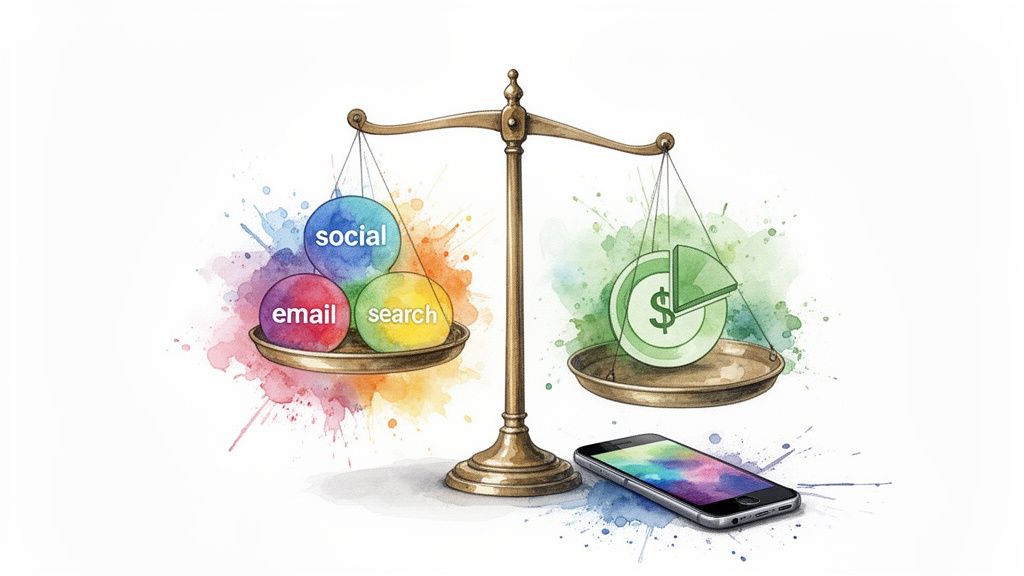
Watercolor image comparing social, email, and search channels with financial returns on a balance scale, alongside a smartphone.

A marketing manager can instantly see that while Facebook ads generate many leads, customers from organic search have a 50% higher lifetime value. Armed with that insight, they can reallocate their budget to SEO and content, optimizing for profit.

Strategic Application

  • Core Question: Which marketing channel provides the best return on ad spend (ROAS)?

  • Key Metrics: Customer Acquisition Cost (CAC) by channel, Lifetime Value (LTV) by channel, ROAS.

  • Data Sources: Google Ads, Facebook Ads, your CRM (e.g., HubSpot), and your e-commerce platform (e.g., Shopify).

Try asking Statspresso: "Show me a comparison of our CAC and LTV by marketing channel for the last six months."

4. Operations: Uncover Hidden Bottlenecks

Effective operations are the engine of a business, but they're often managed with gut feelings. Modern business intelligence examples flip this by connecting directly to project management tools like Jira or Linear. This provides a real-time view of how work gets done, revealing bottlenecks that would otherwise remain hidden.

This BI application links operational activity to business outcomes. It replaces anecdotal evidence with hard data, enabling faster, more precise process improvements. It’s about moving from "Are we busy?" to "Are we effective?".

Strategic Application

  • Core Question: Where are process bottlenecks slowing down our team's output?

  • Key Metrics: Cycle Time (days), Ticket Velocity, Team Capacity vs. Workload.

  • Data Sources: Project management tools (e.g., Jira, Linear, Asana).

Try asking Statspresso: "Show me the average cycle time for bug fixes versus new features this quarter."

5. Customer Success: Predict Churn Before It Happens

In the subscription economy, preventing churn is just as important as acquiring new customers. Modern BI moves beyond reactive churn reports to proactive retention analytics. This allows customer success managers (CSMs) to use conversational analytics to ask, “Which high-value accounts have shown a drop in activity this month?” and get an actionable list instantly.

This is a critical business intelligence example because it shifts the focus from damage control to opportunity management. A CSM can identify a customer whose product usage is declining and intervene before that account considers canceling. To effectively manage your customer base and minimize churn, delve into actionable customer retention strategies.

Strategic Application

  • Core Question: Which customers are at risk of churning, and which are ready for an upsell?

  • Key Metrics: Customer Health Score, Product Adoption Rate, Net Revenue Retention (NRR), Churn Rate (%).

  • Data Sources: Product usage database, CRM (HubSpot, Salesforce), and helpdesk software (Zendesk).

Try asking Statspresso: "List all customers with a health score below 40 who haven't logged in for 14 days."

6. Financial Health: Keep Your Eyes on Runway

For startups, spreadsheets are the default but quickly become a liability. A financial health dashboard provides a real-time, interactive view of cash flow, burn rate, and runway. Instead of spending hours in Excel, you ask, "How many months of runway do we have left at our current burn rate?" and get an instant, clear answer.

Hand interacting with a financial

This BI use case brings speed to high-stakes decisions. A founder can instantly track the impact of a new hire on their burn rate or prepare for a board meeting with up-to-the-minute data.

Strategic Application

  • Core Question: How long can we operate before needing more capital?

  • Key Metrics: Net Burn Rate ($), Runway (months), Customer Acquisition Cost (CAC), Lifetime Value (LTV).

  • Data Sources: Accounting software (e.g., Stripe, QuickBooks) and your subscription platform (e.g., Chargebee).

Try asking Statspresso: "Compare our fixed vs. variable costs over the last six months."

7. E-commerce: Fix Your Leaky Funnel

For an e-commerce brand, a conversion funnel is the entire business. BI here maps the complete journey from first click to purchase. This lets you pinpoint exactly where customers are dropping off. Instead of guessing, you ask, “Which products are most frequently abandoned in carts?” and get an immediate, actionable list.

This is an essential business intelligence example because it directly ties product performance to customer behavior. An e-commerce manager can discover that a new, high-priced item has a confusing shipping policy and fix the issue in minutes, directly recovering lost revenue.

Strategic Application

  • Core Question: Where are we losing potential customers in the checkout process?

  • Key Metrics: Conversion Rate (%), Cart Abandonment Rate (%), Average Order Value (AOV).

  • Data Sources: Your e-commerce platform (e.g., Shopify, BigCommerce) and web analytics (e.g., Google Analytics).

Try asking Statspresso: "Show me my top 10 products by revenue this quarter and their individual conversion rates."

8. Human Resources: Make People Analytics Strategic

People analytics moves HR from an administrative function to a strategic driver. Instead of relying on gut feelings, modern HR leaders use BI to get a data-backed view of their organization. This allows them to proactively address issues like turnover and optimize hiring.

This GenBI example transforms reactive problem-solving ("Why did three good people just quit?") into proactive strategy ("Our data shows a dip in engagement in the marketing team; let's investigate now.").

Strategic Application

  • Core Question: Why is our employee turnover rate higher in Q3?

  • Key Metrics: Employee Turnover Rate (%), Time-to-Hire (days), Cost-per-Hire ($), Employee Engagement Score (eNPS).

  • Data Sources: Your HRIS (e.g., BambooHR, Workday) and recruiting platforms (e.g., Greenhouse).

Try asking Statspresso: "Show me our voluntary attrition rate by department for the last six months."

9. API Usage: Monitor Your Platform's Health

For a SaaS company, monitoring your API isn't just an IT task; it's a core business function. An API health dashboard provides a business-centric view of your platform's performance, tracking call volume, error rates, and latency.

This business intelligence example directly links technical performance to business outcomes like customer retention. Proactive monitoring prevents service degradation and builds trust with developers who rely on your platform. Knowing your data analytics and IoT fundamentals is key to asking the right API health questions.

Strategic Application

  • Core Question: Which API endpoints have high error rates, and which customers are affected?

  • Key Metrics: API Calls per Minute, P99 Latency (ms), Error Rate (%).

  • Data Sources: API gateway logs (e.g., Kong) and cloud monitoring tools (e.g., Datadog).

Try asking Statspresso: "List customers with an API error rate over 5% in the last 24 hours."

10. Embedded Analytics: Productize Your Reporting

Manual client reporting is a huge time sink. Embedded analytics solves this by letting agencies place interactive, branded dashboards directly into their client portals. It transforms reporting from a manual chore into a scalable, high-value service.

This business intelligence example turns data reporting into a product. A digital marketing agency can stop sending static PDFs and instead give clients a live dashboard to explore their own campaign performance. It professionalizes the service and increases client stickiness. This strategy can be supercharged with embedded analytics, which turns your app into an analytical powerhouse.

Strategic Application

  • Core Question: How can we scale client reporting without hiring more analysts?

  • Key Metrics: Client Engagement (with dashboard), Report Delivery Time, Client Retention Rate (%).

  • Data Sources: Varies by agency type (e.g., Google Ads, social media APIs, Applicant Tracking Systems).

Try asking Statspresso: (Provide this to your clients) "Compare our cost per lead this month to last month for our Facebook and Google campaigns."

Stop Building Reports. Start Getting Answers.

Across all these business intelligence examples, a single thread emerges. The goal was never to build a prettier chart. The goal was always to get a specific question answered fast enough to matter. The traditional BI workflow fails this fundamental test of speed.

The future of business intelligence isn't about more dashboard features; it's about eliminating the dashboard as a bottleneck. It's a shift from a "reporting" mindset to an "answering" mindset.

The Shift from Static Reports to Dynamic Conversations

Consider the old way versus the new way:

  • Old Way: You notice a dip in user engagement. You file a ticket with the data team. You wait three days for a custom SQL query. By the time you get the report, a week has passed.

  • New Way: You notice the dip. You ask your Conversational AI Data Analyst: "Compare user logins by day for this month versus last month." You get an instant chart. You follow up: "Segment that by users who signed up in the last 60 days." You find the cohort that's dropping off in seconds.

This democratizes access to answers, empowering the people with business context to investigate their own hunches without a technical intermediary.

Ready to stop waiting and start asking? The common thread in all these advanced business intelligence examples is the move away from slow, manual analysis. With Statspresso, you connect your data sources and empower your entire team to get instant answers and charts by asking questions in plain English.

Connect your first data source for free and ask your first question.

You’re sitting on a goldmine of data. But getting answers feels like pulling teeth. Waiting weeks for an analyst to build a dashboard is a relic of the past. Your business can't afford that bottleneck. It’s time to stop drowning in raw data and start having a direct conversation with it.

This article gives you 10 actionable business intelligence examples you can use today, broken down by department. We’ll show you the exact questions to ask and how to get answers in seconds with a Conversational AI Data Analyst like Statspresso.

Let's dive in.

Key Takeaways (TL;DR)

  • Pain Point: Traditional BI is slow. Waiting for data analysts to write SQL and build dashboards is a major bottleneck for fast-moving teams.

  • The Shift: Modern BI is moving from static dashboards to "conversational analytics." Instead of looking at a report, you ask your data a direct question.

  • The Solution (Statspresso): Skip the SQL. Just ask your data a question and get a chart in seconds. This empowers founders, marketers, and PMs to self-serve insights.

  • Actionable Examples: This article covers 10 use cases, including tracking sales performance, analyzing product user retention, measuring marketing ROI, and monitoring financial health like burn rate.

  • Next Step: Connect your first data source for free and ask your first question.

1. Sales Performance: Go Beyond the Static Dashboard

Forget dashboards that only answer last month's questions. A modern sales analytics setup lets you directly interrogate your data. No more waiting for an analyst to act as a middleman. You just ask, “Which sales rep has the highest close rate for deals over $10k this quarter?” and get an instant chart.

A man analyzes a digital business intelligence dashboard on his laptop, featuring charts and a funnel.

This is a prime business intelligence example because it connects action to insight. A sales manager can diagnose a dip in regional performance, identify the root cause with a follow-up question, and implement a coaching plan before lunch. It democratizes data, making it a daily habit, not a quarterly review.

Old Way vs. New Way

The Old Way (Manual SQL & Dashboards)

The New Way (Conversational AI)

1. Pain Point: "Our win rate is down."

1. Question: "Show me our win rate by week for the last 3 months."

2. Action: File ticket with the data team.

2. Instant Answer: Get a line chart showing the drop.

3. Wait: 2-3 days for the analyst to run a query.

3. Follow-up: "Now break that down by sales rep."

4. Result: Get a static chart in an email.

4. Insight: Instantly see which reps are struggling.

Strategic Application

  • Core Question: Why is our team-wide win rate dropping this month?

  • Key Metrics: Win Rate (%), Deal Velocity (days), Average Deal Size ($).

  • Data Sources: Your CRM (e.g., HubSpot, Salesforce).

Try asking Statspresso: "Show me our monthly recurring revenue (MRR) growth over the last 12 months as a bar chart."

2. Product Analytics: Find Why Users Churn (or Stick)

Static product dashboards are obsolete. Product teams need to move faster than a weekly report allows. The solution is combining deep user behavior data with AI-powered insight generation. This allows product managers to ask critical questions directly, such as, “Why did our daily active users drop 15% this week?” The AI can automatically surface anomalies a human might miss.

This automated BI approach closes the gap between data and decisions. A product manager can investigate a dip in feature adoption, have the AI identify it’s isolated to a specific user segment, and create a targeted fix before it escalates.

Strategic Application

  • Core Question: Why is our user retention declining after the first week?

  • Key Metrics: Daily Active Users (DAU), Feature Adoption Rate (%), User Retention by Cohort.

  • Data Sources: Product analytics platforms (e.g., Amplitude), your application database (e.g., Postgres, MySQL).

Try asking Statspresso: "Compare weekly retention for users who signed up in May versus June."

3. Marketing Attribution: Prove Your ROI

Modern marketing is a puzzle of ads, emails, and social media. An attribution dashboard pieces it all together, connecting spend directly to revenue. It stops the guesswork and answers the most critical question: “Which of our efforts are actually making us money?” This BI example helps teams move beyond vanity metrics like clicks to focus on hard ROI.

Watercolor image comparing social, email, and search channels with financial returns on a balance scale, alongside a smartphone.

A marketing manager can instantly see that while Facebook ads generate many leads, customers from organic search have a 50% higher lifetime value. Armed with that insight, they can reallocate their budget to SEO and content, optimizing for profit.

Strategic Application

  • Core Question: Which marketing channel provides the best return on ad spend (ROAS)?

  • Key Metrics: Customer Acquisition Cost (CAC) by channel, Lifetime Value (LTV) by channel, ROAS.

  • Data Sources: Google Ads, Facebook Ads, your CRM (e.g., HubSpot), and your e-commerce platform (e.g., Shopify).

Try asking Statspresso: "Show me a comparison of our CAC and LTV by marketing channel for the last six months."

4. Operations: Uncover Hidden Bottlenecks

Effective operations are the engine of a business, but they're often managed with gut feelings. Modern business intelligence examples flip this by connecting directly to project management tools like Jira or Linear. This provides a real-time view of how work gets done, revealing bottlenecks that would otherwise remain hidden.

This BI application links operational activity to business outcomes. It replaces anecdotal evidence with hard data, enabling faster, more precise process improvements. It’s about moving from "Are we busy?" to "Are we effective?".

Strategic Application

  • Core Question: Where are process bottlenecks slowing down our team's output?

  • Key Metrics: Cycle Time (days), Ticket Velocity, Team Capacity vs. Workload.

  • Data Sources: Project management tools (e.g., Jira, Linear, Asana).

Try asking Statspresso: "Show me the average cycle time for bug fixes versus new features this quarter."

5. Customer Success: Predict Churn Before It Happens

In the subscription economy, preventing churn is just as important as acquiring new customers. Modern BI moves beyond reactive churn reports to proactive retention analytics. This allows customer success managers (CSMs) to use conversational analytics to ask, “Which high-value accounts have shown a drop in activity this month?” and get an actionable list instantly.

This is a critical business intelligence example because it shifts the focus from damage control to opportunity management. A CSM can identify a customer whose product usage is declining and intervene before that account considers canceling. To effectively manage your customer base and minimize churn, delve into actionable customer retention strategies.

Strategic Application

  • Core Question: Which customers are at risk of churning, and which are ready for an upsell?

  • Key Metrics: Customer Health Score, Product Adoption Rate, Net Revenue Retention (NRR), Churn Rate (%).

  • Data Sources: Product usage database, CRM (HubSpot, Salesforce), and helpdesk software (Zendesk).

Try asking Statspresso: "List all customers with a health score below 40 who haven't logged in for 14 days."

6. Financial Health: Keep Your Eyes on Runway

For startups, spreadsheets are the default but quickly become a liability. A financial health dashboard provides a real-time, interactive view of cash flow, burn rate, and runway. Instead of spending hours in Excel, you ask, "How many months of runway do we have left at our current burn rate?" and get an instant, clear answer.

Hand interacting with a financial

This BI use case brings speed to high-stakes decisions. A founder can instantly track the impact of a new hire on their burn rate or prepare for a board meeting with up-to-the-minute data.

Strategic Application

  • Core Question: How long can we operate before needing more capital?

  • Key Metrics: Net Burn Rate ($), Runway (months), Customer Acquisition Cost (CAC), Lifetime Value (LTV).

  • Data Sources: Accounting software (e.g., Stripe, QuickBooks) and your subscription platform (e.g., Chargebee).

Try asking Statspresso: "Compare our fixed vs. variable costs over the last six months."

7. E-commerce: Fix Your Leaky Funnel

For an e-commerce brand, a conversion funnel is the entire business. BI here maps the complete journey from first click to purchase. This lets you pinpoint exactly where customers are dropping off. Instead of guessing, you ask, “Which products are most frequently abandoned in carts?” and get an immediate, actionable list.

This is an essential business intelligence example because it directly ties product performance to customer behavior. An e-commerce manager can discover that a new, high-priced item has a confusing shipping policy and fix the issue in minutes, directly recovering lost revenue.

Strategic Application

  • Core Question: Where are we losing potential customers in the checkout process?

  • Key Metrics: Conversion Rate (%), Cart Abandonment Rate (%), Average Order Value (AOV).

  • Data Sources: Your e-commerce platform (e.g., Shopify, BigCommerce) and web analytics (e.g., Google Analytics).

Try asking Statspresso: "Show me my top 10 products by revenue this quarter and their individual conversion rates."

8. Human Resources: Make People Analytics Strategic

People analytics moves HR from an administrative function to a strategic driver. Instead of relying on gut feelings, modern HR leaders use BI to get a data-backed view of their organization. This allows them to proactively address issues like turnover and optimize hiring.

This GenBI example transforms reactive problem-solving ("Why did three good people just quit?") into proactive strategy ("Our data shows a dip in engagement in the marketing team; let's investigate now.").

Strategic Application

  • Core Question: Why is our employee turnover rate higher in Q3?

  • Key Metrics: Employee Turnover Rate (%), Time-to-Hire (days), Cost-per-Hire ($), Employee Engagement Score (eNPS).

  • Data Sources: Your HRIS (e.g., BambooHR, Workday) and recruiting platforms (e.g., Greenhouse).

Try asking Statspresso: "Show me our voluntary attrition rate by department for the last six months."

9. API Usage: Monitor Your Platform's Health

For a SaaS company, monitoring your API isn't just an IT task; it's a core business function. An API health dashboard provides a business-centric view of your platform's performance, tracking call volume, error rates, and latency.

This business intelligence example directly links technical performance to business outcomes like customer retention. Proactive monitoring prevents service degradation and builds trust with developers who rely on your platform. Knowing your data analytics and IoT fundamentals is key to asking the right API health questions.

Strategic Application

  • Core Question: Which API endpoints have high error rates, and which customers are affected?

  • Key Metrics: API Calls per Minute, P99 Latency (ms), Error Rate (%).

  • Data Sources: API gateway logs (e.g., Kong) and cloud monitoring tools (e.g., Datadog).

Try asking Statspresso: "List customers with an API error rate over 5% in the last 24 hours."

10. Embedded Analytics: Productize Your Reporting

Manual client reporting is a huge time sink. Embedded analytics solves this by letting agencies place interactive, branded dashboards directly into their client portals. It transforms reporting from a manual chore into a scalable, high-value service.

This business intelligence example turns data reporting into a product. A digital marketing agency can stop sending static PDFs and instead give clients a live dashboard to explore their own campaign performance. It professionalizes the service and increases client stickiness. This strategy can be supercharged with embedded analytics, which turns your app into an analytical powerhouse.

Strategic Application

  • Core Question: How can we scale client reporting without hiring more analysts?

  • Key Metrics: Client Engagement (with dashboard), Report Delivery Time, Client Retention Rate (%).

  • Data Sources: Varies by agency type (e.g., Google Ads, social media APIs, Applicant Tracking Systems).

Try asking Statspresso: (Provide this to your clients) "Compare our cost per lead this month to last month for our Facebook and Google campaigns."

Stop Building Reports. Start Getting Answers.

Across all these business intelligence examples, a single thread emerges. The goal was never to build a prettier chart. The goal was always to get a specific question answered fast enough to matter. The traditional BI workflow fails this fundamental test of speed.

The future of business intelligence isn't about more dashboard features; it's about eliminating the dashboard as a bottleneck. It's a shift from a "reporting" mindset to an "answering" mindset.

The Shift from Static Reports to Dynamic Conversations

Consider the old way versus the new way:

  • Old Way: You notice a dip in user engagement. You file a ticket with the data team. You wait three days for a custom SQL query. By the time you get the report, a week has passed.

  • New Way: You notice the dip. You ask your Conversational AI Data Analyst: "Compare user logins by day for this month versus last month." You get an instant chart. You follow up: "Segment that by users who signed up in the last 60 days." You find the cohort that's dropping off in seconds.

This democratizes access to answers, empowering the people with business context to investigate their own hunches without a technical intermediary.

Ready to stop waiting and start asking? The common thread in all these advanced business intelligence examples is the move away from slow, manual analysis. With Statspresso, you connect your data sources and empower your entire team to get instant answers and charts by asking questions in plain English.

Connect your first data source for free and ask your first question.

You’re sitting on a goldmine of data. But getting answers feels like pulling teeth. Waiting weeks for an analyst to build a dashboard is a relic of the past. Your business can't afford that bottleneck. It’s time to stop drowning in raw data and start having a direct conversation with it.

This article gives you 10 actionable business intelligence examples you can use today, broken down by department. We’ll show you the exact questions to ask and how to get answers in seconds with a Conversational AI Data Analyst like Statspresso.

Let's dive in.

Key Takeaways (TL;DR)

  • Pain Point: Traditional BI is slow. Waiting for data analysts to write SQL and build dashboards is a major bottleneck for fast-moving teams.

  • The Shift: Modern BI is moving from static dashboards to "conversational analytics." Instead of looking at a report, you ask your data a direct question.

  • The Solution (Statspresso): Skip the SQL. Just ask your data a question and get a chart in seconds. This empowers founders, marketers, and PMs to self-serve insights.

  • Actionable Examples: This article covers 10 use cases, including tracking sales performance, analyzing product user retention, measuring marketing ROI, and monitoring financial health like burn rate.

  • Next Step: Connect your first data source for free and ask your first question.

1. Sales Performance: Go Beyond the Static Dashboard

Forget dashboards that only answer last month's questions. A modern sales analytics setup lets you directly interrogate your data. No more waiting for an analyst to act as a middleman. You just ask, “Which sales rep has the highest close rate for deals over $10k this quarter?” and get an instant chart.

A man analyzes a digital business intelligence dashboard on his laptop, featuring charts and a funnel.

This is a prime business intelligence example because it connects action to insight. A sales manager can diagnose a dip in regional performance, identify the root cause with a follow-up question, and implement a coaching plan before lunch. It democratizes data, making it a daily habit, not a quarterly review.

Old Way vs. New Way

The Old Way (Manual SQL & Dashboards)

The New Way (Conversational AI)

1. Pain Point: "Our win rate is down."

1. Question: "Show me our win rate by week for the last 3 months."

2. Action: File ticket with the data team.

2. Instant Answer: Get a line chart showing the drop.

3. Wait: 2-3 days for the analyst to run a query.

3. Follow-up: "Now break that down by sales rep."

4. Result: Get a static chart in an email.

4. Insight: Instantly see which reps are struggling.

Strategic Application

  • Core Question: Why is our team-wide win rate dropping this month?

  • Key Metrics: Win Rate (%), Deal Velocity (days), Average Deal Size ($).

  • Data Sources: Your CRM (e.g., HubSpot, Salesforce).

Try asking Statspresso: "Show me our monthly recurring revenue (MRR) growth over the last 12 months as a bar chart."

2. Product Analytics: Find Why Users Churn (or Stick)

Static product dashboards are obsolete. Product teams need to move faster than a weekly report allows. The solution is combining deep user behavior data with AI-powered insight generation. This allows product managers to ask critical questions directly, such as, “Why did our daily active users drop 15% this week?” The AI can automatically surface anomalies a human might miss.

This automated BI approach closes the gap between data and decisions. A product manager can investigate a dip in feature adoption, have the AI identify it’s isolated to a specific user segment, and create a targeted fix before it escalates.

Strategic Application

  • Core Question: Why is our user retention declining after the first week?

  • Key Metrics: Daily Active Users (DAU), Feature Adoption Rate (%), User Retention by Cohort.

  • Data Sources: Product analytics platforms (e.g., Amplitude), your application database (e.g., Postgres, MySQL).

Try asking Statspresso: "Compare weekly retention for users who signed up in May versus June."

3. Marketing Attribution: Prove Your ROI

Modern marketing is a puzzle of ads, emails, and social media. An attribution dashboard pieces it all together, connecting spend directly to revenue. It stops the guesswork and answers the most critical question: “Which of our efforts are actually making us money?” This BI example helps teams move beyond vanity metrics like clicks to focus on hard ROI.

Watercolor image comparing social, email, and search channels with financial returns on a balance scale, alongside a smartphone.

A marketing manager can instantly see that while Facebook ads generate many leads, customers from organic search have a 50% higher lifetime value. Armed with that insight, they can reallocate their budget to SEO and content, optimizing for profit.

Strategic Application

  • Core Question: Which marketing channel provides the best return on ad spend (ROAS)?

  • Key Metrics: Customer Acquisition Cost (CAC) by channel, Lifetime Value (LTV) by channel, ROAS.

  • Data Sources: Google Ads, Facebook Ads, your CRM (e.g., HubSpot), and your e-commerce platform (e.g., Shopify).

Try asking Statspresso: "Show me a comparison of our CAC and LTV by marketing channel for the last six months."

4. Operations: Uncover Hidden Bottlenecks

Effective operations are the engine of a business, but they're often managed with gut feelings. Modern business intelligence examples flip this by connecting directly to project management tools like Jira or Linear. This provides a real-time view of how work gets done, revealing bottlenecks that would otherwise remain hidden.

This BI application links operational activity to business outcomes. It replaces anecdotal evidence with hard data, enabling faster, more precise process improvements. It’s about moving from "Are we busy?" to "Are we effective?".

Strategic Application

  • Core Question: Where are process bottlenecks slowing down our team's output?

  • Key Metrics: Cycle Time (days), Ticket Velocity, Team Capacity vs. Workload.

  • Data Sources: Project management tools (e.g., Jira, Linear, Asana).

Try asking Statspresso: "Show me the average cycle time for bug fixes versus new features this quarter."

5. Customer Success: Predict Churn Before It Happens

In the subscription economy, preventing churn is just as important as acquiring new customers. Modern BI moves beyond reactive churn reports to proactive retention analytics. This allows customer success managers (CSMs) to use conversational analytics to ask, “Which high-value accounts have shown a drop in activity this month?” and get an actionable list instantly.

This is a critical business intelligence example because it shifts the focus from damage control to opportunity management. A CSM can identify a customer whose product usage is declining and intervene before that account considers canceling. To effectively manage your customer base and minimize churn, delve into actionable customer retention strategies.

Strategic Application

  • Core Question: Which customers are at risk of churning, and which are ready for an upsell?

  • Key Metrics: Customer Health Score, Product Adoption Rate, Net Revenue Retention (NRR), Churn Rate (%).

  • Data Sources: Product usage database, CRM (HubSpot, Salesforce), and helpdesk software (Zendesk).

Try asking Statspresso: "List all customers with a health score below 40 who haven't logged in for 14 days."

6. Financial Health: Keep Your Eyes on Runway

For startups, spreadsheets are the default but quickly become a liability. A financial health dashboard provides a real-time, interactive view of cash flow, burn rate, and runway. Instead of spending hours in Excel, you ask, "How many months of runway do we have left at our current burn rate?" and get an instant, clear answer.

Hand interacting with a financial

This BI use case brings speed to high-stakes decisions. A founder can instantly track the impact of a new hire on their burn rate or prepare for a board meeting with up-to-the-minute data.

Strategic Application

  • Core Question: How long can we operate before needing more capital?

  • Key Metrics: Net Burn Rate ($), Runway (months), Customer Acquisition Cost (CAC), Lifetime Value (LTV).

  • Data Sources: Accounting software (e.g., Stripe, QuickBooks) and your subscription platform (e.g., Chargebee).

Try asking Statspresso: "Compare our fixed vs. variable costs over the last six months."

7. E-commerce: Fix Your Leaky Funnel

For an e-commerce brand, a conversion funnel is the entire business. BI here maps the complete journey from first click to purchase. This lets you pinpoint exactly where customers are dropping off. Instead of guessing, you ask, “Which products are most frequently abandoned in carts?” and get an immediate, actionable list.

This is an essential business intelligence example because it directly ties product performance to customer behavior. An e-commerce manager can discover that a new, high-priced item has a confusing shipping policy and fix the issue in minutes, directly recovering lost revenue.

Strategic Application

  • Core Question: Where are we losing potential customers in the checkout process?

  • Key Metrics: Conversion Rate (%), Cart Abandonment Rate (%), Average Order Value (AOV).

  • Data Sources: Your e-commerce platform (e.g., Shopify, BigCommerce) and web analytics (e.g., Google Analytics).

Try asking Statspresso: "Show me my top 10 products by revenue this quarter and their individual conversion rates."

8. Human Resources: Make People Analytics Strategic

People analytics moves HR from an administrative function to a strategic driver. Instead of relying on gut feelings, modern HR leaders use BI to get a data-backed view of their organization. This allows them to proactively address issues like turnover and optimize hiring.

This GenBI example transforms reactive problem-solving ("Why did three good people just quit?") into proactive strategy ("Our data shows a dip in engagement in the marketing team; let's investigate now.").

Strategic Application

  • Core Question: Why is our employee turnover rate higher in Q3?

  • Key Metrics: Employee Turnover Rate (%), Time-to-Hire (days), Cost-per-Hire ($), Employee Engagement Score (eNPS).

  • Data Sources: Your HRIS (e.g., BambooHR, Workday) and recruiting platforms (e.g., Greenhouse).

Try asking Statspresso: "Show me our voluntary attrition rate by department for the last six months."

9. API Usage: Monitor Your Platform's Health

For a SaaS company, monitoring your API isn't just an IT task; it's a core business function. An API health dashboard provides a business-centric view of your platform's performance, tracking call volume, error rates, and latency.

This business intelligence example directly links technical performance to business outcomes like customer retention. Proactive monitoring prevents service degradation and builds trust with developers who rely on your platform. Knowing your data analytics and IoT fundamentals is key to asking the right API health questions.

Strategic Application

  • Core Question: Which API endpoints have high error rates, and which customers are affected?

  • Key Metrics: API Calls per Minute, P99 Latency (ms), Error Rate (%).

  • Data Sources: API gateway logs (e.g., Kong) and cloud monitoring tools (e.g., Datadog).

Try asking Statspresso: "List customers with an API error rate over 5% in the last 24 hours."

10. Embedded Analytics: Productize Your Reporting

Manual client reporting is a huge time sink. Embedded analytics solves this by letting agencies place interactive, branded dashboards directly into their client portals. It transforms reporting from a manual chore into a scalable, high-value service.

This business intelligence example turns data reporting into a product. A digital marketing agency can stop sending static PDFs and instead give clients a live dashboard to explore their own campaign performance. It professionalizes the service and increases client stickiness. This strategy can be supercharged with embedded analytics, which turns your app into an analytical powerhouse.

Strategic Application

  • Core Question: How can we scale client reporting without hiring more analysts?

  • Key Metrics: Client Engagement (with dashboard), Report Delivery Time, Client Retention Rate (%).

  • Data Sources: Varies by agency type (e.g., Google Ads, social media APIs, Applicant Tracking Systems).

Try asking Statspresso: (Provide this to your clients) "Compare our cost per lead this month to last month for our Facebook and Google campaigns."

Stop Building Reports. Start Getting Answers.

Across all these business intelligence examples, a single thread emerges. The goal was never to build a prettier chart. The goal was always to get a specific question answered fast enough to matter. The traditional BI workflow fails this fundamental test of speed.

The future of business intelligence isn't about more dashboard features; it's about eliminating the dashboard as a bottleneck. It's a shift from a "reporting" mindset to an "answering" mindset.

The Shift from Static Reports to Dynamic Conversations

Consider the old way versus the new way:

  • Old Way: You notice a dip in user engagement. You file a ticket with the data team. You wait three days for a custom SQL query. By the time you get the report, a week has passed.

  • New Way: You notice the dip. You ask your Conversational AI Data Analyst: "Compare user logins by day for this month versus last month." You get an instant chart. You follow up: "Segment that by users who signed up in the last 60 days." You find the cohort that's dropping off in seconds.

This democratizes access to answers, empowering the people with business context to investigate their own hunches without a technical intermediary.

Ready to stop waiting and start asking? The common thread in all these advanced business intelligence examples is the move away from slow, manual analysis. With Statspresso, you connect your data sources and empower your entire team to get instant answers and charts by asking questions in plain English.

Connect your first data source for free and ask your first question.