Your Next Data Analyst Is an AI

Waiting weeks for a simple dashboard is a relic of the past. It’s a business killer. You know the answers you need are buried somewhere in your data, but getting to them feels impossible without learning SQL or wrestling with clunky BI tools. This is where AI for data analytics changes the game. It lets you skip the SQL. Just ask your data a question and get a chart in seconds.

  • TL;DR: The Bottom Line Up Front

    • The Pain: Getting data insights is slow. You have to file tickets and wait for analysts.

    • The Solution: Use a Conversational AI Data Analyst like Statspresso to ask questions in plain English and get instant charts.

    • How it Works: AI uses Machine Learning (ML), Natural Language Processing (NLP), and Large Language Models (LLMs) to understand your question, query your database, and visualize the answer.

    • The Payoff: Founders, marketers, and product managers get immediate answers to drive growth, freeing up data experts for high-impact strategic work.

Your Data Has the Answers. AI Knows How to Ask.

This isn't about firing your data team. It's about giving you—the founder, the product manager, the marketing lead—the power to find your own answers, right now.

Think about it. What if you could just ask, "What were our top 5 selling products last month?" and instantly get a clear, useful bar chart? That's the reality of modern AI-powered analytics. It's about having a conversation with your data. This guide will show you how it works and why you can't afford to ignore it.

The market is already voting with its dollars. The global AI Data Analysis Software market is projected to more than double from USD 601 million in 2025 to USD 1,149 million by 2034. It's no surprise, then, that by 2026, over 65% of organizations will be using or actively exploring AI for their analytics needs. This is quickly becoming table stakes.

An AI analytics assistant acts as a central hub, pulling everything together for you, as you can see below.
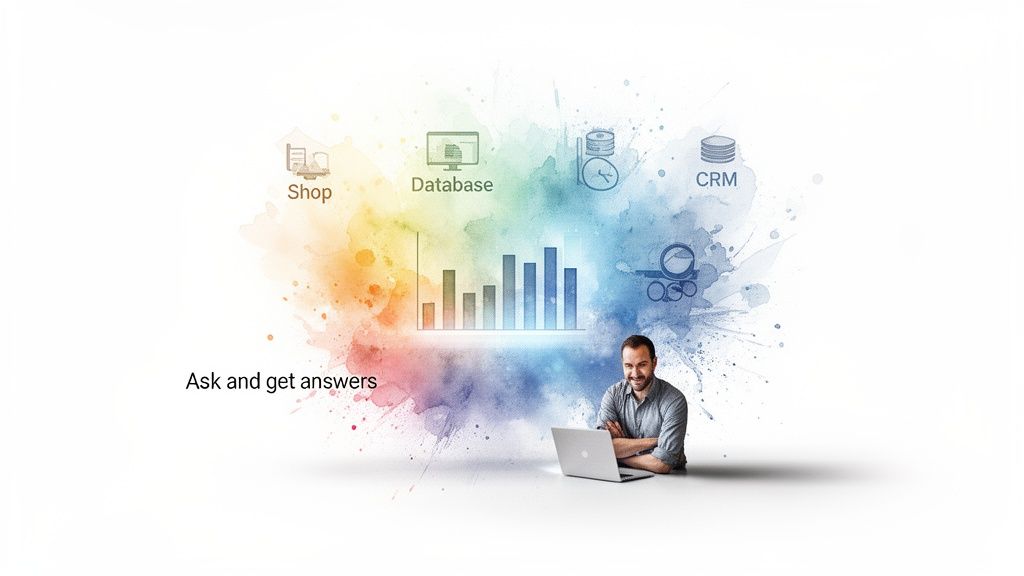
Man uses a laptop with a colorful data analytics visualization connected to shop, database, and CRM.

This image gets to the heart of it. Your Shopify, database, and CRM data are no longer isolated islands. They flow into a single, intelligent conversation, ready to give you immediate answers.

But there’s a crucial first step. AI can only work its magic on data that's well-organized and reliable. Before you can get meaningful insights, you need a solid strategy for collecting and analyzing data for business growth. With that foundation in place, you'll be ready to unlock what your data is truly trying to tell you.

How AI Turns Your Questions into Instant Insights
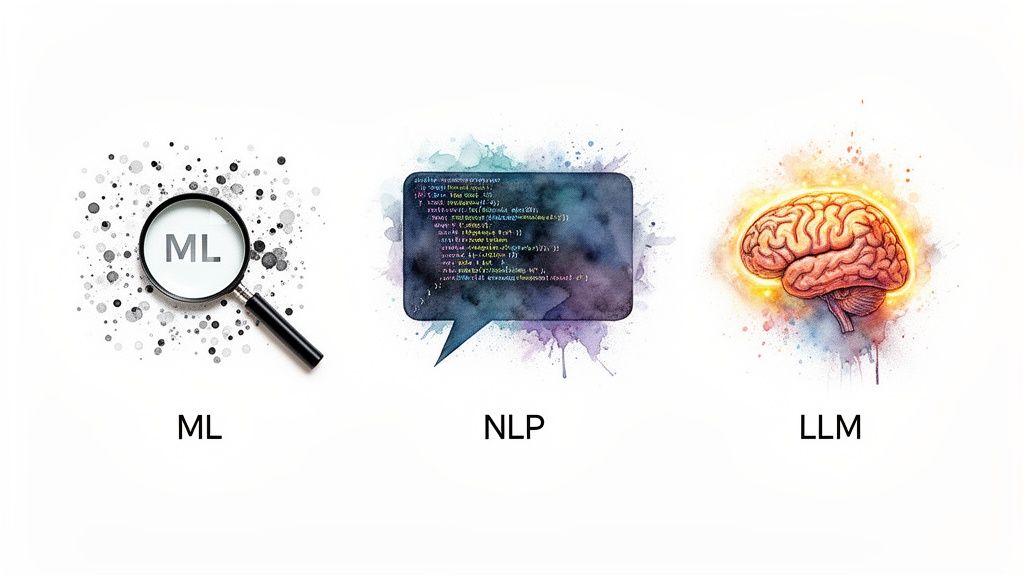
Visual representation of ML, NLP, and LLM concepts: magnifying glass, code speech bubble, and a glowing brain.

So, what's really going on behind the curtain when you ask a simple question and get a detailed data visualization in return? It's not magic, but it’s an elegant system designed to do one thing well: translate your business curiosity into precise, data-backed answers.

With a platform like Statspresso, you no longer need to know SQL or wrestle with complicated BI dashboards. Instead of forcing you to learn the database's language, the AI learns to understand yours. Let’s pull back the curtain on the core technologies that make this possible.

Machine Learning: The Tireless Detective

At the core of AI for data analytics is Machine Learning (ML). Think of it as a super-powered detective that never sleeps. It tirelessly sifts through millions of data points—sales figures, user actions, support tickets—to find meaningful patterns a human could easily miss.

ML models are trained to spot correlations and flag anomalies. For example, a model might discover that customers who buy product A are 75% more likely to purchase product B within 30 days. This is the engine that drives predictive forecasting and uncovers hidden trends.

Natural Language Processing: The Universal Translator

Next, you have Natural Language Processing (NLP). This is the crucial bridge between your everyday language and the database's rigid code. When you ask a question in plain English, it's NLP's job to deconstruct your sentence to figure out exactly what you mean.

Let's take a simple question: "What was our top-selling product in Q4?" NLP breaks it down like this:

  • "What" signals a search for a specific item.

  • "top-selling" implies sorting data by revenue or units sold.

  • "product" points to the specific data table to query.

  • "in Q4" sets the precise date range for the analysis.

NLP then translates this into a query the database can execute. This is what makes a Conversational AI Data Analyst like Statspresso feel less like a machine and more like a knowledgeable colleague.

Large Language Models: The Context Engine

While NLP understands words, Large Language Models (LLMs) grasp intent. LLMs, the tech behind tools like ChatGPT, bring a layer of reasoning to the table. They help the system handle ambiguity and make smart assumptions.

If you ask about "sales," an LLM helps the AI know to clarify, "Do you mean gross sales or net sales?" This contextual understanding is what separates getting just an answer from getting the right answer.

This trio—ML, NLP, and LLMs—works in sync. ML finds the patterns, NLP translates your request, and LLMs add the context. This allows you to skip the SQL and just ask your data a question.

Ready to see it in action?

Try asking Statspresso: "Show me my new users by acquisition channel last month as a pie chart."

Beyond Answering Questions: Automated Insights

Here's where it gets even better: you don't always have to be the one asking. Modern AI for data analytics also delivers automated insights. The AI proactively monitors your data, constantly looking for significant changes or emerging trends you need to know about.

Imagine getting a notification that says, "Your customer churn rate in Brazil has increased by 15% this week." That isn't just data; it's a strategic alert. This turns your analytics tool from a passive respondent into an active partner.

From Manual Reports to Conversational BI
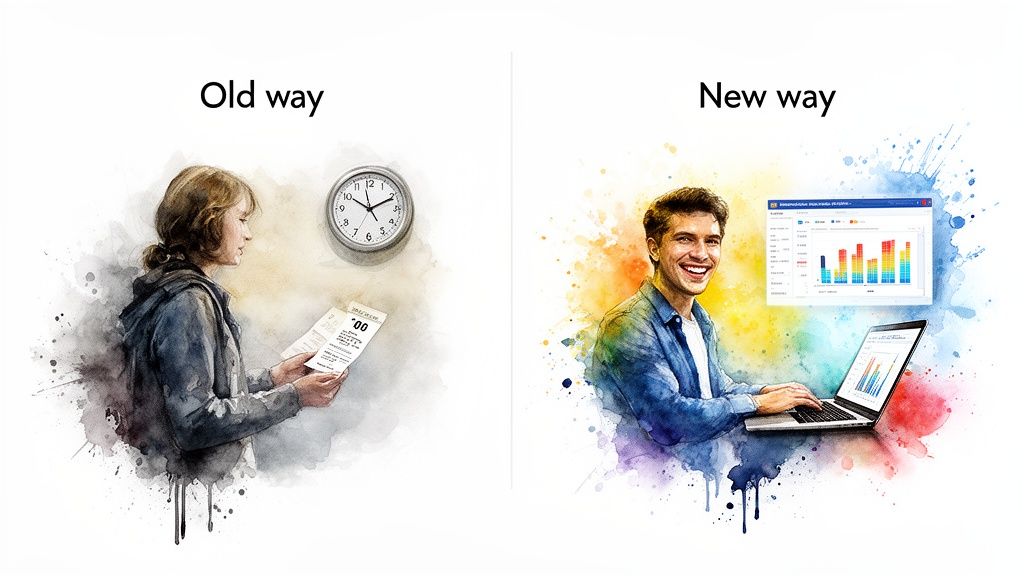
Contrast of manual data processing with a clock versus modern AI data analytics.

So, how does this shift look in your day-to-day work? Moving from traditional BI to a conversational approach is like trading a horse and buggy for a sports car. It’s about swapping weeks of waiting for seconds of discovery.

The old way is a familiar, painful story: a business user has a question, but getting the answer requires a long, drawn-out process bogged down by human bottlenecks. The new method, driven by AI for data analytics, is built for speed and self-sufficiency.

The Old Way vs. The New Way

To see what this means in practice, let’s compare the two workflows. The old process is built around waiting. The new model is built to empower you.

Using a Conversational AI Data Analyst like Statspresso effectively collapses the entire reporting queue into a single, immediate action. You ask, and it answers.

Data Analysis Workflow Comparison

Feature

The Old Way (Manual BI & SQL)

The New Way (Conversational AI with Statspresso)

The Ask

You file a ticket with the data team.

You ask the AI your question in plain English.

The Wait

Days or weeks for an analyst to get to it.

Seconds. The AI instantly writes and runs the query.

The Process

Back-and-forth emails to clarify your request.

The AI asks clarifying questions if needed, in real-time.

The Result

A static chart or CSV, often already stale.

An interactive chart with live data.

Follow-Ups

Start the process all over again.

Ask your next question immediately.

The difference is clear. One path leads to delays and outdated information, while the other delivers immediate, actionable insights.

This isn’t just about saving a few hours. Industry reports from firms like Google and Databricks confirm that AI is fundamentally rewiring analytics workflows. By automating the grunt work, AI frees up teams to focus on strategy.

From Gatekeepers to Self-Service

In the traditional model, data analysts often become information gatekeepers. The new model elevates them to strategic partners. When business users can answer their own "what" and "when" questions, data experts are free to tackle high-impact challenges.

This shift means you can move at the speed of your own curiosity. Skip the SQL. Just ask your data a question and get a chart in seconds.

With a tool like Statspresso, you connect your Postgres database or Shopify store once. From then on, your data is ready for a conversation.

Try asking something like: "What's the LTV of customers from our last Facebook campaign?"

The result is a culture of discovery, not dependency. Your team stops guessing and starts knowing. This is the heart of modern conversational BI.

Real-World Examples That Drive Business Growth

Theory is great, but results pay the bills. Let's get practical. Here’s how leaders are using AI for data analytics to solve problems and make smarter decisions. This is where a Conversational AI Data Analyst like Statspresso shifts from a cool concept to an essential team member.

This isn't just hype; it's backed by the 91.9% of organizations who report seeing real value from their data investments, often powered by AI tools. You can dig into these trends in recent data analytics statistical reports. This growth isn't just a story about massive corporations. It's about founders, product managers, and marketers finally getting answers without waiting in a queue.

For Marketing Leads: Ditch the Spreadsheet Maze

Every marketing team knows the pain of calculating ROI. It's a multi-hour ordeal of exporting files and wrestling with spreadsheets. With conversational analytics, that task becomes a 10-second question.

Instead of fighting VLOOKUPs, you connect your data sources once. After that, you get immediate answers.

Example Prompt: "Compare the conversion rates and cost per acquisition of my Google Ads vs. Facebook Ads campaigns for the last 30 days."

A query this simple gives you a clear business case. You see which channel gives you the best bang for your buck and reallocate your budget with confidence—all before your first coffee is done.

For Product Managers: Prioritize with Precision

Product managers constantly balance user feedback with engagement data. The million-dollar question is always, "What should we build next?" AI analytics anchors your roadmap in what people are actually doing.

By plugging in your product analytics or database, you get a direct line into how people really use your product.

High-Impact Questions for Product Managers:

  • Which features have the highest engagement among our power users?

  • What is the adoption rate of our new onboarding flow?

  • Show me users who have reported a specific bug.

This approach swaps guesswork for evidence. When you see that a "minor" feature is used daily by 80% of new signups, you know it's critical.

Example Prompt: "Which features have the highest engagement among users who signed up in the last 60 days?"

For Founders: Get a Real-Time Pulse on the Business

For any founder, time is the one resource you can't get more of. You don't have hours to sift through dashboards or wait for an end-of-month report that's already out of date. You need a live, accurate feel for the health of the business, right now.

A Conversational AI Data Analyst acts like your most trusted advisor, always on call. It gives you the top-level metrics you need and the power to drill down when something piques your interest.

Example Prompt: "What is our current MRR, and how does it compare to the same period last year? Show it as a line chart."

This is the real power of conversational BI. You can skip the SQL and just ask your data a question to get a chart in seconds. It’s about shifting your entire company from a reactive, report-driven culture to a proactive, question-driven one.

Your Roadmap to Implementing AI Analytics

So, you're sold. Getting instant insights instead of waiting on slow reports sounds like a game-changer. But where do you start? Bringing AI for data analytics into your workflow isn't some massive project that will drain your engineering team.

The path from reading this article to getting your first real insight is shorter than you think. Here’s your step-by-step roadmap.

Step 1: Connect Your Data Securely

First things first: connect your data. A Conversational AI Data Analyst like Statspresso can securely link to your existing databases and business apps in minutes.

Security is baked into this process. These connections are typically read-only, which means the AI can query your data but can never write, modify, or delete anything. You provide secure credentials, and the platform does the heavy lifting.

Step 2: Ask Your First High-Impact Questions

With your data connected, the fun begins. Start by asking simple but high-impact business questions to get a quick win and build momentum.

This is where conversational analytics shines. Instead of writing code, you just type what you need to know.

Here are a few powerful first questions to try:

  • For Marketing: "What are my top 5 traffic sources by user count this month?"

  • For Product: "Show me daily active users over the past 30 days."

  • For Sales: "Which sales reps have the highest number of closed deals this quarter?"

  • For Founders: "What is our monthly recurring revenue trend for the last year?"

Try asking Statspresso: "Show me my revenue by month for the last year as a bar chart."

These initial queries give you instant validation. You'll see how fast you can go from a question to a clear, actionable chart. You skip the SQL and just ask your data a question to get a chart in seconds.

The predictive analytics market, a core piece of this puzzle, is projected to skyrocket from USD 17.49 billion in 2025 to USD 100.20 billion by 2034. This is a major move toward looking forward, not just back.

Step 3: Build Collaborative Workspaces

Data is a team sport. The next step is to create collaborative workspaces where your entire team can find and trust the same insights.

This is about creating shared dashboards and organizing key metrics so everyone works from a single source of truth. When the marketing lead, product manager, and founder all look at the same live data, alignment happens naturally. A solid AI adoption strategy is essential to scale these benefits across the organization.

This flow shows how different departments can tap into a central AI analytics hub to drive growth.
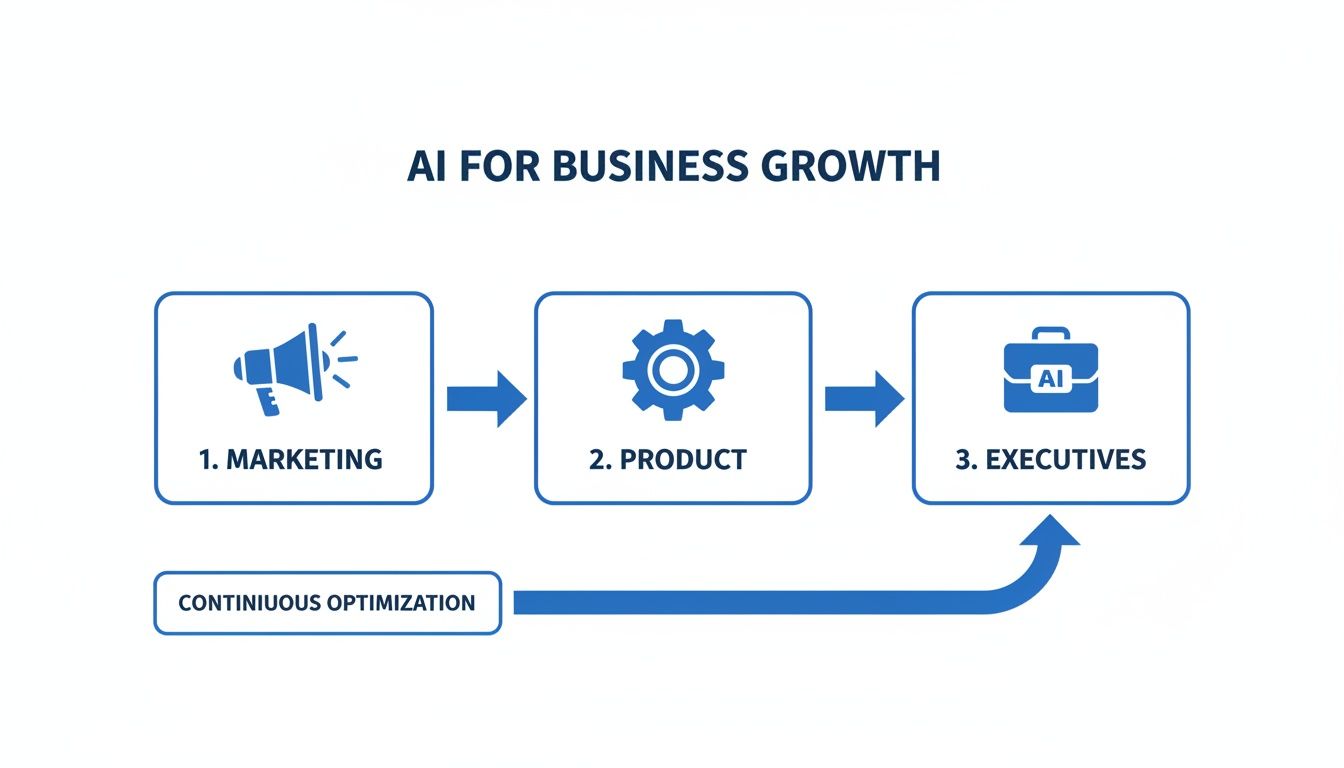
Flowchart illustrating AI for business growth through marketing, product, and executive stages with continuous optimization.

As you can see, marketing, product, and executive teams can all query the same data source, creating a powerful feedback loop.

Step 4: Embed and Scale Your Analytics

Once you've mastered the basics, you can move on to more advanced use cases. Bring analytics directly into your own products. Many modern platforms allow you to embed conversational analytics right into your SaaS app, giving your own customers the power to explore their data.

This turns your product from a simple data container into an intelligent, interactive tool. By following this roadmap, you can put AI for data analytics to work today.

Choosing the Right Tool and Avoiding Common Pitfalls

Let's be honest: not all AI tools are built the same. With all the noise around Generative BI (GenBI) and Automated BI, it's easy to be wowed by a slick demo, only to find the tool falls apart with your own data. Choosing the right partner for your AI for data analytics means looking past the sales pitch and asking hard questions.

The wrong tool doesn't just fail—it creates new headaches. You might get fabricated answers, run into a wall connecting your data sources, or create data privacy issues. To sidestep these landmines, you need a clear-eyed strategy.

Your Evaluation Checklist for AI Analytics

When you're kicking the tires on a new platform, it all boils down to four make-or-break areas: compatibility, security, accuracy, and usability. Get these right, and you have a reliable assistant. Get them wrong, and you've bought a gimmick.

Here are the questions I always recommend asking:

  • Data Source Compatibility: How easily does it plug into tools we actually use, like Postgres, Shopify, or HubSpot? How long does setup really take—minutes or days?

  • Security and Privacy: Is the connection strictly read-only? Do you have SOC 2 compliance? Walk me through how our data is encrypted.

  • Accuracy and Trust: What prevents the AI from "hallucinating" or making things up? Can I see the exact query the AI ran to get an answer?

  • Ease of Use: Can a marketer who has never written SQL get a useful chart in less than a minute? Is the interface truly intuitive?

The best way to test a tool's mettle is to make it do real work. Don't just watch a polished presentation. Ask to drive, and give it a prompt you would actually use.

Try asking Statspresso: "Show me my revenue by month for the last year as a bar chart."

A simple request like this tells you a surprising amount. Did it understand the time frame? Did it choose the right visualization? Was the result accurate and fast?

Pitfalls to Watch Out For

As you vet your options, keep an eye out for a few common red flags. Spotting these early can save you a world of hurt. For a side-by-side breakdown, our guide to the best AI data analysis tools is a great place to continue your research.

Common Traps in AI Analytics Tools:

Pitfall

What It Looks Like

Why It's a Problem

AI Hallucinations

The tool confidently spits out a chart based on completely made-up data.

A deal-breaker. It destroys trust and can lead to catastrophic decisions based on phantom numbers. Your AI must be grounded in your data.

Rigid Connections

The platform only works with a handful of modern databases, leaving out your older systems or critical SaaS apps.

A tool is only useful if it can connect to where your most important information lives, not just the easy-to-reach sources.

"Black Box" Answers

You get a number, but you have no clue how the AI got there. There’s no way to see the underlying query or logic.

Without transparency, you can never truly trust the results. Verifying an answer requires traceability, not faith.

Poor Usability

The interface is clunky, slow, or makes you learn a proprietary "prompt language" to get a simple chart.

The whole point is to be faster and more accessible than writing SQL. If it isn't, it has fundamentally failed.

Ultimately, the goal isn't just to "buy an AI tool." It's to get fast, reliable answers. Choosing a Conversational AI Data Analyst like Statspresso means you're investing in a system designed for accuracy and simplicity. You can finally skip the SQL, ask a direct question, and get a trustworthy chart in seconds.

Frequently Asked Questions About AI Data Analytics

You've got questions, and we've got answers. We hear these a lot from founders and product managers looking into AI for data analytics, so let's clear them up.

Will AI Data Analytics Replace My Data Analyst?

Not at all. In fact, it will make them more valuable. Think of a Conversational AI Data Analyst like Statspresso as a partner that multiplies your analyst's impact. It handles the flood of simple, repetitive questions that eat up a data team's day.

This frees your analyst from being a reporting machine and lets them focus on the challenging work they were hired for—like building complex models, forecasting trends, and finding the real story behind the numbers.

How Secure Is Connecting My Database to an AI Tool?

This is the first—and most important—question. The short answer: security is everything. Any trustworthy platform is built with multiple layers of protection.

Here are the non-negotiables to look for:

  • Read-only connections: The AI tool must only ever be able to read your data. It must never have permission to write, change, or delete anything.

  • SOC 2 Compliance: This is the gold standard, an independent audit proving rigorous controls for handling customer data securely.

  • End-to-end encryption: Your data must be encrypted while it's being queried (in transit) and when it's stored (at rest).

The point is to unlock powerful insights without ever putting the integrity of your business data at risk.

How Is This Different from ChatGPT?

It’s an excellent question. Both rely on Large Language Models, but they are built for completely different jobs.

ChatGPT is a generalist, trained on the massive, public internet. An AI data analytics tool, however, is a specialist. It connects privately and securely to your business data, and its one job is analytical accuracy. Every answer is based entirely on your actual numbers, not public information.

You use ChatGPT to brainstorm a marketing campaign. You use a Conversational AI Data Analyst to ask, "How much revenue did our last marketing campaign actually generate?"

What If I Ask a Question Incorrectly?

That’s where modern Natural Language Processing shines. These systems are designed to understand your intent, not just your exact keywords. A good tool won't just give you an error message; it will talk back.

For instance, if you ask, "Show me our sales," a smart assistant like Statspresso will ask for clarification: "Do you mean gross sales or net sales? And for which time period?" This dialogue ensures you get the precise answer you're looking for, fast.

Ready to stop waiting for reports and start getting answers?

Connect your first data source for free and ask your first question.

Waiting weeks for a simple dashboard is a relic of the past. It’s a business killer. You know the answers you need are buried somewhere in your data, but getting to them feels impossible without learning SQL or wrestling with clunky BI tools. This is where AI for data analytics changes the game. It lets you skip the SQL. Just ask your data a question and get a chart in seconds.

  • TL;DR: The Bottom Line Up Front

    • The Pain: Getting data insights is slow. You have to file tickets and wait for analysts.

    • The Solution: Use a Conversational AI Data Analyst like Statspresso to ask questions in plain English and get instant charts.

    • How it Works: AI uses Machine Learning (ML), Natural Language Processing (NLP), and Large Language Models (LLMs) to understand your question, query your database, and visualize the answer.

    • The Payoff: Founders, marketers, and product managers get immediate answers to drive growth, freeing up data experts for high-impact strategic work.

Your Data Has the Answers. AI Knows How to Ask.

This isn't about firing your data team. It's about giving you—the founder, the product manager, the marketing lead—the power to find your own answers, right now.

Think about it. What if you could just ask, "What were our top 5 selling products last month?" and instantly get a clear, useful bar chart? That's the reality of modern AI-powered analytics. It's about having a conversation with your data. This guide will show you how it works and why you can't afford to ignore it.

The market is already voting with its dollars. The global AI Data Analysis Software market is projected to more than double from USD 601 million in 2025 to USD 1,149 million by 2034. It's no surprise, then, that by 2026, over 65% of organizations will be using or actively exploring AI for their analytics needs. This is quickly becoming table stakes.

An AI analytics assistant acts as a central hub, pulling everything together for you, as you can see below.

Man uses a laptop with a colorful data analytics visualization connected to shop, database, and CRM.

This image gets to the heart of it. Your Shopify, database, and CRM data are no longer isolated islands. They flow into a single, intelligent conversation, ready to give you immediate answers.

But there’s a crucial first step. AI can only work its magic on data that's well-organized and reliable. Before you can get meaningful insights, you need a solid strategy for collecting and analyzing data for business growth. With that foundation in place, you'll be ready to unlock what your data is truly trying to tell you.

How AI Turns Your Questions into Instant Insights

Visual representation of ML, NLP, and LLM concepts: magnifying glass, code speech bubble, and a glowing brain.

So, what's really going on behind the curtain when you ask a simple question and get a detailed data visualization in return? It's not magic, but it’s an elegant system designed to do one thing well: translate your business curiosity into precise, data-backed answers.

With a platform like Statspresso, you no longer need to know SQL or wrestle with complicated BI dashboards. Instead of forcing you to learn the database's language, the AI learns to understand yours. Let’s pull back the curtain on the core technologies that make this possible.

Machine Learning: The Tireless Detective

At the core of AI for data analytics is Machine Learning (ML). Think of it as a super-powered detective that never sleeps. It tirelessly sifts through millions of data points—sales figures, user actions, support tickets—to find meaningful patterns a human could easily miss.

ML models are trained to spot correlations and flag anomalies. For example, a model might discover that customers who buy product A are 75% more likely to purchase product B within 30 days. This is the engine that drives predictive forecasting and uncovers hidden trends.

Natural Language Processing: The Universal Translator

Next, you have Natural Language Processing (NLP). This is the crucial bridge between your everyday language and the database's rigid code. When you ask a question in plain English, it's NLP's job to deconstruct your sentence to figure out exactly what you mean.

Let's take a simple question: "What was our top-selling product in Q4?" NLP breaks it down like this:

  • "What" signals a search for a specific item.

  • "top-selling" implies sorting data by revenue or units sold.

  • "product" points to the specific data table to query.

  • "in Q4" sets the precise date range for the analysis.

NLP then translates this into a query the database can execute. This is what makes a Conversational AI Data Analyst like Statspresso feel less like a machine and more like a knowledgeable colleague.

Large Language Models: The Context Engine

While NLP understands words, Large Language Models (LLMs) grasp intent. LLMs, the tech behind tools like ChatGPT, bring a layer of reasoning to the table. They help the system handle ambiguity and make smart assumptions.

If you ask about "sales," an LLM helps the AI know to clarify, "Do you mean gross sales or net sales?" This contextual understanding is what separates getting just an answer from getting the right answer.

This trio—ML, NLP, and LLMs—works in sync. ML finds the patterns, NLP translates your request, and LLMs add the context. This allows you to skip the SQL and just ask your data a question.

Ready to see it in action?

Try asking Statspresso: "Show me my new users by acquisition channel last month as a pie chart."

Beyond Answering Questions: Automated Insights

Here's where it gets even better: you don't always have to be the one asking. Modern AI for data analytics also delivers automated insights. The AI proactively monitors your data, constantly looking for significant changes or emerging trends you need to know about.

Imagine getting a notification that says, "Your customer churn rate in Brazil has increased by 15% this week." That isn't just data; it's a strategic alert. This turns your analytics tool from a passive respondent into an active partner.

From Manual Reports to Conversational BI

Contrast of manual data processing with a clock versus modern AI data analytics.

So, how does this shift look in your day-to-day work? Moving from traditional BI to a conversational approach is like trading a horse and buggy for a sports car. It’s about swapping weeks of waiting for seconds of discovery.

The old way is a familiar, painful story: a business user has a question, but getting the answer requires a long, drawn-out process bogged down by human bottlenecks. The new method, driven by AI for data analytics, is built for speed and self-sufficiency.

The Old Way vs. The New Way

To see what this means in practice, let’s compare the two workflows. The old process is built around waiting. The new model is built to empower you.

Using a Conversational AI Data Analyst like Statspresso effectively collapses the entire reporting queue into a single, immediate action. You ask, and it answers.

Data Analysis Workflow Comparison

Feature

The Old Way (Manual BI & SQL)

The New Way (Conversational AI with Statspresso)

The Ask

You file a ticket with the data team.

You ask the AI your question in plain English.

The Wait

Days or weeks for an analyst to get to it.

Seconds. The AI instantly writes and runs the query.

The Process

Back-and-forth emails to clarify your request.

The AI asks clarifying questions if needed, in real-time.

The Result

A static chart or CSV, often already stale.

An interactive chart with live data.

Follow-Ups

Start the process all over again.

Ask your next question immediately.

The difference is clear. One path leads to delays and outdated information, while the other delivers immediate, actionable insights.

This isn’t just about saving a few hours. Industry reports from firms like Google and Databricks confirm that AI is fundamentally rewiring analytics workflows. By automating the grunt work, AI frees up teams to focus on strategy.

From Gatekeepers to Self-Service

In the traditional model, data analysts often become information gatekeepers. The new model elevates them to strategic partners. When business users can answer their own "what" and "when" questions, data experts are free to tackle high-impact challenges.

This shift means you can move at the speed of your own curiosity. Skip the SQL. Just ask your data a question and get a chart in seconds.

With a tool like Statspresso, you connect your Postgres database or Shopify store once. From then on, your data is ready for a conversation.

Try asking something like: "What's the LTV of customers from our last Facebook campaign?"

The result is a culture of discovery, not dependency. Your team stops guessing and starts knowing. This is the heart of modern conversational BI.

Real-World Examples That Drive Business Growth

Theory is great, but results pay the bills. Let's get practical. Here’s how leaders are using AI for data analytics to solve problems and make smarter decisions. This is where a Conversational AI Data Analyst like Statspresso shifts from a cool concept to an essential team member.

This isn't just hype; it's backed by the 91.9% of organizations who report seeing real value from their data investments, often powered by AI tools. You can dig into these trends in recent data analytics statistical reports. This growth isn't just a story about massive corporations. It's about founders, product managers, and marketers finally getting answers without waiting in a queue.

For Marketing Leads: Ditch the Spreadsheet Maze

Every marketing team knows the pain of calculating ROI. It's a multi-hour ordeal of exporting files and wrestling with spreadsheets. With conversational analytics, that task becomes a 10-second question.

Instead of fighting VLOOKUPs, you connect your data sources once. After that, you get immediate answers.

Example Prompt: "Compare the conversion rates and cost per acquisition of my Google Ads vs. Facebook Ads campaigns for the last 30 days."

A query this simple gives you a clear business case. You see which channel gives you the best bang for your buck and reallocate your budget with confidence—all before your first coffee is done.

For Product Managers: Prioritize with Precision

Product managers constantly balance user feedback with engagement data. The million-dollar question is always, "What should we build next?" AI analytics anchors your roadmap in what people are actually doing.

By plugging in your product analytics or database, you get a direct line into how people really use your product.

High-Impact Questions for Product Managers:

  • Which features have the highest engagement among our power users?

  • What is the adoption rate of our new onboarding flow?

  • Show me users who have reported a specific bug.

This approach swaps guesswork for evidence. When you see that a "minor" feature is used daily by 80% of new signups, you know it's critical.

Example Prompt: "Which features have the highest engagement among users who signed up in the last 60 days?"

For Founders: Get a Real-Time Pulse on the Business

For any founder, time is the one resource you can't get more of. You don't have hours to sift through dashboards or wait for an end-of-month report that's already out of date. You need a live, accurate feel for the health of the business, right now.

A Conversational AI Data Analyst acts like your most trusted advisor, always on call. It gives you the top-level metrics you need and the power to drill down when something piques your interest.

Example Prompt: "What is our current MRR, and how does it compare to the same period last year? Show it as a line chart."

This is the real power of conversational BI. You can skip the SQL and just ask your data a question to get a chart in seconds. It’s about shifting your entire company from a reactive, report-driven culture to a proactive, question-driven one.

Your Roadmap to Implementing AI Analytics

So, you're sold. Getting instant insights instead of waiting on slow reports sounds like a game-changer. But where do you start? Bringing AI for data analytics into your workflow isn't some massive project that will drain your engineering team.

The path from reading this article to getting your first real insight is shorter than you think. Here’s your step-by-step roadmap.

Step 1: Connect Your Data Securely

First things first: connect your data. A Conversational AI Data Analyst like Statspresso can securely link to your existing databases and business apps in minutes.

Security is baked into this process. These connections are typically read-only, which means the AI can query your data but can never write, modify, or delete anything. You provide secure credentials, and the platform does the heavy lifting.

Step 2: Ask Your First High-Impact Questions

With your data connected, the fun begins. Start by asking simple but high-impact business questions to get a quick win and build momentum.

This is where conversational analytics shines. Instead of writing code, you just type what you need to know.

Here are a few powerful first questions to try:

  • For Marketing: "What are my top 5 traffic sources by user count this month?"

  • For Product: "Show me daily active users over the past 30 days."

  • For Sales: "Which sales reps have the highest number of closed deals this quarter?"

  • For Founders: "What is our monthly recurring revenue trend for the last year?"

Try asking Statspresso: "Show me my revenue by month for the last year as a bar chart."

These initial queries give you instant validation. You'll see how fast you can go from a question to a clear, actionable chart. You skip the SQL and just ask your data a question to get a chart in seconds.

The predictive analytics market, a core piece of this puzzle, is projected to skyrocket from USD 17.49 billion in 2025 to USD 100.20 billion by 2034. This is a major move toward looking forward, not just back.

Step 3: Build Collaborative Workspaces

Data is a team sport. The next step is to create collaborative workspaces where your entire team can find and trust the same insights.

This is about creating shared dashboards and organizing key metrics so everyone works from a single source of truth. When the marketing lead, product manager, and founder all look at the same live data, alignment happens naturally. A solid AI adoption strategy is essential to scale these benefits across the organization.

This flow shows how different departments can tap into a central AI analytics hub to drive growth.

Flowchart illustrating AI for business growth through marketing, product, and executive stages with continuous optimization.

As you can see, marketing, product, and executive teams can all query the same data source, creating a powerful feedback loop.

Step 4: Embed and Scale Your Analytics

Once you've mastered the basics, you can move on to more advanced use cases. Bring analytics directly into your own products. Many modern platforms allow you to embed conversational analytics right into your SaaS app, giving your own customers the power to explore their data.

This turns your product from a simple data container into an intelligent, interactive tool. By following this roadmap, you can put AI for data analytics to work today.

Choosing the Right Tool and Avoiding Common Pitfalls

Let's be honest: not all AI tools are built the same. With all the noise around Generative BI (GenBI) and Automated BI, it's easy to be wowed by a slick demo, only to find the tool falls apart with your own data. Choosing the right partner for your AI for data analytics means looking past the sales pitch and asking hard questions.

The wrong tool doesn't just fail—it creates new headaches. You might get fabricated answers, run into a wall connecting your data sources, or create data privacy issues. To sidestep these landmines, you need a clear-eyed strategy.

Your Evaluation Checklist for AI Analytics

When you're kicking the tires on a new platform, it all boils down to four make-or-break areas: compatibility, security, accuracy, and usability. Get these right, and you have a reliable assistant. Get them wrong, and you've bought a gimmick.

Here are the questions I always recommend asking:

  • Data Source Compatibility: How easily does it plug into tools we actually use, like Postgres, Shopify, or HubSpot? How long does setup really take—minutes or days?

  • Security and Privacy: Is the connection strictly read-only? Do you have SOC 2 compliance? Walk me through how our data is encrypted.

  • Accuracy and Trust: What prevents the AI from "hallucinating" or making things up? Can I see the exact query the AI ran to get an answer?

  • Ease of Use: Can a marketer who has never written SQL get a useful chart in less than a minute? Is the interface truly intuitive?

The best way to test a tool's mettle is to make it do real work. Don't just watch a polished presentation. Ask to drive, and give it a prompt you would actually use.

Try asking Statspresso: "Show me my revenue by month for the last year as a bar chart."

A simple request like this tells you a surprising amount. Did it understand the time frame? Did it choose the right visualization? Was the result accurate and fast?

Pitfalls to Watch Out For

As you vet your options, keep an eye out for a few common red flags. Spotting these early can save you a world of hurt. For a side-by-side breakdown, our guide to the best AI data analysis tools is a great place to continue your research.

Common Traps in AI Analytics Tools:

Pitfall

What It Looks Like

Why It's a Problem

AI Hallucinations

The tool confidently spits out a chart based on completely made-up data.

A deal-breaker. It destroys trust and can lead to catastrophic decisions based on phantom numbers. Your AI must be grounded in your data.

Rigid Connections

The platform only works with a handful of modern databases, leaving out your older systems or critical SaaS apps.

A tool is only useful if it can connect to where your most important information lives, not just the easy-to-reach sources.

"Black Box" Answers

You get a number, but you have no clue how the AI got there. There’s no way to see the underlying query or logic.

Without transparency, you can never truly trust the results. Verifying an answer requires traceability, not faith.

Poor Usability

The interface is clunky, slow, or makes you learn a proprietary "prompt language" to get a simple chart.

The whole point is to be faster and more accessible than writing SQL. If it isn't, it has fundamentally failed.

Ultimately, the goal isn't just to "buy an AI tool." It's to get fast, reliable answers. Choosing a Conversational AI Data Analyst like Statspresso means you're investing in a system designed for accuracy and simplicity. You can finally skip the SQL, ask a direct question, and get a trustworthy chart in seconds.

Frequently Asked Questions About AI Data Analytics

You've got questions, and we've got answers. We hear these a lot from founders and product managers looking into AI for data analytics, so let's clear them up.

Will AI Data Analytics Replace My Data Analyst?

Not at all. In fact, it will make them more valuable. Think of a Conversational AI Data Analyst like Statspresso as a partner that multiplies your analyst's impact. It handles the flood of simple, repetitive questions that eat up a data team's day.

This frees your analyst from being a reporting machine and lets them focus on the challenging work they were hired for—like building complex models, forecasting trends, and finding the real story behind the numbers.

How Secure Is Connecting My Database to an AI Tool?

This is the first—and most important—question. The short answer: security is everything. Any trustworthy platform is built with multiple layers of protection.

Here are the non-negotiables to look for:

  • Read-only connections: The AI tool must only ever be able to read your data. It must never have permission to write, change, or delete anything.

  • SOC 2 Compliance: This is the gold standard, an independent audit proving rigorous controls for handling customer data securely.

  • End-to-end encryption: Your data must be encrypted while it's being queried (in transit) and when it's stored (at rest).

The point is to unlock powerful insights without ever putting the integrity of your business data at risk.

How Is This Different from ChatGPT?

It’s an excellent question. Both rely on Large Language Models, but they are built for completely different jobs.

ChatGPT is a generalist, trained on the massive, public internet. An AI data analytics tool, however, is a specialist. It connects privately and securely to your business data, and its one job is analytical accuracy. Every answer is based entirely on your actual numbers, not public information.

You use ChatGPT to brainstorm a marketing campaign. You use a Conversational AI Data Analyst to ask, "How much revenue did our last marketing campaign actually generate?"

What If I Ask a Question Incorrectly?

That’s where modern Natural Language Processing shines. These systems are designed to understand your intent, not just your exact keywords. A good tool won't just give you an error message; it will talk back.

For instance, if you ask, "Show me our sales," a smart assistant like Statspresso will ask for clarification: "Do you mean gross sales or net sales? And for which time period?" This dialogue ensures you get the precise answer you're looking for, fast.

Ready to stop waiting for reports and start getting answers?

Connect your first data source for free and ask your first question.

Waiting weeks for a simple dashboard is a relic of the past. It’s a business killer. You know the answers you need are buried somewhere in your data, but getting to them feels impossible without learning SQL or wrestling with clunky BI tools. This is where AI for data analytics changes the game. It lets you skip the SQL. Just ask your data a question and get a chart in seconds.

  • TL;DR: The Bottom Line Up Front

    • The Pain: Getting data insights is slow. You have to file tickets and wait for analysts.

    • The Solution: Use a Conversational AI Data Analyst like Statspresso to ask questions in plain English and get instant charts.

    • How it Works: AI uses Machine Learning (ML), Natural Language Processing (NLP), and Large Language Models (LLMs) to understand your question, query your database, and visualize the answer.

    • The Payoff: Founders, marketers, and product managers get immediate answers to drive growth, freeing up data experts for high-impact strategic work.

Your Data Has the Answers. AI Knows How to Ask.

This isn't about firing your data team. It's about giving you—the founder, the product manager, the marketing lead—the power to find your own answers, right now.

Think about it. What if you could just ask, "What were our top 5 selling products last month?" and instantly get a clear, useful bar chart? That's the reality of modern AI-powered analytics. It's about having a conversation with your data. This guide will show you how it works and why you can't afford to ignore it.

The market is already voting with its dollars. The global AI Data Analysis Software market is projected to more than double from USD 601 million in 2025 to USD 1,149 million by 2034. It's no surprise, then, that by 2026, over 65% of organizations will be using or actively exploring AI for their analytics needs. This is quickly becoming table stakes.

An AI analytics assistant acts as a central hub, pulling everything together for you, as you can see below.

Man uses a laptop with a colorful data analytics visualization connected to shop, database, and CRM.

This image gets to the heart of it. Your Shopify, database, and CRM data are no longer isolated islands. They flow into a single, intelligent conversation, ready to give you immediate answers.

But there’s a crucial first step. AI can only work its magic on data that's well-organized and reliable. Before you can get meaningful insights, you need a solid strategy for collecting and analyzing data for business growth. With that foundation in place, you'll be ready to unlock what your data is truly trying to tell you.

How AI Turns Your Questions into Instant Insights

Visual representation of ML, NLP, and LLM concepts: magnifying glass, code speech bubble, and a glowing brain.

So, what's really going on behind the curtain when you ask a simple question and get a detailed data visualization in return? It's not magic, but it’s an elegant system designed to do one thing well: translate your business curiosity into precise, data-backed answers.

With a platform like Statspresso, you no longer need to know SQL or wrestle with complicated BI dashboards. Instead of forcing you to learn the database's language, the AI learns to understand yours. Let’s pull back the curtain on the core technologies that make this possible.

Machine Learning: The Tireless Detective

At the core of AI for data analytics is Machine Learning (ML). Think of it as a super-powered detective that never sleeps. It tirelessly sifts through millions of data points—sales figures, user actions, support tickets—to find meaningful patterns a human could easily miss.

ML models are trained to spot correlations and flag anomalies. For example, a model might discover that customers who buy product A are 75% more likely to purchase product B within 30 days. This is the engine that drives predictive forecasting and uncovers hidden trends.

Natural Language Processing: The Universal Translator

Next, you have Natural Language Processing (NLP). This is the crucial bridge between your everyday language and the database's rigid code. When you ask a question in plain English, it's NLP's job to deconstruct your sentence to figure out exactly what you mean.

Let's take a simple question: "What was our top-selling product in Q4?" NLP breaks it down like this:

  • "What" signals a search for a specific item.

  • "top-selling" implies sorting data by revenue or units sold.

  • "product" points to the specific data table to query.

  • "in Q4" sets the precise date range for the analysis.

NLP then translates this into a query the database can execute. This is what makes a Conversational AI Data Analyst like Statspresso feel less like a machine and more like a knowledgeable colleague.

Large Language Models: The Context Engine

While NLP understands words, Large Language Models (LLMs) grasp intent. LLMs, the tech behind tools like ChatGPT, bring a layer of reasoning to the table. They help the system handle ambiguity and make smart assumptions.

If you ask about "sales," an LLM helps the AI know to clarify, "Do you mean gross sales or net sales?" This contextual understanding is what separates getting just an answer from getting the right answer.

This trio—ML, NLP, and LLMs—works in sync. ML finds the patterns, NLP translates your request, and LLMs add the context. This allows you to skip the SQL and just ask your data a question.

Ready to see it in action?

Try asking Statspresso: "Show me my new users by acquisition channel last month as a pie chart."

Beyond Answering Questions: Automated Insights

Here's where it gets even better: you don't always have to be the one asking. Modern AI for data analytics also delivers automated insights. The AI proactively monitors your data, constantly looking for significant changes or emerging trends you need to know about.

Imagine getting a notification that says, "Your customer churn rate in Brazil has increased by 15% this week." That isn't just data; it's a strategic alert. This turns your analytics tool from a passive respondent into an active partner.

From Manual Reports to Conversational BI

Contrast of manual data processing with a clock versus modern AI data analytics.

So, how does this shift look in your day-to-day work? Moving from traditional BI to a conversational approach is like trading a horse and buggy for a sports car. It’s about swapping weeks of waiting for seconds of discovery.

The old way is a familiar, painful story: a business user has a question, but getting the answer requires a long, drawn-out process bogged down by human bottlenecks. The new method, driven by AI for data analytics, is built for speed and self-sufficiency.

The Old Way vs. The New Way

To see what this means in practice, let’s compare the two workflows. The old process is built around waiting. The new model is built to empower you.

Using a Conversational AI Data Analyst like Statspresso effectively collapses the entire reporting queue into a single, immediate action. You ask, and it answers.

Data Analysis Workflow Comparison

Feature

The Old Way (Manual BI & SQL)

The New Way (Conversational AI with Statspresso)

The Ask

You file a ticket with the data team.

You ask the AI your question in plain English.

The Wait

Days or weeks for an analyst to get to it.

Seconds. The AI instantly writes and runs the query.

The Process

Back-and-forth emails to clarify your request.

The AI asks clarifying questions if needed, in real-time.

The Result

A static chart or CSV, often already stale.

An interactive chart with live data.

Follow-Ups

Start the process all over again.

Ask your next question immediately.

The difference is clear. One path leads to delays and outdated information, while the other delivers immediate, actionable insights.

This isn’t just about saving a few hours. Industry reports from firms like Google and Databricks confirm that AI is fundamentally rewiring analytics workflows. By automating the grunt work, AI frees up teams to focus on strategy.

From Gatekeepers to Self-Service

In the traditional model, data analysts often become information gatekeepers. The new model elevates them to strategic partners. When business users can answer their own "what" and "when" questions, data experts are free to tackle high-impact challenges.

This shift means you can move at the speed of your own curiosity. Skip the SQL. Just ask your data a question and get a chart in seconds.

With a tool like Statspresso, you connect your Postgres database or Shopify store once. From then on, your data is ready for a conversation.

Try asking something like: "What's the LTV of customers from our last Facebook campaign?"

The result is a culture of discovery, not dependency. Your team stops guessing and starts knowing. This is the heart of modern conversational BI.

Real-World Examples That Drive Business Growth

Theory is great, but results pay the bills. Let's get practical. Here’s how leaders are using AI for data analytics to solve problems and make smarter decisions. This is where a Conversational AI Data Analyst like Statspresso shifts from a cool concept to an essential team member.

This isn't just hype; it's backed by the 91.9% of organizations who report seeing real value from their data investments, often powered by AI tools. You can dig into these trends in recent data analytics statistical reports. This growth isn't just a story about massive corporations. It's about founders, product managers, and marketers finally getting answers without waiting in a queue.

For Marketing Leads: Ditch the Spreadsheet Maze

Every marketing team knows the pain of calculating ROI. It's a multi-hour ordeal of exporting files and wrestling with spreadsheets. With conversational analytics, that task becomes a 10-second question.

Instead of fighting VLOOKUPs, you connect your data sources once. After that, you get immediate answers.

Example Prompt: "Compare the conversion rates and cost per acquisition of my Google Ads vs. Facebook Ads campaigns for the last 30 days."

A query this simple gives you a clear business case. You see which channel gives you the best bang for your buck and reallocate your budget with confidence—all before your first coffee is done.

For Product Managers: Prioritize with Precision

Product managers constantly balance user feedback with engagement data. The million-dollar question is always, "What should we build next?" AI analytics anchors your roadmap in what people are actually doing.

By plugging in your product analytics or database, you get a direct line into how people really use your product.

High-Impact Questions for Product Managers:

  • Which features have the highest engagement among our power users?

  • What is the adoption rate of our new onboarding flow?

  • Show me users who have reported a specific bug.

This approach swaps guesswork for evidence. When you see that a "minor" feature is used daily by 80% of new signups, you know it's critical.

Example Prompt: "Which features have the highest engagement among users who signed up in the last 60 days?"

For Founders: Get a Real-Time Pulse on the Business

For any founder, time is the one resource you can't get more of. You don't have hours to sift through dashboards or wait for an end-of-month report that's already out of date. You need a live, accurate feel for the health of the business, right now.

A Conversational AI Data Analyst acts like your most trusted advisor, always on call. It gives you the top-level metrics you need and the power to drill down when something piques your interest.

Example Prompt: "What is our current MRR, and how does it compare to the same period last year? Show it as a line chart."

This is the real power of conversational BI. You can skip the SQL and just ask your data a question to get a chart in seconds. It’s about shifting your entire company from a reactive, report-driven culture to a proactive, question-driven one.

Your Roadmap to Implementing AI Analytics

So, you're sold. Getting instant insights instead of waiting on slow reports sounds like a game-changer. But where do you start? Bringing AI for data analytics into your workflow isn't some massive project that will drain your engineering team.

The path from reading this article to getting your first real insight is shorter than you think. Here’s your step-by-step roadmap.

Step 1: Connect Your Data Securely

First things first: connect your data. A Conversational AI Data Analyst like Statspresso can securely link to your existing databases and business apps in minutes.

Security is baked into this process. These connections are typically read-only, which means the AI can query your data but can never write, modify, or delete anything. You provide secure credentials, and the platform does the heavy lifting.

Step 2: Ask Your First High-Impact Questions

With your data connected, the fun begins. Start by asking simple but high-impact business questions to get a quick win and build momentum.

This is where conversational analytics shines. Instead of writing code, you just type what you need to know.

Here are a few powerful first questions to try:

  • For Marketing: "What are my top 5 traffic sources by user count this month?"

  • For Product: "Show me daily active users over the past 30 days."

  • For Sales: "Which sales reps have the highest number of closed deals this quarter?"

  • For Founders: "What is our monthly recurring revenue trend for the last year?"

Try asking Statspresso: "Show me my revenue by month for the last year as a bar chart."

These initial queries give you instant validation. You'll see how fast you can go from a question to a clear, actionable chart. You skip the SQL and just ask your data a question to get a chart in seconds.

The predictive analytics market, a core piece of this puzzle, is projected to skyrocket from USD 17.49 billion in 2025 to USD 100.20 billion by 2034. This is a major move toward looking forward, not just back.

Step 3: Build Collaborative Workspaces

Data is a team sport. The next step is to create collaborative workspaces where your entire team can find and trust the same insights.

This is about creating shared dashboards and organizing key metrics so everyone works from a single source of truth. When the marketing lead, product manager, and founder all look at the same live data, alignment happens naturally. A solid AI adoption strategy is essential to scale these benefits across the organization.

This flow shows how different departments can tap into a central AI analytics hub to drive growth.

Flowchart illustrating AI for business growth through marketing, product, and executive stages with continuous optimization.

As you can see, marketing, product, and executive teams can all query the same data source, creating a powerful feedback loop.

Step 4: Embed and Scale Your Analytics

Once you've mastered the basics, you can move on to more advanced use cases. Bring analytics directly into your own products. Many modern platforms allow you to embed conversational analytics right into your SaaS app, giving your own customers the power to explore their data.

This turns your product from a simple data container into an intelligent, interactive tool. By following this roadmap, you can put AI for data analytics to work today.

Choosing the Right Tool and Avoiding Common Pitfalls

Let's be honest: not all AI tools are built the same. With all the noise around Generative BI (GenBI) and Automated BI, it's easy to be wowed by a slick demo, only to find the tool falls apart with your own data. Choosing the right partner for your AI for data analytics means looking past the sales pitch and asking hard questions.

The wrong tool doesn't just fail—it creates new headaches. You might get fabricated answers, run into a wall connecting your data sources, or create data privacy issues. To sidestep these landmines, you need a clear-eyed strategy.

Your Evaluation Checklist for AI Analytics

When you're kicking the tires on a new platform, it all boils down to four make-or-break areas: compatibility, security, accuracy, and usability. Get these right, and you have a reliable assistant. Get them wrong, and you've bought a gimmick.

Here are the questions I always recommend asking:

  • Data Source Compatibility: How easily does it plug into tools we actually use, like Postgres, Shopify, or HubSpot? How long does setup really take—minutes or days?

  • Security and Privacy: Is the connection strictly read-only? Do you have SOC 2 compliance? Walk me through how our data is encrypted.

  • Accuracy and Trust: What prevents the AI from "hallucinating" or making things up? Can I see the exact query the AI ran to get an answer?

  • Ease of Use: Can a marketer who has never written SQL get a useful chart in less than a minute? Is the interface truly intuitive?

The best way to test a tool's mettle is to make it do real work. Don't just watch a polished presentation. Ask to drive, and give it a prompt you would actually use.

Try asking Statspresso: "Show me my revenue by month for the last year as a bar chart."

A simple request like this tells you a surprising amount. Did it understand the time frame? Did it choose the right visualization? Was the result accurate and fast?

Pitfalls to Watch Out For

As you vet your options, keep an eye out for a few common red flags. Spotting these early can save you a world of hurt. For a side-by-side breakdown, our guide to the best AI data analysis tools is a great place to continue your research.

Common Traps in AI Analytics Tools:

Pitfall

What It Looks Like

Why It's a Problem

AI Hallucinations

The tool confidently spits out a chart based on completely made-up data.

A deal-breaker. It destroys trust and can lead to catastrophic decisions based on phantom numbers. Your AI must be grounded in your data.

Rigid Connections

The platform only works with a handful of modern databases, leaving out your older systems or critical SaaS apps.

A tool is only useful if it can connect to where your most important information lives, not just the easy-to-reach sources.

"Black Box" Answers

You get a number, but you have no clue how the AI got there. There’s no way to see the underlying query or logic.

Without transparency, you can never truly trust the results. Verifying an answer requires traceability, not faith.

Poor Usability

The interface is clunky, slow, or makes you learn a proprietary "prompt language" to get a simple chart.

The whole point is to be faster and more accessible than writing SQL. If it isn't, it has fundamentally failed.

Ultimately, the goal isn't just to "buy an AI tool." It's to get fast, reliable answers. Choosing a Conversational AI Data Analyst like Statspresso means you're investing in a system designed for accuracy and simplicity. You can finally skip the SQL, ask a direct question, and get a trustworthy chart in seconds.

Frequently Asked Questions About AI Data Analytics

You've got questions, and we've got answers. We hear these a lot from founders and product managers looking into AI for data analytics, so let's clear them up.

Will AI Data Analytics Replace My Data Analyst?

Not at all. In fact, it will make them more valuable. Think of a Conversational AI Data Analyst like Statspresso as a partner that multiplies your analyst's impact. It handles the flood of simple, repetitive questions that eat up a data team's day.

This frees your analyst from being a reporting machine and lets them focus on the challenging work they were hired for—like building complex models, forecasting trends, and finding the real story behind the numbers.

How Secure Is Connecting My Database to an AI Tool?

This is the first—and most important—question. The short answer: security is everything. Any trustworthy platform is built with multiple layers of protection.

Here are the non-negotiables to look for:

  • Read-only connections: The AI tool must only ever be able to read your data. It must never have permission to write, change, or delete anything.

  • SOC 2 Compliance: This is the gold standard, an independent audit proving rigorous controls for handling customer data securely.

  • End-to-end encryption: Your data must be encrypted while it's being queried (in transit) and when it's stored (at rest).

The point is to unlock powerful insights without ever putting the integrity of your business data at risk.

How Is This Different from ChatGPT?

It’s an excellent question. Both rely on Large Language Models, but they are built for completely different jobs.

ChatGPT is a generalist, trained on the massive, public internet. An AI data analytics tool, however, is a specialist. It connects privately and securely to your business data, and its one job is analytical accuracy. Every answer is based entirely on your actual numbers, not public information.

You use ChatGPT to brainstorm a marketing campaign. You use a Conversational AI Data Analyst to ask, "How much revenue did our last marketing campaign actually generate?"

What If I Ask a Question Incorrectly?

That’s where modern Natural Language Processing shines. These systems are designed to understand your intent, not just your exact keywords. A good tool won't just give you an error message; it will talk back.

For instance, if you ask, "Show me our sales," a smart assistant like Statspresso will ask for clarification: "Do you mean gross sales or net sales? And for which time period?" This dialogue ensures you get the precise answer you're looking for, fast.

Ready to stop waiting for reports and start getting answers?

Connect your first data source for free and ask your first question.