Easily Build Dashboard Without Data Analyst

Automate SEO Reporting: The 2026 Guide to Agent-Driven Insights

You already know the answer is in your data. The problem is getting to it before the question goes stale.

A founder wants to know which channel is driving new revenue. A PM needs activation trends before the next sprint. Marketing wants campaign performance without waiting on a backlog. Meanwhile, the one analyst on the team is buried, or you don’t have one at all. That delay used to be normal. It shouldn’t be anymore.

If you want to build dashboard without data analyst, the trick isn’t becoming a part-time SQL wizard. It’s thinking like an analyst before you touch the dashboard tool. A house built without a blueprint looks exactly like most bad dashboards. Busy, expensive, and weirdly unhelpful. A Conversational AI Data Analyst changes that by letting you ask the questions in plain English and turn answers into charts without the usual technical detour.

Introduction: Your Data Has Answers, If You Can Ask

Monday morning. Leadership wants answers by noon. Revenue is wobbling, paid spend is up, and nobody can say which channel is pulling its weight.

That used to mean filing a request, waiting on an analyst, then getting a dashboard two weeks later that answered half the question and raised three new ones. Small teams do not have time for that. They need a way to work through the same thought process a good analyst uses, scope the question, sanity-check the metric, and show the result clearly, without getting stuck in SQL, data modeling, or BI setup.

That is the shift. You do not need to become a dashboard builder first. You need to ask better questions first, then use a conversational AI tool like Statspresso to do the heavy lifting in plain English.

Plenty of teams still start the wrong way. They open a dashboard tool, connect every table they can find, and start arranging charts like office wall art. The result is familiar: a busy screen, five conflicting definitions, and a weekly meeting where everyone argues about whether the numbers are even right.

Useful dashboards come from analyst thinking, not analyst job titles.

A good analyst starts by asking what decision needs to be made, what metric represents that decision, and what could make the number misleading. A non-analyst can follow that same path now. The technical barrier is lower. The discipline still matters.

A dashboard should answer a decision, not prove that your company owns data.

Get that part right, and the dashboard becomes the easy bit.

Forget The Tools, Define The Questions First

A dashboard goes sideways long before anyone picks a chart type. It happens in the first conversation, when the request is vague, everyone nods, and nobody pins down the decision the dashboard is supposed to support.


A professional man holding a marker in front of a whiteboard with the text What to Ask

I see the same pattern in small teams all the time. Someone asks for a “marketing dashboard” or “full visibility” because that sounds responsible. Then the team spends hours pulling numbers together, only to end up with a screen full of metrics that do not settle a single argument.

Bad dashboard requests sound productive

These requests are common:

  • Show me all sales data

  • Build a marketing dashboard

  • I want a dashboard for the whole business

  • Can we include everything so leadership has full visibility

That last one usually creates a digital junk drawer.

“All the data” is not a useful brief. It is what people ask for when they have not decided what matters yet. The analyst mindset fixes that problem first. Before touching a tool, define the decision, the metric that stands in for that decision, and the ways that metric could mislead you.

A non-analyst can follow that same process now. The difference is that a conversational AI tool like Statspresso can help do the analyst-style scoping in plain English, instead of forcing you to sort through tables and field names from the start.

Good dashboard questions lead to action

A useful dashboard usually starts with a handful of questions. Not a wall of KPIs.

Here’s the difference.

Weak question: Show me revenue.
Better question: Which customer segments drove the change in revenue this quarter?

Weak question: Show me traffic.
Better question: Which acquisition channels bring in users who activate fastest?

Weak question: Show me subscriptions.
Better question: Where in the trial-to-paid journey do high-value prospects drop off?

Each better version points to a possible action. Shift budget. Fix onboarding. Change follow-up timing. Rework a pricing page.

Practical rule: If the answer will not change what someone does next week, it probably does not need a chart.

Start with the decision cadence

People do not open dashboards for decoration. They open them because they have to make recurring calls under time pressure.

List those decisions before you connect a single source:

  • Budget decisions: Which channel gets more spend next week?

  • Product decisions: Which feature or funnel step needs attention now?

  • Sales decisions: Which stage is slowing deals down?

  • Ops decisions: Where is performance slipping enough to intervene?

This sounds simple because it is. It is also where weak projects usually fall apart. Teams jump to metrics before they agree on the weekly questions those metrics are supposed to answer.

A good prompt for your team is blunt:

“What 3 decisions should this dashboard help us make every week?”

If nobody can answer quickly, stop there and fix that first.

Scope like an analyst, even if you are not one

Analysts earn their keep by narrowing the problem. They decide who the dashboard is for, what level of detail is needed, and which metrics are worth the screen space. You do not need SQL skills to copy that thinking. You need a tighter brief.

Use this checklist:

  1. Who is this dashboard for

    • One audience per dashboard is usually cleaner.

    • Founders, PMs, and marketers need different views for different decisions.

  2. What decision should it support

    • Pick one specific decision or workflow.

    • “Help leadership understand the business” is too broad to build well.

  3. What is the minimum set of metrics

    • Start with one main KPI and a few supporting cuts.

    • More metrics usually create more debate, not more clarity.

  4. How often is the decision made

    • Daily, weekly, or monthly changes what should be visible and how fresh the data needs to be.

  5. What action follows from the answer

    • Increase spend, investigate a segment, fix a drop-off point, or escalate a risk.

That is the shortcut. Skip the technical heroics and borrow the analyst’s thought process instead.

A practical prompt can be plain and specific:

Try asking: “I need a weekly growth dashboard for budget allocation, activation monitoring, and churn risk. What metrics should I include, what should I exclude, and what definitions should I confirm before I trust the numbers?”

That question gets you much closer to a useful dashboard than “show me everything” ever will.

Connecting Your Data Without Writing a Single Line of Code

Monday morning. Leadership wants a dashboard by Friday. The data lives in a spreadsheet, a CRM, and one database nobody wants to touch because the last person who did broke a report and disappeared into another company.

That used to be a real blocker. Now it is mostly a workflow problem.

The analyst mindset still matters here. Good analysts do not start by clicking connectors and hoping for magic. They decide which source is closest to the business question, confirm access, inspect the fields, and test whether the numbers pass a basic smell check. A non-analyst can follow the same sequence with a conversational AI tool handling the technical bits in the background.
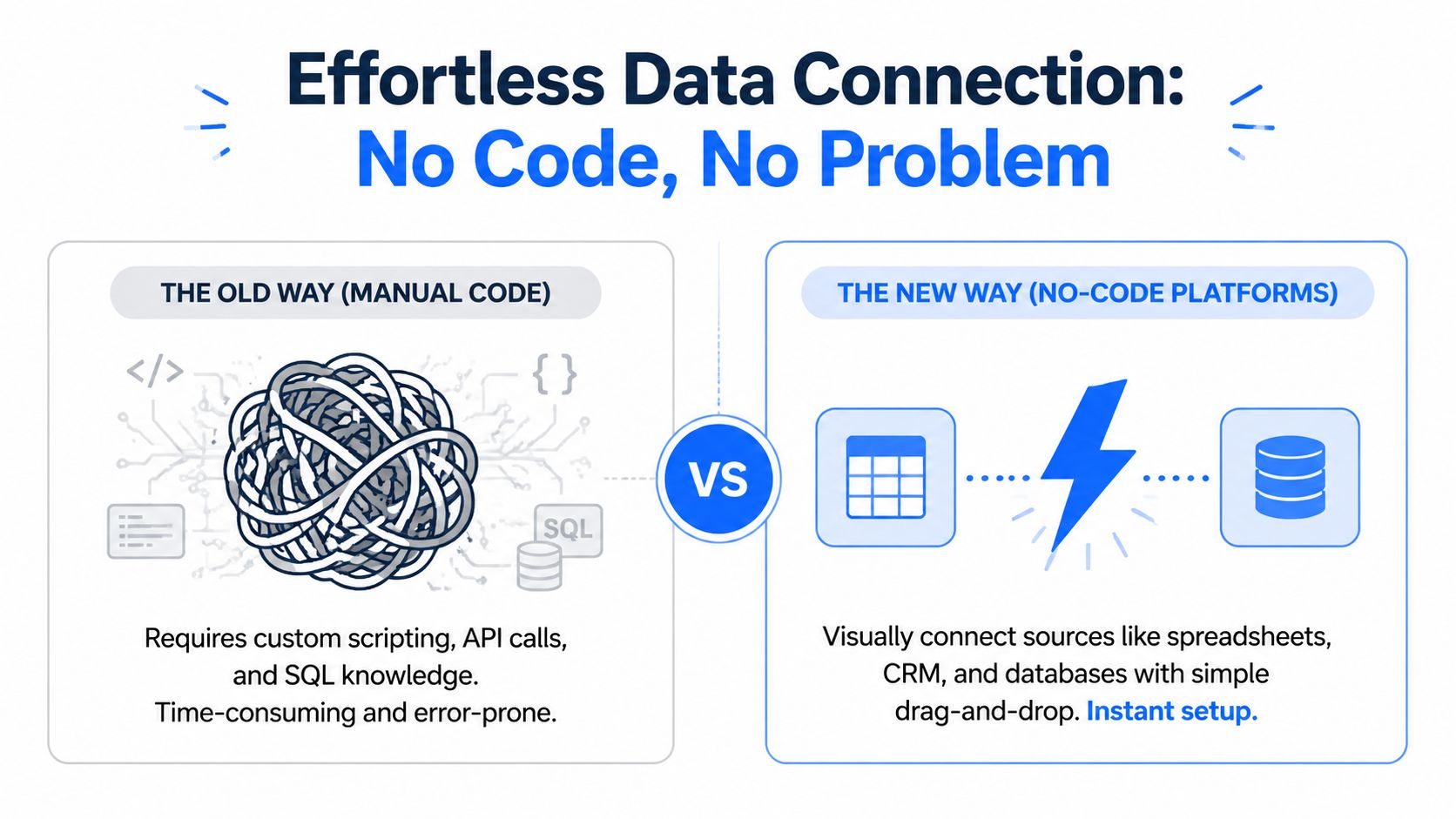

A comparison graphic showing manual coding complexity versus simplified no-code data platform connection methods.

What the connection step looks like

In a sane setup, the first pass is simple:

  1. Choose one source

    • Pick the dataset most likely to answer the decision you scoped earlier.

    • Sales pipeline? Start with the CRM.

    • Weekly revenue tracking? Start with orders or billing data.

  2. Grant access

    • Usually this is a login, API permission, or file upload.

    • If access is complicated, that source is often a bad place to start.

  3. Select the table, sheet, or export

    • Do not import the whole warehouse because you can.

    • Start with the narrowest useful dataset.

  4. Preview the columns

    • Look for dates, IDs, status fields, amounts, and owner names.

    • If the field names are gibberish, pause before building anything.

  5. Run a few plain-English checks

    • Confirm the date range.

    • Check row counts over time.

    • Scan category values for obvious mess.

That is the job. No weekend SQL archaeology. No begging engineering for a custom view before you can answer a basic revenue question.

The old bottleneck versus the new one

Task

Manual BI workflow

The New Way (Statspresso)

Connect a source

Request access, configure integrations, wait for technical help

Connect a supported source through a guided workflow

Explore a dataset

Inspect schemas and write queries manually

Ask a plain-English question about the data

Build a first chart

Write SQL, validate output, then configure visualization

Ask for the chart directly and review the result

Combine sources

Coordinate joins and transformations by hand

Use the platform’s conversational workflow to shape the dataset

Share results

Export screenshots or rebuild charts in BI software

Turn answers into shareable dashboard blocks

Iterate on a metric

Rewrite logic, rerun queries, update visuals

Refine the prompt and regenerate the output

The shift is not that thinking disappeared. The mechanical work shrank. That matters because setup friction is where plenty of dashboard projects die.

What to ask the moment data lands

A lot of first-time builders ask the wrong first question. They go straight to, “Show me a dashboard.” Analysts do the opposite. They test whether the source deserves trust.

Use prompts like these:

  • “Show me the date range covered in this dataset.”

  • “List the main fields and tell me which ones look usable for revenue analysis.”

  • “Show me row counts by month so I can spot missing periods.”

  • “Preview the top categories in the source and flag inconsistent labels.”

  • “Which columns contain null values or blank entries?”

Those are not advanced tricks. They are basic scoping checks, translated into plain English.

Build charts before doing this, and you get the worst kind of dashboard. Clean visuals, shaky logic, and a team argument two days later.

One tool mention, because it fits

A Conversational AI Data Analyst like Statspresso lets teams connect sources such as Shopify, HubSpot, Linear, and Postgres, then ask plain-English questions to generate charts without writing SQL. That is useful when the bottleneck is not data access. It is analyst capacity.

The win is speed with structure. You still need to ask sharp questions, but you do not need to know joins, query syntax, or BI setup rituals to get started.

Keep the first connection boring

Boring is the right call.

The best first dashboard source has a short path from business question to usable answer. Revenue events work for monthly business tracking. CRM deals work for pipeline visibility. Product signups and activations work for onboarding review. Campaign exports work for budget decisions.

The bad first choice is the sprawling event table with vague definitions, duplicate IDs, and five stakeholders arguing about what “active” means. Save that one for later, when the team has a shared metric definition and a reason to suffer.

From Raw Data to Reliable Metrics in Plain English

Messy data scares people off. Fair enough. Real data is messy.

Countries are named three different ways. Test users sneak into conversion reports. Revenue includes refunds in one export and excludes them in another. Campaign names look like someone let a keyboard fall down a staircase.

That’s still manageable. The practical move is to clean only what matters for the decision you’re trying to support.


A hand pointing at a messy tangle of lines transforming into neat bar and pie charts.

Clean for the question, not for theoretical perfection

A common sticking point for non-analysts arises from the assumption that data must be perfect before a dashboard can be useful. It doesn’t.

What it needs is to be reliable enough for the decision at hand.

If you’re building a weekly acquisition dashboard, you don’t need to redesign your company’s entire data model. You need channel names standardized, test records excluded, and date fields behaving properly. That’s a much smaller job.

A conversational workflow makes this easier because you can describe the cleanup in business language instead of technical syntax.

Try asking a tool:

  • “Group ‘USA’, ‘US’, and ‘United States’ into a single value called ‘USA’.”

  • “Exclude internal and test accounts from this signup analysis.”

  • “Create a segment for users who signed up but never activated.”

  • “Show refunds separately from gross sales.”

  • “Rename inconsistent plan names into one canonical version.”

Those requests are simple, but they do the work analysts usually hide behind a lot of query logic.

Why this affects adoption more than people realize

Research on dashboard usage found that adoption can jump from 11% to 74% of intended users by reducing cognitive load, as discussed in Towards AI’s write-up on why business users ignore dashboards. Same underlying data. Different information design.

That matters because bad cleanup creates hidden cognitive load. When users see duplicate categories, unexplained spikes, or numbers that don’t match what they expect, they stop trusting the whole thing. Once trust goes, the dashboard becomes wall art.

Clean data isn’t about elegance. It’s about removing reasons for people to argue with the chart instead of using it.

A practical validation routine

Before you publish anything, do a quick validation pass in plain English.

Check the dates

Ask:

  • “Show me data coverage by week.”

  • “Flag any gaps or unusual drops in record volume.”

If there’s a missing month, every time series after that becomes suspect.

Check the categories

Ask:

  • “List distinct values for channel, plan, or region and highlight near-duplicates.”

  • “Which labels appear to mean the same thing?”

This catches the quiet stuff that ruins segmentation.

Check the exclusions

Ask:

  • “Identify records that look internal, test, duplicate, or incomplete.”

  • “Create a filtered version of this dataset excluding those records.”

That single step often makes a dashboard feel instantly more believable.

Build one trusted metric before five pretty ones

A lot of teams try to launch with a full executive dashboard on day one. Bad move. Start with one metric you can defend.

For example:

  • monthly recurring revenue

  • new qualified leads

  • activation rate by cohort

  • deals by stage

  • support ticket volume by category

Then ask for supporting breakdowns only after the headline metric checks out.

A good prompt sequence looks like this:

  1. “Show me MRR by month for the last 12 months.”

  2. “Break that down by new, expansion, and churned revenue if available.”

  3. “Flag any outlier months and show the underlying records.”

  4. “Turn the cleaned result into a line chart.”

That progression mirrors how a decent analyst works. Verify, refine, visualize. In that order.

Designing Dashboards That Actually Drive Decisions

A dashboard with too many charts feels productive in the same way an overstuffed suitcase feels prepared. Technically full. Functionally annoying.

The best no-code dashboards aren’t the ones with the most widgets. They’re the ones a tired operator can scan in under a minute and still know what to do next.


A businessman looking at a wall with a lightbulb icon, charts, and the text Drive Action.

Keep the screen disciplined

Current dashboard builder guidance recommends a structured workflow that starts with identifying users and their decisions, then limiting active KPIs to seven or fewer per screen, while modern AI tools can generate dashboards from raw data in seconds and wireframing tools now offer 100+ templates to speed up planning, according to WeWeb’s guide to no-code dashboard best practices.

That KPI limit isn’t arbitrary. It forces prioritization. And prioritization is what makes a dashboard useful.

If you want one rule that improves almost every self-serve dashboard, use this:

A screen should answer one core question, with one headline metric, a few supporting views, and obvious next actions.

A simple layout that usually works

Use a storyboard, not a pile.

Start with the headline

Top left is prime real estate. Put the main KPI there.

Examples:

  • MRR

  • activated users

  • qualified pipeline

  • net revenue

  • churned accounts

The first thing people see should be the thing they care about most.

Add trend next to the headline

A single number without context invites bad decisions. Pair it with a time view.

Good pairings include:

  • Big number plus line chart

  • Conversion KPI plus recent trend

  • Pipeline value plus stage movement over time

Try prompts like:

  • “Show me MRR as a big number KPI.”

  • “Show me MRR by month as a line chart.”

Put breakdowns underneath

Once the summary is clear, add the “why.”

That might be:

  • by channel

  • by plan

  • by segment

  • by region

  • by rep

  • by lifecycle stage

Bar charts are usually the safest choice for comparisons. Line charts are usually the safest choice for trends. Fancy visuals often look clever and explain less.

Design for the user, not your own curiosity

A founder dashboard and a marketing dashboard should not look like siblings. Different users make different decisions.

An executive view might need concise summary metrics and trend context. A marketing lead usually needs channel comparisons and campaign detail. A product manager may care more about cohorts, drop-off points, and user segments.

If you need inspiration for decision-oriented visual structure in complex environments, this piece on improving healthcare data decisions is useful because it shows how visual clarity matters even more when decisions are critical and users need fast interpretation.

For a practical walkthrough on chart choice and layout basics, this guide to how to visualize data effectively is also worth keeping handy.

Treat the dashboard like a product

People get lazy at this point. They launch it and assume the work is done.

It isn’t.

A dashboard is a product for internal decision-making. Products need feedback, iteration, and some restraint. If users ignore a chart, remove it. If a metric keeps causing confusion, redefine it or add context. If one view drives action every week, promote it.

Teams that build dashboard without data analyst often succeed when they stay brutally practical. Not polished. Practical. The litmus test is simple: does this screen help someone make a better call today?

Automate, Share, and Keep Your Dashboard Alive

Most dashboards don’t die in a dramatic blaze. They fade out.

The refresh breaks. A metric stops being relevant. Someone duplicates the report and edits the definition. Three weeks later, the team has four versions of “the same” dashboard and nobody wants to argue about which one is right.

That’s why the final step matters more than people expect. Once the dashboard works, you need to make it stay useful without turning maintenance into a second job.

Automate the boring parts

If a dashboard requires manual updating, someone will forget. Then everyone loses confidence at once.

Set up the simplest automation you can:

  • Automatic refreshes: Keep source data current without hand-loading exports.

  • Scheduled summaries: Send a daily or weekly snapshot to the people who need it.

  • Consistent filters: Save the views people use most so they don’t rebuild them every time.

  • Shared definitions: Lock in what each KPI means before six different versions appear.

A live dashboard should feel like a utility. Open it, trust it, move on.

Share with purpose

Not everyone needs full access to everything. And frankly, giving everyone everything is how dashboards become noisy and political.

Use lighter governance:

Give teams the right lens

Sales needs pipeline detail. Leadership usually needs summary movement. Product may need event-level drill-through on a narrow set of metrics. Share the right view with the right audience.

Explain the business definition once

If “active customer” means one thing in product and another in finance, put the definition where users can see it. Hidden assumptions create more confusion than bad charts.

Prefer one trusted dashboard over five similar ones

Duplication feels efficient at first. Then it creates metric drift. If a dashboard is broadly useful, create audience-specific filters or tabs instead of spawning clones all over the company.

Dashboards become clutter when teams keep adding views but never retire old ones.

Use a test, measure, retire habit

BI Academy recommends treating dashboards as living documents and auditing whether metrics still drive decisions, rather than treating them as static endpoints. That’s a useful mindset even for small teams, as discussed earlier in the article.

A simple review rhythm works:

  • Test: Does this chart still answer a live business question?

  • Measure: Are people using it in meetings, planning, or weekly reviews?

  • Retire: If nobody acts on it, archive it.

This doesn’t need a committee. It needs someone willing to say, “We haven’t used this in months. Delete it.”

What lasting dashboards have in common

Reliable self-serve dashboards usually share a few traits:

  • Clear ownership: Someone is responsible for definitions and upkeep.

  • Fresh data: Users know when it updates.

  • Focused scope: The dashboard hasn’t become an accidental data warehouse.

  • Feedback loop: People can request changes without starting from scratch.

If you build dashboard without data analyst, this part keeps you from slipping back into spreadsheet chaos. The build is only half the job. The other half is keeping the thing lean enough that people still trust it after the novelty wears off.

Your First Dashboard Is Minutes Away

Monday morning. The sales lead wants to know why pipeline slowed, the CEO wants one screen for the weekly meeting, and nobody has time to wait two sprints for BI support.

That’s the opportunity here. Building a dashboard without a data analyst does not mean skipping analyst work. It means borrowing the analyst’s thought process and letting a conversational AI tool handle the mechanical parts that usually slow teams down.

The shortcut is not technical. It’s mental.

Analysts earn their keep by framing the question, pressure-testing the numbers, and choosing views that lead to a decision. A non-analyst can do the same job if the workflow lets them ask, “What am I trying to decide?”, “Do I trust this metric?”, and “What should happen if this number moves?” in plain English instead of SQL.

That’s why tools like Statspresso change the workflow. They reduce the setup friction, but the bigger win is that they let you stay focused on scope, validation, and decision-making instead of table joins and syntax errors.

Start small and ship something a manager will use this week. One decision. A few trusted metrics. A layout that survives a five-second scan in a meeting. If that works, expand it. If it doesn’t, fix the question before you add more charts.

Your first dashboard does not need polish. It needs trust.

Connect a source, ask the question the way an analyst would, and get the first version live. The team can react to a real dashboard today, which is a lot more useful than waiting another month for a perfect one.

You already know the answer is in your data. The problem is getting to it before the question goes stale.

A founder wants to know which channel is driving new revenue. A PM needs activation trends before the next sprint. Marketing wants campaign performance without waiting on a backlog. Meanwhile, the one analyst on the team is buried, or you don’t have one at all. That delay used to be normal. It shouldn’t be anymore.

If you want to build dashboard without data analyst, the trick isn’t becoming a part-time SQL wizard. It’s thinking like an analyst before you touch the dashboard tool. A house built without a blueprint looks exactly like most bad dashboards. Busy, expensive, and weirdly unhelpful. A Conversational AI Data Analyst changes that by letting you ask the questions in plain English and turn answers into charts without the usual technical detour.

Introduction: Your Data Has Answers, If You Can Ask

Monday morning. Leadership wants answers by noon. Revenue is wobbling, paid spend is up, and nobody can say which channel is pulling its weight.

That used to mean filing a request, waiting on an analyst, then getting a dashboard two weeks later that answered half the question and raised three new ones. Small teams do not have time for that. They need a way to work through the same thought process a good analyst uses, scope the question, sanity-check the metric, and show the result clearly, without getting stuck in SQL, data modeling, or BI setup.

That is the shift. You do not need to become a dashboard builder first. You need to ask better questions first, then use a conversational AI tool like Statspresso to do the heavy lifting in plain English.

Plenty of teams still start the wrong way. They open a dashboard tool, connect every table they can find, and start arranging charts like office wall art. The result is familiar: a busy screen, five conflicting definitions, and a weekly meeting where everyone argues about whether the numbers are even right.

Useful dashboards come from analyst thinking, not analyst job titles.

A good analyst starts by asking what decision needs to be made, what metric represents that decision, and what could make the number misleading. A non-analyst can follow that same path now. The technical barrier is lower. The discipline still matters.

A dashboard should answer a decision, not prove that your company owns data.

Get that part right, and the dashboard becomes the easy bit.

Forget The Tools, Define The Questions First

A dashboard goes sideways long before anyone picks a chart type. It happens in the first conversation, when the request is vague, everyone nods, and nobody pins down the decision the dashboard is supposed to support.


A professional man holding a marker in front of a whiteboard with the text What to Ask

I see the same pattern in small teams all the time. Someone asks for a “marketing dashboard” or “full visibility” because that sounds responsible. Then the team spends hours pulling numbers together, only to end up with a screen full of metrics that do not settle a single argument.

Bad dashboard requests sound productive

These requests are common:

  • Show me all sales data

  • Build a marketing dashboard

  • I want a dashboard for the whole business

  • Can we include everything so leadership has full visibility

That last one usually creates a digital junk drawer.

“All the data” is not a useful brief. It is what people ask for when they have not decided what matters yet. The analyst mindset fixes that problem first. Before touching a tool, define the decision, the metric that stands in for that decision, and the ways that metric could mislead you.

A non-analyst can follow that same process now. The difference is that a conversational AI tool like Statspresso can help do the analyst-style scoping in plain English, instead of forcing you to sort through tables and field names from the start.

Good dashboard questions lead to action

A useful dashboard usually starts with a handful of questions. Not a wall of KPIs.

Here’s the difference.

Weak question: Show me revenue.
Better question: Which customer segments drove the change in revenue this quarter?

Weak question: Show me traffic.
Better question: Which acquisition channels bring in users who activate fastest?

Weak question: Show me subscriptions.
Better question: Where in the trial-to-paid journey do high-value prospects drop off?

Each better version points to a possible action. Shift budget. Fix onboarding. Change follow-up timing. Rework a pricing page.

Practical rule: If the answer will not change what someone does next week, it probably does not need a chart.

Start with the decision cadence

People do not open dashboards for decoration. They open them because they have to make recurring calls under time pressure.

List those decisions before you connect a single source:

  • Budget decisions: Which channel gets more spend next week?

  • Product decisions: Which feature or funnel step needs attention now?

  • Sales decisions: Which stage is slowing deals down?

  • Ops decisions: Where is performance slipping enough to intervene?

This sounds simple because it is. It is also where weak projects usually fall apart. Teams jump to metrics before they agree on the weekly questions those metrics are supposed to answer.

A good prompt for your team is blunt:

“What 3 decisions should this dashboard help us make every week?”

If nobody can answer quickly, stop there and fix that first.

Scope like an analyst, even if you are not one

Analysts earn their keep by narrowing the problem. They decide who the dashboard is for, what level of detail is needed, and which metrics are worth the screen space. You do not need SQL skills to copy that thinking. You need a tighter brief.

Use this checklist:

  1. Who is this dashboard for

    • One audience per dashboard is usually cleaner.

    • Founders, PMs, and marketers need different views for different decisions.

  2. What decision should it support

    • Pick one specific decision or workflow.

    • “Help leadership understand the business” is too broad to build well.

  3. What is the minimum set of metrics

    • Start with one main KPI and a few supporting cuts.

    • More metrics usually create more debate, not more clarity.

  4. How often is the decision made

    • Daily, weekly, or monthly changes what should be visible and how fresh the data needs to be.

  5. What action follows from the answer

    • Increase spend, investigate a segment, fix a drop-off point, or escalate a risk.

That is the shortcut. Skip the technical heroics and borrow the analyst’s thought process instead.

A practical prompt can be plain and specific:

Try asking: “I need a weekly growth dashboard for budget allocation, activation monitoring, and churn risk. What metrics should I include, what should I exclude, and what definitions should I confirm before I trust the numbers?”

That question gets you much closer to a useful dashboard than “show me everything” ever will.

Connecting Your Data Without Writing a Single Line of Code

Monday morning. Leadership wants a dashboard by Friday. The data lives in a spreadsheet, a CRM, and one database nobody wants to touch because the last person who did broke a report and disappeared into another company.

That used to be a real blocker. Now it is mostly a workflow problem.

The analyst mindset still matters here. Good analysts do not start by clicking connectors and hoping for magic. They decide which source is closest to the business question, confirm access, inspect the fields, and test whether the numbers pass a basic smell check. A non-analyst can follow the same sequence with a conversational AI tool handling the technical bits in the background.


A comparison graphic showing manual coding complexity versus simplified no-code data platform connection methods.

What the connection step looks like

In a sane setup, the first pass is simple:

  1. Choose one source

    • Pick the dataset most likely to answer the decision you scoped earlier.

    • Sales pipeline? Start with the CRM.

    • Weekly revenue tracking? Start with orders or billing data.

  2. Grant access

    • Usually this is a login, API permission, or file upload.

    • If access is complicated, that source is often a bad place to start.

  3. Select the table, sheet, or export

    • Do not import the whole warehouse because you can.

    • Start with the narrowest useful dataset.

  4. Preview the columns

    • Look for dates, IDs, status fields, amounts, and owner names.

    • If the field names are gibberish, pause before building anything.

  5. Run a few plain-English checks

    • Confirm the date range.

    • Check row counts over time.

    • Scan category values for obvious mess.

That is the job. No weekend SQL archaeology. No begging engineering for a custom view before you can answer a basic revenue question.

The old bottleneck versus the new one

Task

Manual BI workflow

The New Way (Statspresso)

Connect a source

Request access, configure integrations, wait for technical help

Connect a supported source through a guided workflow

Explore a dataset

Inspect schemas and write queries manually

Ask a plain-English question about the data

Build a first chart

Write SQL, validate output, then configure visualization

Ask for the chart directly and review the result

Combine sources

Coordinate joins and transformations by hand

Use the platform’s conversational workflow to shape the dataset

Share results

Export screenshots or rebuild charts in BI software

Turn answers into shareable dashboard blocks

Iterate on a metric

Rewrite logic, rerun queries, update visuals

Refine the prompt and regenerate the output

The shift is not that thinking disappeared. The mechanical work shrank. That matters because setup friction is where plenty of dashboard projects die.

What to ask the moment data lands

A lot of first-time builders ask the wrong first question. They go straight to, “Show me a dashboard.” Analysts do the opposite. They test whether the source deserves trust.

Use prompts like these:

  • “Show me the date range covered in this dataset.”

  • “List the main fields and tell me which ones look usable for revenue analysis.”

  • “Show me row counts by month so I can spot missing periods.”

  • “Preview the top categories in the source and flag inconsistent labels.”

  • “Which columns contain null values or blank entries?”

Those are not advanced tricks. They are basic scoping checks, translated into plain English.

Build charts before doing this, and you get the worst kind of dashboard. Clean visuals, shaky logic, and a team argument two days later.

One tool mention, because it fits

A Conversational AI Data Analyst like Statspresso lets teams connect sources such as Shopify, HubSpot, Linear, and Postgres, then ask plain-English questions to generate charts without writing SQL. That is useful when the bottleneck is not data access. It is analyst capacity.

The win is speed with structure. You still need to ask sharp questions, but you do not need to know joins, query syntax, or BI setup rituals to get started.

Keep the first connection boring

Boring is the right call.

The best first dashboard source has a short path from business question to usable answer. Revenue events work for monthly business tracking. CRM deals work for pipeline visibility. Product signups and activations work for onboarding review. Campaign exports work for budget decisions.

The bad first choice is the sprawling event table with vague definitions, duplicate IDs, and five stakeholders arguing about what “active” means. Save that one for later, when the team has a shared metric definition and a reason to suffer.

From Raw Data to Reliable Metrics in Plain English

Messy data scares people off. Fair enough. Real data is messy.

Countries are named three different ways. Test users sneak into conversion reports. Revenue includes refunds in one export and excludes them in another. Campaign names look like someone let a keyboard fall down a staircase.

That’s still manageable. The practical move is to clean only what matters for the decision you’re trying to support.


A hand pointing at a messy tangle of lines transforming into neat bar and pie charts.

Clean for the question, not for theoretical perfection

A common sticking point for non-analysts arises from the assumption that data must be perfect before a dashboard can be useful. It doesn’t.

What it needs is to be reliable enough for the decision at hand.

If you’re building a weekly acquisition dashboard, you don’t need to redesign your company’s entire data model. You need channel names standardized, test records excluded, and date fields behaving properly. That’s a much smaller job.

A conversational workflow makes this easier because you can describe the cleanup in business language instead of technical syntax.

Try asking a tool:

  • “Group ‘USA’, ‘US’, and ‘United States’ into a single value called ‘USA’.”

  • “Exclude internal and test accounts from this signup analysis.”

  • “Create a segment for users who signed up but never activated.”

  • “Show refunds separately from gross sales.”

  • “Rename inconsistent plan names into one canonical version.”

Those requests are simple, but they do the work analysts usually hide behind a lot of query logic.

Why this affects adoption more than people realize

Research on dashboard usage found that adoption can jump from 11% to 74% of intended users by reducing cognitive load, as discussed in Towards AI’s write-up on why business users ignore dashboards. Same underlying data. Different information design.

That matters because bad cleanup creates hidden cognitive load. When users see duplicate categories, unexplained spikes, or numbers that don’t match what they expect, they stop trusting the whole thing. Once trust goes, the dashboard becomes wall art.

Clean data isn’t about elegance. It’s about removing reasons for people to argue with the chart instead of using it.

A practical validation routine

Before you publish anything, do a quick validation pass in plain English.

Check the dates

Ask:

  • “Show me data coverage by week.”

  • “Flag any gaps or unusual drops in record volume.”

If there’s a missing month, every time series after that becomes suspect.

Check the categories

Ask:

  • “List distinct values for channel, plan, or region and highlight near-duplicates.”

  • “Which labels appear to mean the same thing?”

This catches the quiet stuff that ruins segmentation.

Check the exclusions

Ask:

  • “Identify records that look internal, test, duplicate, or incomplete.”

  • “Create a filtered version of this dataset excluding those records.”

That single step often makes a dashboard feel instantly more believable.

Build one trusted metric before five pretty ones

A lot of teams try to launch with a full executive dashboard on day one. Bad move. Start with one metric you can defend.

For example:

  • monthly recurring revenue

  • new qualified leads

  • activation rate by cohort

  • deals by stage

  • support ticket volume by category

Then ask for supporting breakdowns only after the headline metric checks out.

A good prompt sequence looks like this:

  1. “Show me MRR by month for the last 12 months.”

  2. “Break that down by new, expansion, and churned revenue if available.”

  3. “Flag any outlier months and show the underlying records.”

  4. “Turn the cleaned result into a line chart.”

That progression mirrors how a decent analyst works. Verify, refine, visualize. In that order.

Designing Dashboards That Actually Drive Decisions

A dashboard with too many charts feels productive in the same way an overstuffed suitcase feels prepared. Technically full. Functionally annoying.

The best no-code dashboards aren’t the ones with the most widgets. They’re the ones a tired operator can scan in under a minute and still know what to do next.


A businessman looking at a wall with a lightbulb icon, charts, and the text Drive Action.

Keep the screen disciplined

Current dashboard builder guidance recommends a structured workflow that starts with identifying users and their decisions, then limiting active KPIs to seven or fewer per screen, while modern AI tools can generate dashboards from raw data in seconds and wireframing tools now offer 100+ templates to speed up planning, according to WeWeb’s guide to no-code dashboard best practices.

That KPI limit isn’t arbitrary. It forces prioritization. And prioritization is what makes a dashboard useful.

If you want one rule that improves almost every self-serve dashboard, use this:

A screen should answer one core question, with one headline metric, a few supporting views, and obvious next actions.

A simple layout that usually works

Use a storyboard, not a pile.

Start with the headline

Top left is prime real estate. Put the main KPI there.

Examples:

  • MRR

  • activated users

  • qualified pipeline

  • net revenue

  • churned accounts

The first thing people see should be the thing they care about most.

Add trend next to the headline

A single number without context invites bad decisions. Pair it with a time view.

Good pairings include:

  • Big number plus line chart

  • Conversion KPI plus recent trend

  • Pipeline value plus stage movement over time

Try prompts like:

  • “Show me MRR as a big number KPI.”

  • “Show me MRR by month as a line chart.”

Put breakdowns underneath

Once the summary is clear, add the “why.”

That might be:

  • by channel

  • by plan

  • by segment

  • by region

  • by rep

  • by lifecycle stage

Bar charts are usually the safest choice for comparisons. Line charts are usually the safest choice for trends. Fancy visuals often look clever and explain less.

Design for the user, not your own curiosity

A founder dashboard and a marketing dashboard should not look like siblings. Different users make different decisions.

An executive view might need concise summary metrics and trend context. A marketing lead usually needs channel comparisons and campaign detail. A product manager may care more about cohorts, drop-off points, and user segments.

If you need inspiration for decision-oriented visual structure in complex environments, this piece on improving healthcare data decisions is useful because it shows how visual clarity matters even more when decisions are critical and users need fast interpretation.

For a practical walkthrough on chart choice and layout basics, this guide to how to visualize data effectively is also worth keeping handy.

Treat the dashboard like a product

People get lazy at this point. They launch it and assume the work is done.

It isn’t.

A dashboard is a product for internal decision-making. Products need feedback, iteration, and some restraint. If users ignore a chart, remove it. If a metric keeps causing confusion, redefine it or add context. If one view drives action every week, promote it.

Teams that build dashboard without data analyst often succeed when they stay brutally practical. Not polished. Practical. The litmus test is simple: does this screen help someone make a better call today?

Automate, Share, and Keep Your Dashboard Alive

Most dashboards don’t die in a dramatic blaze. They fade out.

The refresh breaks. A metric stops being relevant. Someone duplicates the report and edits the definition. Three weeks later, the team has four versions of “the same” dashboard and nobody wants to argue about which one is right.

That’s why the final step matters more than people expect. Once the dashboard works, you need to make it stay useful without turning maintenance into a second job.

Automate the boring parts

If a dashboard requires manual updating, someone will forget. Then everyone loses confidence at once.

Set up the simplest automation you can:

  • Automatic refreshes: Keep source data current without hand-loading exports.

  • Scheduled summaries: Send a daily or weekly snapshot to the people who need it.

  • Consistent filters: Save the views people use most so they don’t rebuild them every time.

  • Shared definitions: Lock in what each KPI means before six different versions appear.

A live dashboard should feel like a utility. Open it, trust it, move on.

Share with purpose

Not everyone needs full access to everything. And frankly, giving everyone everything is how dashboards become noisy and political.

Use lighter governance:

Give teams the right lens

Sales needs pipeline detail. Leadership usually needs summary movement. Product may need event-level drill-through on a narrow set of metrics. Share the right view with the right audience.

Explain the business definition once

If “active customer” means one thing in product and another in finance, put the definition where users can see it. Hidden assumptions create more confusion than bad charts.

Prefer one trusted dashboard over five similar ones

Duplication feels efficient at first. Then it creates metric drift. If a dashboard is broadly useful, create audience-specific filters or tabs instead of spawning clones all over the company.

Dashboards become clutter when teams keep adding views but never retire old ones.

Use a test, measure, retire habit

BI Academy recommends treating dashboards as living documents and auditing whether metrics still drive decisions, rather than treating them as static endpoints. That’s a useful mindset even for small teams, as discussed earlier in the article.

A simple review rhythm works:

  • Test: Does this chart still answer a live business question?

  • Measure: Are people using it in meetings, planning, or weekly reviews?

  • Retire: If nobody acts on it, archive it.

This doesn’t need a committee. It needs someone willing to say, “We haven’t used this in months. Delete it.”

What lasting dashboards have in common

Reliable self-serve dashboards usually share a few traits:

  • Clear ownership: Someone is responsible for definitions and upkeep.

  • Fresh data: Users know when it updates.

  • Focused scope: The dashboard hasn’t become an accidental data warehouse.

  • Feedback loop: People can request changes without starting from scratch.

If you build dashboard without data analyst, this part keeps you from slipping back into spreadsheet chaos. The build is only half the job. The other half is keeping the thing lean enough that people still trust it after the novelty wears off.

Your First Dashboard Is Minutes Away

Monday morning. The sales lead wants to know why pipeline slowed, the CEO wants one screen for the weekly meeting, and nobody has time to wait two sprints for BI support.

That’s the opportunity here. Building a dashboard without a data analyst does not mean skipping analyst work. It means borrowing the analyst’s thought process and letting a conversational AI tool handle the mechanical parts that usually slow teams down.

The shortcut is not technical. It’s mental.

Analysts earn their keep by framing the question, pressure-testing the numbers, and choosing views that lead to a decision. A non-analyst can do the same job if the workflow lets them ask, “What am I trying to decide?”, “Do I trust this metric?”, and “What should happen if this number moves?” in plain English instead of SQL.

That’s why tools like Statspresso change the workflow. They reduce the setup friction, but the bigger win is that they let you stay focused on scope, validation, and decision-making instead of table joins and syntax errors.

Start small and ship something a manager will use this week. One decision. A few trusted metrics. A layout that survives a five-second scan in a meeting. If that works, expand it. If it doesn’t, fix the question before you add more charts.

Your first dashboard does not need polish. It needs trust.

Connect a source, ask the question the way an analyst would, and get the first version live. The team can react to a real dashboard today, which is a lot more useful than waiting another month for a perfect one.

You already know the answer is in your data. The problem is getting to it before the question goes stale.

A founder wants to know which channel is driving new revenue. A PM needs activation trends before the next sprint. Marketing wants campaign performance without waiting on a backlog. Meanwhile, the one analyst on the team is buried, or you don’t have one at all. That delay used to be normal. It shouldn’t be anymore.

If you want to build dashboard without data analyst, the trick isn’t becoming a part-time SQL wizard. It’s thinking like an analyst before you touch the dashboard tool. A house built without a blueprint looks exactly like most bad dashboards. Busy, expensive, and weirdly unhelpful. A Conversational AI Data Analyst changes that by letting you ask the questions in plain English and turn answers into charts without the usual technical detour.

Introduction: Your Data Has Answers, If You Can Ask

Monday morning. Leadership wants answers by noon. Revenue is wobbling, paid spend is up, and nobody can say which channel is pulling its weight.

That used to mean filing a request, waiting on an analyst, then getting a dashboard two weeks later that answered half the question and raised three new ones. Small teams do not have time for that. They need a way to work through the same thought process a good analyst uses, scope the question, sanity-check the metric, and show the result clearly, without getting stuck in SQL, data modeling, or BI setup.

That is the shift. You do not need to become a dashboard builder first. You need to ask better questions first, then use a conversational AI tool like Statspresso to do the heavy lifting in plain English.

Plenty of teams still start the wrong way. They open a dashboard tool, connect every table they can find, and start arranging charts like office wall art. The result is familiar: a busy screen, five conflicting definitions, and a weekly meeting where everyone argues about whether the numbers are even right.

Useful dashboards come from analyst thinking, not analyst job titles.

A good analyst starts by asking what decision needs to be made, what metric represents that decision, and what could make the number misleading. A non-analyst can follow that same path now. The technical barrier is lower. The discipline still matters.

A dashboard should answer a decision, not prove that your company owns data.

Get that part right, and the dashboard becomes the easy bit.

Forget The Tools, Define The Questions First

A dashboard goes sideways long before anyone picks a chart type. It happens in the first conversation, when the request is vague, everyone nods, and nobody pins down the decision the dashboard is supposed to support.


A professional man holding a marker in front of a whiteboard with the text What to Ask

I see the same pattern in small teams all the time. Someone asks for a “marketing dashboard” or “full visibility” because that sounds responsible. Then the team spends hours pulling numbers together, only to end up with a screen full of metrics that do not settle a single argument.

Bad dashboard requests sound productive

These requests are common:

  • Show me all sales data

  • Build a marketing dashboard

  • I want a dashboard for the whole business

  • Can we include everything so leadership has full visibility

That last one usually creates a digital junk drawer.

“All the data” is not a useful brief. It is what people ask for when they have not decided what matters yet. The analyst mindset fixes that problem first. Before touching a tool, define the decision, the metric that stands in for that decision, and the ways that metric could mislead you.

A non-analyst can follow that same process now. The difference is that a conversational AI tool like Statspresso can help do the analyst-style scoping in plain English, instead of forcing you to sort through tables and field names from the start.

Good dashboard questions lead to action

A useful dashboard usually starts with a handful of questions. Not a wall of KPIs.

Here’s the difference.

Weak question: Show me revenue.
Better question: Which customer segments drove the change in revenue this quarter?

Weak question: Show me traffic.
Better question: Which acquisition channels bring in users who activate fastest?

Weak question: Show me subscriptions.
Better question: Where in the trial-to-paid journey do high-value prospects drop off?

Each better version points to a possible action. Shift budget. Fix onboarding. Change follow-up timing. Rework a pricing page.

Practical rule: If the answer will not change what someone does next week, it probably does not need a chart.

Start with the decision cadence

People do not open dashboards for decoration. They open them because they have to make recurring calls under time pressure.

List those decisions before you connect a single source:

  • Budget decisions: Which channel gets more spend next week?

  • Product decisions: Which feature or funnel step needs attention now?

  • Sales decisions: Which stage is slowing deals down?

  • Ops decisions: Where is performance slipping enough to intervene?

This sounds simple because it is. It is also where weak projects usually fall apart. Teams jump to metrics before they agree on the weekly questions those metrics are supposed to answer.

A good prompt for your team is blunt:

“What 3 decisions should this dashboard help us make every week?”

If nobody can answer quickly, stop there and fix that first.

Scope like an analyst, even if you are not one

Analysts earn their keep by narrowing the problem. They decide who the dashboard is for, what level of detail is needed, and which metrics are worth the screen space. You do not need SQL skills to copy that thinking. You need a tighter brief.

Use this checklist:

  1. Who is this dashboard for

    • One audience per dashboard is usually cleaner.

    • Founders, PMs, and marketers need different views for different decisions.

  2. What decision should it support

    • Pick one specific decision or workflow.

    • “Help leadership understand the business” is too broad to build well.

  3. What is the minimum set of metrics

    • Start with one main KPI and a few supporting cuts.

    • More metrics usually create more debate, not more clarity.

  4. How often is the decision made

    • Daily, weekly, or monthly changes what should be visible and how fresh the data needs to be.

  5. What action follows from the answer

    • Increase spend, investigate a segment, fix a drop-off point, or escalate a risk.

That is the shortcut. Skip the technical heroics and borrow the analyst’s thought process instead.

A practical prompt can be plain and specific:

Try asking: “I need a weekly growth dashboard for budget allocation, activation monitoring, and churn risk. What metrics should I include, what should I exclude, and what definitions should I confirm before I trust the numbers?”

That question gets you much closer to a useful dashboard than “show me everything” ever will.

Connecting Your Data Without Writing a Single Line of Code

Monday morning. Leadership wants a dashboard by Friday. The data lives in a spreadsheet, a CRM, and one database nobody wants to touch because the last person who did broke a report and disappeared into another company.

That used to be a real blocker. Now it is mostly a workflow problem.

The analyst mindset still matters here. Good analysts do not start by clicking connectors and hoping for magic. They decide which source is closest to the business question, confirm access, inspect the fields, and test whether the numbers pass a basic smell check. A non-analyst can follow the same sequence with a conversational AI tool handling the technical bits in the background.


A comparison graphic showing manual coding complexity versus simplified no-code data platform connection methods.

What the connection step looks like

In a sane setup, the first pass is simple:

  1. Choose one source

    • Pick the dataset most likely to answer the decision you scoped earlier.

    • Sales pipeline? Start with the CRM.

    • Weekly revenue tracking? Start with orders or billing data.

  2. Grant access

    • Usually this is a login, API permission, or file upload.

    • If access is complicated, that source is often a bad place to start.

  3. Select the table, sheet, or export

    • Do not import the whole warehouse because you can.

    • Start with the narrowest useful dataset.

  4. Preview the columns

    • Look for dates, IDs, status fields, amounts, and owner names.

    • If the field names are gibberish, pause before building anything.

  5. Run a few plain-English checks

    • Confirm the date range.

    • Check row counts over time.

    • Scan category values for obvious mess.

That is the job. No weekend SQL archaeology. No begging engineering for a custom view before you can answer a basic revenue question.

The old bottleneck versus the new one

Task

Manual BI workflow

The New Way (Statspresso)

Connect a source

Request access, configure integrations, wait for technical help

Connect a supported source through a guided workflow

Explore a dataset

Inspect schemas and write queries manually

Ask a plain-English question about the data

Build a first chart

Write SQL, validate output, then configure visualization

Ask for the chart directly and review the result

Combine sources

Coordinate joins and transformations by hand

Use the platform’s conversational workflow to shape the dataset

Share results

Export screenshots or rebuild charts in BI software

Turn answers into shareable dashboard blocks

Iterate on a metric

Rewrite logic, rerun queries, update visuals

Refine the prompt and regenerate the output

The shift is not that thinking disappeared. The mechanical work shrank. That matters because setup friction is where plenty of dashboard projects die.

What to ask the moment data lands

A lot of first-time builders ask the wrong first question. They go straight to, “Show me a dashboard.” Analysts do the opposite. They test whether the source deserves trust.

Use prompts like these:

  • “Show me the date range covered in this dataset.”

  • “List the main fields and tell me which ones look usable for revenue analysis.”

  • “Show me row counts by month so I can spot missing periods.”

  • “Preview the top categories in the source and flag inconsistent labels.”

  • “Which columns contain null values or blank entries?”

Those are not advanced tricks. They are basic scoping checks, translated into plain English.

Build charts before doing this, and you get the worst kind of dashboard. Clean visuals, shaky logic, and a team argument two days later.

One tool mention, because it fits

A Conversational AI Data Analyst like Statspresso lets teams connect sources such as Shopify, HubSpot, Linear, and Postgres, then ask plain-English questions to generate charts without writing SQL. That is useful when the bottleneck is not data access. It is analyst capacity.

The win is speed with structure. You still need to ask sharp questions, but you do not need to know joins, query syntax, or BI setup rituals to get started.

Keep the first connection boring

Boring is the right call.

The best first dashboard source has a short path from business question to usable answer. Revenue events work for monthly business tracking. CRM deals work for pipeline visibility. Product signups and activations work for onboarding review. Campaign exports work for budget decisions.

The bad first choice is the sprawling event table with vague definitions, duplicate IDs, and five stakeholders arguing about what “active” means. Save that one for later, when the team has a shared metric definition and a reason to suffer.

From Raw Data to Reliable Metrics in Plain English

Messy data scares people off. Fair enough. Real data is messy.

Countries are named three different ways. Test users sneak into conversion reports. Revenue includes refunds in one export and excludes them in another. Campaign names look like someone let a keyboard fall down a staircase.

That’s still manageable. The practical move is to clean only what matters for the decision you’re trying to support.


A hand pointing at a messy tangle of lines transforming into neat bar and pie charts.

Clean for the question, not for theoretical perfection

A common sticking point for non-analysts arises from the assumption that data must be perfect before a dashboard can be useful. It doesn’t.

What it needs is to be reliable enough for the decision at hand.

If you’re building a weekly acquisition dashboard, you don’t need to redesign your company’s entire data model. You need channel names standardized, test records excluded, and date fields behaving properly. That’s a much smaller job.

A conversational workflow makes this easier because you can describe the cleanup in business language instead of technical syntax.

Try asking a tool:

  • “Group ‘USA’, ‘US’, and ‘United States’ into a single value called ‘USA’.”

  • “Exclude internal and test accounts from this signup analysis.”

  • “Create a segment for users who signed up but never activated.”

  • “Show refunds separately from gross sales.”

  • “Rename inconsistent plan names into one canonical version.”

Those requests are simple, but they do the work analysts usually hide behind a lot of query logic.

Why this affects adoption more than people realize

Research on dashboard usage found that adoption can jump from 11% to 74% of intended users by reducing cognitive load, as discussed in Towards AI’s write-up on why business users ignore dashboards. Same underlying data. Different information design.

That matters because bad cleanup creates hidden cognitive load. When users see duplicate categories, unexplained spikes, or numbers that don’t match what they expect, they stop trusting the whole thing. Once trust goes, the dashboard becomes wall art.

Clean data isn’t about elegance. It’s about removing reasons for people to argue with the chart instead of using it.

A practical validation routine

Before you publish anything, do a quick validation pass in plain English.

Check the dates

Ask:

  • “Show me data coverage by week.”

  • “Flag any gaps or unusual drops in record volume.”

If there’s a missing month, every time series after that becomes suspect.

Check the categories

Ask:

  • “List distinct values for channel, plan, or region and highlight near-duplicates.”

  • “Which labels appear to mean the same thing?”

This catches the quiet stuff that ruins segmentation.

Check the exclusions

Ask:

  • “Identify records that look internal, test, duplicate, or incomplete.”

  • “Create a filtered version of this dataset excluding those records.”

That single step often makes a dashboard feel instantly more believable.

Build one trusted metric before five pretty ones

A lot of teams try to launch with a full executive dashboard on day one. Bad move. Start with one metric you can defend.

For example:

  • monthly recurring revenue

  • new qualified leads

  • activation rate by cohort

  • deals by stage

  • support ticket volume by category

Then ask for supporting breakdowns only after the headline metric checks out.

A good prompt sequence looks like this:

  1. “Show me MRR by month for the last 12 months.”

  2. “Break that down by new, expansion, and churned revenue if available.”

  3. “Flag any outlier months and show the underlying records.”

  4. “Turn the cleaned result into a line chart.”

That progression mirrors how a decent analyst works. Verify, refine, visualize. In that order.

Designing Dashboards That Actually Drive Decisions

A dashboard with too many charts feels productive in the same way an overstuffed suitcase feels prepared. Technically full. Functionally annoying.

The best no-code dashboards aren’t the ones with the most widgets. They’re the ones a tired operator can scan in under a minute and still know what to do next.


A businessman looking at a wall with a lightbulb icon, charts, and the text Drive Action.

Keep the screen disciplined

Current dashboard builder guidance recommends a structured workflow that starts with identifying users and their decisions, then limiting active KPIs to seven or fewer per screen, while modern AI tools can generate dashboards from raw data in seconds and wireframing tools now offer 100+ templates to speed up planning, according to WeWeb’s guide to no-code dashboard best practices.

That KPI limit isn’t arbitrary. It forces prioritization. And prioritization is what makes a dashboard useful.

If you want one rule that improves almost every self-serve dashboard, use this:

A screen should answer one core question, with one headline metric, a few supporting views, and obvious next actions.

A simple layout that usually works

Use a storyboard, not a pile.

Start with the headline

Top left is prime real estate. Put the main KPI there.

Examples:

  • MRR

  • activated users

  • qualified pipeline

  • net revenue

  • churned accounts

The first thing people see should be the thing they care about most.

Add trend next to the headline

A single number without context invites bad decisions. Pair it with a time view.

Good pairings include:

  • Big number plus line chart

  • Conversion KPI plus recent trend

  • Pipeline value plus stage movement over time

Try prompts like:

  • “Show me MRR as a big number KPI.”

  • “Show me MRR by month as a line chart.”

Put breakdowns underneath

Once the summary is clear, add the “why.”

That might be:

  • by channel

  • by plan

  • by segment

  • by region

  • by rep

  • by lifecycle stage

Bar charts are usually the safest choice for comparisons. Line charts are usually the safest choice for trends. Fancy visuals often look clever and explain less.

Design for the user, not your own curiosity

A founder dashboard and a marketing dashboard should not look like siblings. Different users make different decisions.

An executive view might need concise summary metrics and trend context. A marketing lead usually needs channel comparisons and campaign detail. A product manager may care more about cohorts, drop-off points, and user segments.

If you need inspiration for decision-oriented visual structure in complex environments, this piece on improving healthcare data decisions is useful because it shows how visual clarity matters even more when decisions are critical and users need fast interpretation.

For a practical walkthrough on chart choice and layout basics, this guide to how to visualize data effectively is also worth keeping handy.

Treat the dashboard like a product

People get lazy at this point. They launch it and assume the work is done.

It isn’t.

A dashboard is a product for internal decision-making. Products need feedback, iteration, and some restraint. If users ignore a chart, remove it. If a metric keeps causing confusion, redefine it or add context. If one view drives action every week, promote it.

Teams that build dashboard without data analyst often succeed when they stay brutally practical. Not polished. Practical. The litmus test is simple: does this screen help someone make a better call today?

Automate, Share, and Keep Your Dashboard Alive

Most dashboards don’t die in a dramatic blaze. They fade out.

The refresh breaks. A metric stops being relevant. Someone duplicates the report and edits the definition. Three weeks later, the team has four versions of “the same” dashboard and nobody wants to argue about which one is right.

That’s why the final step matters more than people expect. Once the dashboard works, you need to make it stay useful without turning maintenance into a second job.

Automate the boring parts

If a dashboard requires manual updating, someone will forget. Then everyone loses confidence at once.

Set up the simplest automation you can:

  • Automatic refreshes: Keep source data current without hand-loading exports.

  • Scheduled summaries: Send a daily or weekly snapshot to the people who need it.

  • Consistent filters: Save the views people use most so they don’t rebuild them every time.

  • Shared definitions: Lock in what each KPI means before six different versions appear.

A live dashboard should feel like a utility. Open it, trust it, move on.

Share with purpose

Not everyone needs full access to everything. And frankly, giving everyone everything is how dashboards become noisy and political.

Use lighter governance:

Give teams the right lens

Sales needs pipeline detail. Leadership usually needs summary movement. Product may need event-level drill-through on a narrow set of metrics. Share the right view with the right audience.

Explain the business definition once

If “active customer” means one thing in product and another in finance, put the definition where users can see it. Hidden assumptions create more confusion than bad charts.

Prefer one trusted dashboard over five similar ones

Duplication feels efficient at first. Then it creates metric drift. If a dashboard is broadly useful, create audience-specific filters or tabs instead of spawning clones all over the company.

Dashboards become clutter when teams keep adding views but never retire old ones.

Use a test, measure, retire habit

BI Academy recommends treating dashboards as living documents and auditing whether metrics still drive decisions, rather than treating them as static endpoints. That’s a useful mindset even for small teams, as discussed earlier in the article.

A simple review rhythm works:

  • Test: Does this chart still answer a live business question?

  • Measure: Are people using it in meetings, planning, or weekly reviews?

  • Retire: If nobody acts on it, archive it.

This doesn’t need a committee. It needs someone willing to say, “We haven’t used this in months. Delete it.”

What lasting dashboards have in common

Reliable self-serve dashboards usually share a few traits:

  • Clear ownership: Someone is responsible for definitions and upkeep.

  • Fresh data: Users know when it updates.

  • Focused scope: The dashboard hasn’t become an accidental data warehouse.

  • Feedback loop: People can request changes without starting from scratch.

If you build dashboard without data analyst, this part keeps you from slipping back into spreadsheet chaos. The build is only half the job. The other half is keeping the thing lean enough that people still trust it after the novelty wears off.

Your First Dashboard Is Minutes Away

Monday morning. The sales lead wants to know why pipeline slowed, the CEO wants one screen for the weekly meeting, and nobody has time to wait two sprints for BI support.

That’s the opportunity here. Building a dashboard without a data analyst does not mean skipping analyst work. It means borrowing the analyst’s thought process and letting a conversational AI tool handle the mechanical parts that usually slow teams down.

The shortcut is not technical. It’s mental.

Analysts earn their keep by framing the question, pressure-testing the numbers, and choosing views that lead to a decision. A non-analyst can do the same job if the workflow lets them ask, “What am I trying to decide?”, “Do I trust this metric?”, and “What should happen if this number moves?” in plain English instead of SQL.

That’s why tools like Statspresso change the workflow. They reduce the setup friction, but the bigger win is that they let you stay focused on scope, validation, and decision-making instead of table joins and syntax errors.

Start small and ship something a manager will use this week. One decision. A few trusted metrics. A layout that survives a five-second scan in a meeting. If that works, expand it. If it doesn’t, fix the question before you add more charts.

Your first dashboard does not need polish. It needs trust.

Connect a source, ask the question the way an analyst would, and get the first version live. The team can react to a real dashboard today, which is a lot more useful than waiting another month for a perfect one.