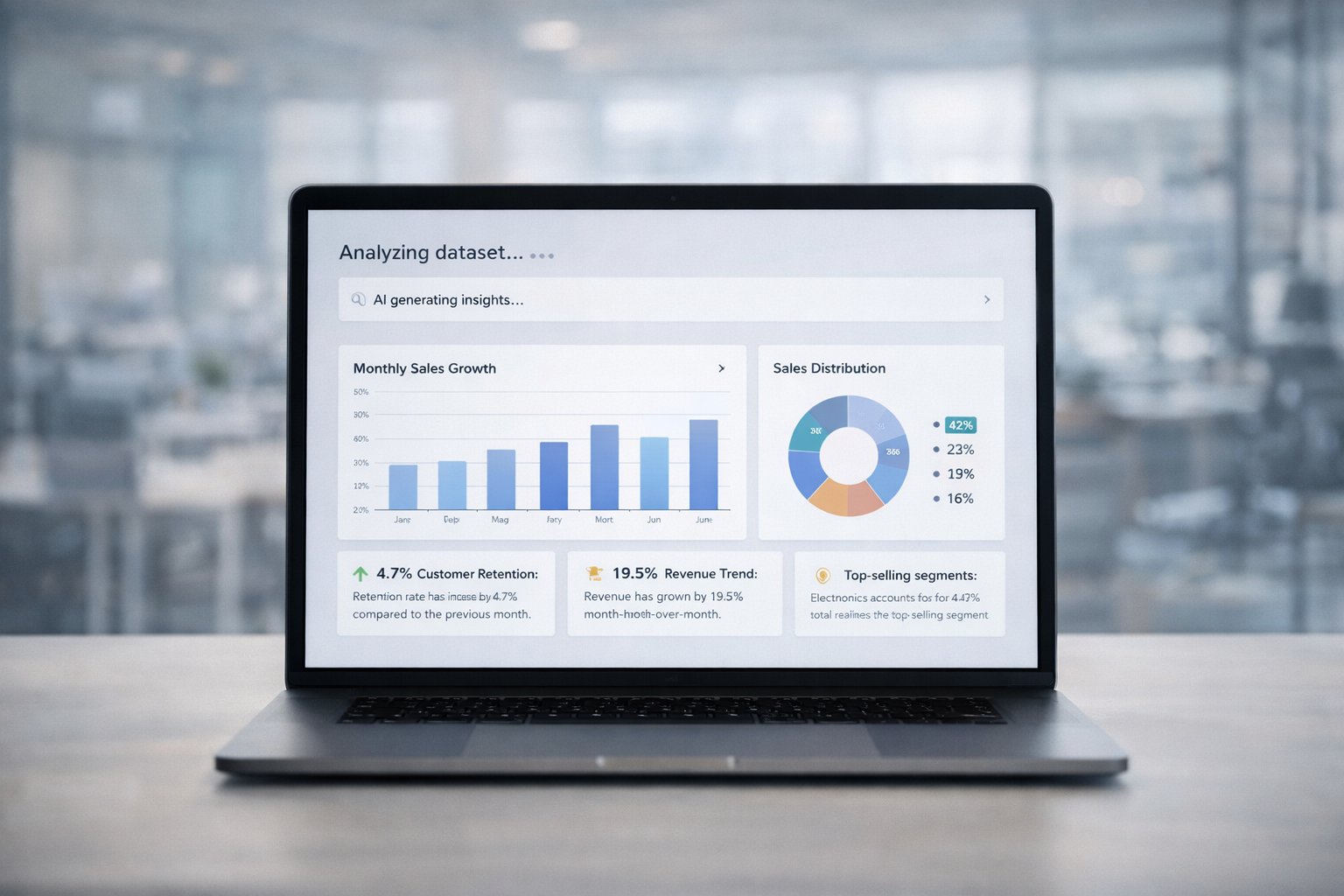
AI for Data Analysis: Ditch Your Slow Manual Reports

Waiting weeks for a data analyst to build a dashboard is a relic of the past. You know your data holds valuable secrets, but getting to them feels impossible with outdated reports and frustrating delays. You're left making big decisions for a future that's already happened.

It's time for a better way.

TL;DR: Your Key Takeaways

  • Manual BI is a Bottleneck: Relying on analysts to write SQL and build dashboards is too slow.

  • AI Delivers Instant Answers: Conversational AI lets you ask questions naturally and get charts back in seconds.

  • Everyone Becomes an Analyst: Founders, marketers, and product leads can finally self-serve the insights they need.

  • Trust Through Transparency: The best AI tools are "glass boxes," not black boxes. They show you the SQL queries used to get answers.

Your Data Holds Answers, But Your Dashboards Create Delays

You've got the data. It's all there, sitting in your database, your CRM, and your product analytics tools. The problem isn’t a lack of information; it's the agonizingly slow process of getting a straight answer.

Every simple question—"What was our customer churn last month?" or "Which marketing campaign drove the most sign-ups?"—kicks off a frustrating cycle. This is the old world of business intelligence, and it’s a massive bottleneck.

The Slow Road to Insights

The traditional process feels like it was designed to be a roadblock. It typically looks something like this:

  • You submit a ticket: Your question gets tossed into a queue, where you wait for a busy data analyst to even see it.

  • They write complex SQL: The analyst has to dig into the code, join different tables, and filter mountains of data just to figure out what you’re asking.

  • You get a static dashboard: Days or even weeks later, a dashboard finally lands in your inbox. By then, the data is often stale, and the report might not even answer your real, underlying question.

This gap between asking a question and getting an answer is a real competitive disadvantage. Big decisions end up being made with gut feelings because waiting for the "perfect" report takes far too long.

A Faster Path Forward with AI

Now, imagine a different world. Instead of filing a ticket, you just ask your question in plain English. Instead of waiting for someone to write SQL, you get a chart in seconds. This is the new way, powered by AI for data analysis.

This is all about removing the friction between you and your data. A key strategy is to improve sales productivity using AI by automating tedious workflows. The goal is to make exploring data feel as natural as having a conversation.

Instead of wrestling with a complicated BI tool, you can use a Conversational AI Data Analyst like Statspresso. The value is immediate: skip the SQL. Just ask your data a question and get a chart in seconds.

Try asking Statspresso: 'Show me my revenue by month for the last year as a bar chart.'

This is the promise of modern analytics. It’s not about building fancier dashboards; it’s about getting straight to the point. This direct access empowers you to act on insights instantly, turning data from a dusty liability into your most powerful asset. The era of waiting is over.

What Is Conversational AI for Data Analysis?

At its heart, AI for data analysis is like having a brilliant, endlessly patient analyst on your team who speaks plain English. You don't need to know any code—you just ask questions and get answers.

This isn't a futuristic idea; it’s a real tool that’s changing how businesses operate today. Industry reports show the data science and AI platforms market is projected to grow significantly by 2026. This growth is driven by new AI tools finally letting non-technical people get insights directly from their data, whether it's buried in a production database or sitting in HubSpot. If you want to dive deeper into where this is all heading, you can explore more about these 2026 AI data analysis trends.

This new way of working, often called conversational analytics or GenBI, works by blending a couple of key technologies to give you answers on the spot.

How AI Turns Questions into Charts

Think of conversational AI as a two-part system: one part is the translator, and the other is the pattern-finder. Together, they create a seamless bridge between your natural curiosity and the raw data in your database.

  • Natural Language Processing (NLP): This is the system's "ears." NLP is what allows the AI to understand your question when you type something like, "What's our monthly recurring revenue?" It translates your everyday language into a precise query the database can execute.

  • Machine Learning (ML): This is the "brain." After the query runs, ML algorithms sift through the results. They're programmed to spot trends, flag outliers, and automatically decide on the best way to show you the answer—maybe a simple number, a clean bar chart, or a trend line.

The real game-changer here is getting immediate, accessible insights. It completely shifts the dynamic from, "I need to file a ticket for a report," to, "I have a question and can get an answer right now."

The image below perfectly captures the difference between the old, slow process and the instant gratification of using AI for data analysis.
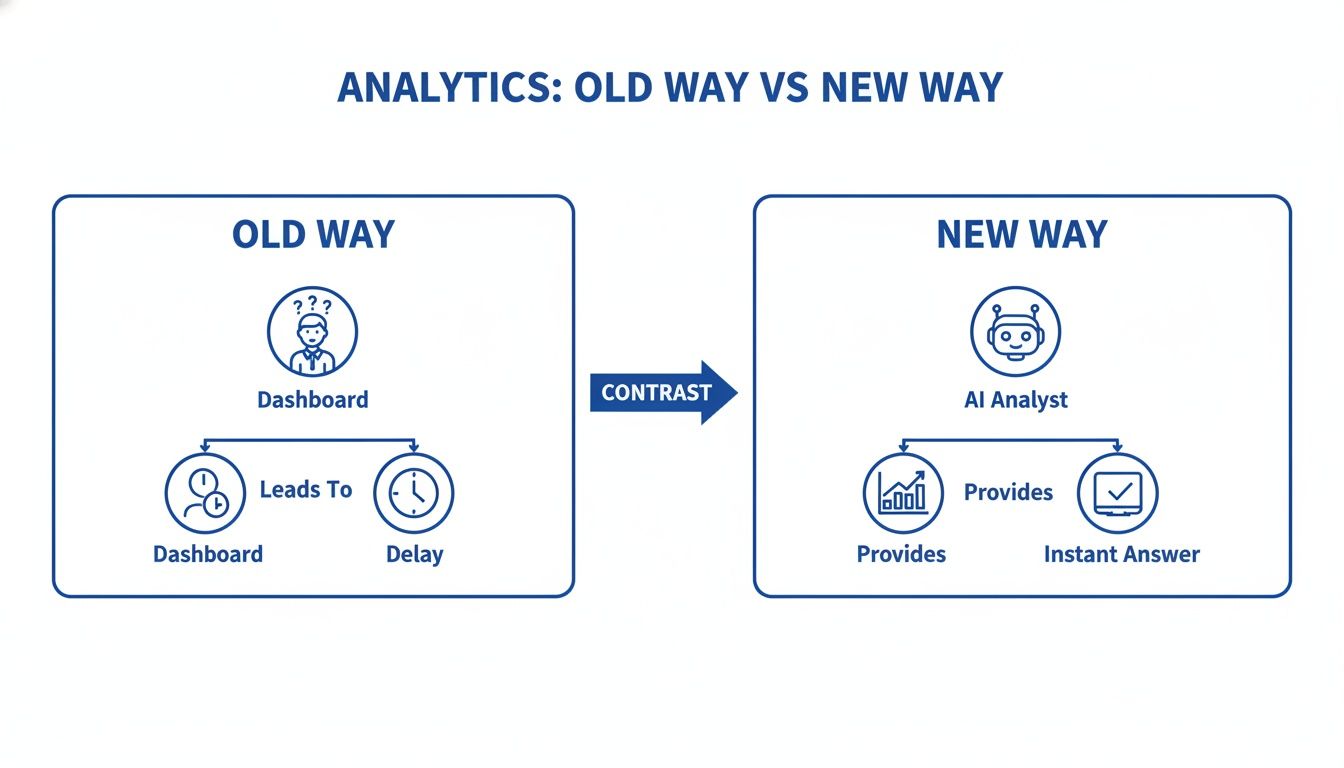
Visual contrasting old analytics, which leads to dashboards and delays, with new AI analytics for instant answers.

As you can see, this new approach completely cuts out the typical delays and back-and-forth, putting the power to find insights directly in your hands.

The Old Way vs The New Way of Getting Data Answers

This move toward automated, conversational analytics is about more than just convenience. It’s about giving teams the speed they need to make better decisions. For a busy founder or manager, this means you no longer have to be a SQL master or a Tableau wizard to get a clear picture of your business.

The difference in workflow is night and day.

Task

Old Way (Manual SQL)

New Way (Statspresso)

Get an Answer

Submit a ticket, wait for an analyst, review a static report days later.

Ask a question in plain English, get an interactive chart in seconds.

Skills Required

Deep knowledge of SQL and complex BI tools.

The ability to ask a clear question.

Time to Insight

Days or even weeks.

Seconds or minutes.

Flexibility

Rigid. A new question means a new report request and more waiting.

Fluid. Instantly ask follow-up questions and explore your data freely.

The core benefit is beautifully simple: skip the SQL. Just ask your data a question and get a chart in seconds. This is exactly what a Conversational AI Data Analyst like Statspresso is built to do.

Try asking Statspresso: “Which marketing channels delivered the highest MQL to SQL conversion rate last quarter?”

This capability transforms data from a technical bottleneck into a simple, conversational partner that anyone on your team can turn to for fast, intelligent answers.

How AI-Driven Analysis Is Changing the Game Across Industries

Theory is one thing, but let's talk about what this actually looks like on the ground. Using AI for data analysis isn't about chasing the latest tech trend; it’s about giving you—whether you're a Founder, Product Manager, or Marketing Lead—the ability to make smarter decisions, faster.

Think about it. As a marketing lead, you're used to waiting a week for a performance report. Now, imagine you could just ask a question and get an answer, visualized, right away.

Try asking Statspresso: "Which channels had the best ROAS last quarter as a donut chart?"

All of a sudden, you're not just reviewing old data; you're having a conversation with it. You can immediately follow up with, "Now break that down by campaign for our top channel," and get another chart in seconds. This is the leap from passive reporting to active, in-the-moment decision-making.

What This Means for Your Role

This kind of immediate access to answers completely changes how different roles function. The frustrating delays and back-and-forth emails disappear, replaced by a fluid dialogue with your company's data. A Conversational AI Data Analyst like Statspresso gives your entire team the power to find the insights they need, precisely when they need them.

Here’s how that plays out day-to-day:

  • For Founders: You no longer need to wait for an end-of-month summary to get a pulse on the business. You can ask your most critical questions and get real-time answers.

    • Example Query: "What is our MRR growth rate month-over-month for the past six months?"

  • For Product Managers: You can finally validate a hypothesis or dig into user behavior without adding another request to the engineering backlog.

    • Example Query: "Show me user retention for cohorts who signed up in January vs. February."

  • For Marketing Leads: You can optimize campaign spend on the fly, identifying what’s working and what isn’t right now, not next week.

    • Example Query: "Compare the conversion rates of our Google Ads and Facebook Ads last week."

A Shift Happening Everywhere

This isn't a capability reserved for tech giants with bottomless budgets anymore. The move toward automated BI is picking up speed in every sector.

Just look at the global AI Data Analysis Software market, which is projected to grow significantly. You can read more about these findings on the AI software market's growth. Healthcare is using AI to analyze patient data and predict disease outbreaks. The finance sector isn't far behind, using algorithms to spot fraud patterns a human would almost certainly miss. To see how these changes are unfolding, look at how developments like AI in accounting are reshaping financial operations.

Meanwhile, manufacturing uses AI for data analysis to predict equipment failures, which has been shown to slash expensive downtime by up to 50% in some cases. What all this data tells us is that the barrier to entry for powerful analytics has crumbled. You don't need a huge data science department to compete. You just need your data and the right questions.

Go from Raw Data to Insights in Minutes

Let's get practical. The real benefit of AI for data analysis isn't some abstract concept—it's about getting you clear answers, right now. Forget long implementation cycles. We're talking about a straightforward workflow that takes you from raw data to a clean insight in less time than it takes to make coffee.

The whole point is to stop wrestling with data and start having a conversation with it.
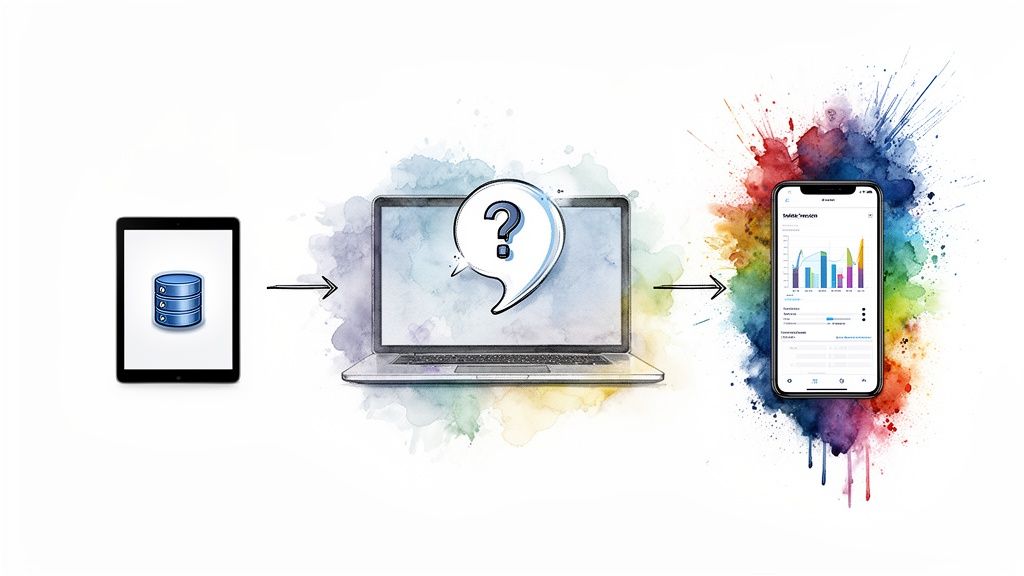
Data processing journey: from database to laptop analysis, then visualized on a smartphone app.

Step 1: Connect Your Data Sources Securely

First things first: you need to give the AI access to your data. With modern GenBI tools like Statspresso, a Conversational AI Data Analyst, connecting data sources feels more like logging into a new app. You can link your most important business systems with just a few clicks—no coding and no headaches.

You can securely plug in common sources like:

Think of this as the foundation. You're giving the AI read-only access to your live data so it can deliver accurate, real-time answers. It’s a secure, one-time setup that unlocks the ability to ask unlimited questions later on.

Step 2: Ask Your First Question

This is where the magic happens. As soon as your data is connected, you can start getting answers. No need to write SQL or fight with clunky dashboard filters. You just ask a question in plain English. This is how you skip the SQL. Just ask your data a question and get a chart in seconds.

To see the value immediately, try asking something direct and meaningful for your business.

Try asking Statspresso: “Show me my top 10 selling products by revenue this year.”

The system instantly translates your question, queries the right data source, and generates a clean, interactive chart. This quick feedback loop is what makes conversational analytics so effective. It closes the gap between wondering and knowing.

Step 3: Curate and Share Insights

Getting a quick answer is great, but the real goal is to share that knowledge with your team to drive action. A Conversational AI Data Analyst is more than a query tool; it's a collaborative space for your company's data.

Once Statspresso generates a helpful chart, you can make it a permanent part of your workflow:

  • Pin it to a Dashboard: Add your new chart to a live dashboard with a single click.

  • Automate a Report: Schedule the query to run daily, weekly, or monthly, and have the results sent straight to your email or Slack.

  • Share a Specific Finding: See an interesting spike? Send a direct link to that exact chart and conversation to a colleague, giving them the full context.

By making insights so easy to distribute, you start building a single source of truth. You can learn more about how to automate your business reports with AI. This final step is what turns a one-off discovery into a lasting asset.

How to Trust Your AI Data Analyst

Okay, let's be real for a moment. Can you actually trust an AI with mission-critical business decisions? It's a valid question. The thought of some "black box" AI giving you numbers can be unsettling.

Here's something I've learned from experience: a trustworthy AI analyst isn't a black box. It's a glass box. You should always have the ability to look inside and see exactly how it got an answer.

Hands hold a tablet displaying data analysis, with a magnifying glass showing a security padlock.

Grounding AI in Your Reality

The cornerstone of this trust is a principle called grounding. It’s a simple but powerful idea: the AI's knowledge is strictly limited to your data. Its entire universe is the data you’ve given it read-only access to. It’s not scouring the internet or hallucinating facts.

A well-built Conversational AI Data Analyst, like Statspresso, makes this a core part of its design. When you ask it a question, the tool's first step is to write a SQL query. Crucially, you can always click to see the exact query it wrote, giving you a clear audit trail.

How to Validate AI-Generated Insights

Even with a transparent system, you still need to prove to yourself that it works. You shouldn't just trust; you should verify. Here are three practical steps I always recommend.

  1. Start with What You Know: Kick things off by asking for a number you already have memorized. Think "What was our total revenue last month?" When the AI nails a figure you already know, it immediately builds a baseline of confidence.

  2. Cross-Reference with Existing Reports: Take an insight the AI gives you and check it against your current dashboards. How does the list of top-performing marketing channels compare to your Google Analytics report? This check helps you understand how the AI "thinks."

  3. Break Down Your Big Questions: Ambiguous questions lead to ambiguous answers. Instead of a vague query like, "Is our new feature performing well?" guide the AI with a series of specific, measurable questions.

Try a progression like this with Statspresso:

  • First, ask: "Show me the daily adoption rate for the new feature since launch."

  • Then, dig deeper: "What is the user retention for customers who used the new feature versus those who didn't?"

  • Finally, check the impact: "Create a bar chart of support tickets related to this feature by week."

Walking through a problem step-by-step doesn’t just get you cleaner answers; it builds your confidence in the tool's ability to handle complex analysis. The data analytics market is projected to grow, but poor data quality remains a challenge. You can read more about the data analytics market trends. Trust is everything. An AI is only as good as the data it’s working with and your confidence in its process.

Frequently Asked Questions About AI Data Analysis

So, you've seen what an AI-driven approach can do, but you probably have some practical questions. I get it. As a BI consultant, I hear the same smart concerns from founders and product leaders all the time. Let’s get right into them.

How Is This Different from Using ChatGPT for Data Analysis?

This is a great question. While a tool like ChatGPT is fantastic for brainstorming, a dedicated Conversational AI Data Analyst like Statspresso is a completely different animal, built for a specific job.

Let’s put it this way:

  • It Talks Directly to Your Data: Statspresso hooks up securely to your live business databases. It’s not scraping the public web; it’s querying your real-time information from sources like your company's Postgres database or Shopify account.

  • Your Data Stays Private: Your sensitive company information is never used to train some larger AI model. It’s walled off and used only to answer your specific questions.

  • It’s Built for Business Analytics: The tool is designed to deliver accurate numbers and clear visuals. You get an interactive chart you can drop right into a presentation.

ChatGPT is like a brilliant librarian who knows about everything. A tool like Statspresso is the company controller who knows your business inside and out. It gives you verifiable answers grounded entirely in your own reality.

Do I Still Need a Data Analyst to Use This?

No, you don't, and that's the whole idea. Tools like Statspresso are made to empower the non-technical people on your team—the marketers, product managers, and execs who need answers.

This actually makes your data team more valuable. Instead of getting buried under a constant stream of "can you pull this for me?" requests, Automated BI lets them focus on the big, strategic projects that really move the needle. Meanwhile, you get the answers you need in seconds.

What Kind of Data Sources Can I Connect?

A modern AI analyst tool has to play nice with the systems you already have. You should be able to connect your most important sources with just a few clicks.

Most platforms will cover the essentials, including:

The goal is to bring all your analysis into one place without a major engineering headache. You connect a source one time, and the AI can then query it to give you a complete picture.

How Secure Is My Company's Data?

Security is paramount. Any reputable AI for data analysis platform is built on a foundation of enterprise-grade security, meaning your data is encrypted and the platform meets strict compliance standards like SOC 2.

Here's the most important part: the AI has read-only access. It’s "grounded" in your data, meaning it can look at your information to answer a question, but it can never change, delete, or store it. Think of it as a trusted consultant who can review your financials but can't walk out the door with the ledger.

It’s all about getting fast, reliable answers with complete peace of mind—you skip the SQL without ever skipping on security.

Your data has a story to tell. It’s time you were able to listen. Stop waiting for answers and start a conversation with a Conversational AI Data Analyst instead.

Connect your first data source for free and ask your first question.

Waiting weeks for a data analyst to build a dashboard is a relic of the past. You know your data holds valuable secrets, but getting to them feels impossible with outdated reports and frustrating delays. You're left making big decisions for a future that's already happened.

It's time for a better way.

TL;DR: Your Key Takeaways

  • Manual BI is a Bottleneck: Relying on analysts to write SQL and build dashboards is too slow.

  • AI Delivers Instant Answers: Conversational AI lets you ask questions naturally and get charts back in seconds.

  • Everyone Becomes an Analyst: Founders, marketers, and product leads can finally self-serve the insights they need.

  • Trust Through Transparency: The best AI tools are "glass boxes," not black boxes. They show you the SQL queries used to get answers.

Your Data Holds Answers, But Your Dashboards Create Delays

You've got the data. It's all there, sitting in your database, your CRM, and your product analytics tools. The problem isn’t a lack of information; it's the agonizingly slow process of getting a straight answer.

Every simple question—"What was our customer churn last month?" or "Which marketing campaign drove the most sign-ups?"—kicks off a frustrating cycle. This is the old world of business intelligence, and it’s a massive bottleneck.

The Slow Road to Insights

The traditional process feels like it was designed to be a roadblock. It typically looks something like this:

  • You submit a ticket: Your question gets tossed into a queue, where you wait for a busy data analyst to even see it.

  • They write complex SQL: The analyst has to dig into the code, join different tables, and filter mountains of data just to figure out what you’re asking.

  • You get a static dashboard: Days or even weeks later, a dashboard finally lands in your inbox. By then, the data is often stale, and the report might not even answer your real, underlying question.

This gap between asking a question and getting an answer is a real competitive disadvantage. Big decisions end up being made with gut feelings because waiting for the "perfect" report takes far too long.

A Faster Path Forward with AI

Now, imagine a different world. Instead of filing a ticket, you just ask your question in plain English. Instead of waiting for someone to write SQL, you get a chart in seconds. This is the new way, powered by AI for data analysis.

This is all about removing the friction between you and your data. A key strategy is to improve sales productivity using AI by automating tedious workflows. The goal is to make exploring data feel as natural as having a conversation.

Instead of wrestling with a complicated BI tool, you can use a Conversational AI Data Analyst like Statspresso. The value is immediate: skip the SQL. Just ask your data a question and get a chart in seconds.

Try asking Statspresso: 'Show me my revenue by month for the last year as a bar chart.'

This is the promise of modern analytics. It’s not about building fancier dashboards; it’s about getting straight to the point. This direct access empowers you to act on insights instantly, turning data from a dusty liability into your most powerful asset. The era of waiting is over.

What Is Conversational AI for Data Analysis?

At its heart, AI for data analysis is like having a brilliant, endlessly patient analyst on your team who speaks plain English. You don't need to know any code—you just ask questions and get answers.

This isn't a futuristic idea; it’s a real tool that’s changing how businesses operate today. Industry reports show the data science and AI platforms market is projected to grow significantly by 2026. This growth is driven by new AI tools finally letting non-technical people get insights directly from their data, whether it's buried in a production database or sitting in HubSpot. If you want to dive deeper into where this is all heading, you can explore more about these 2026 AI data analysis trends.

This new way of working, often called conversational analytics or GenBI, works by blending a couple of key technologies to give you answers on the spot.

How AI Turns Questions into Charts

Think of conversational AI as a two-part system: one part is the translator, and the other is the pattern-finder. Together, they create a seamless bridge between your natural curiosity and the raw data in your database.

  • Natural Language Processing (NLP): This is the system's "ears." NLP is what allows the AI to understand your question when you type something like, "What's our monthly recurring revenue?" It translates your everyday language into a precise query the database can execute.

  • Machine Learning (ML): This is the "brain." After the query runs, ML algorithms sift through the results. They're programmed to spot trends, flag outliers, and automatically decide on the best way to show you the answer—maybe a simple number, a clean bar chart, or a trend line.

The real game-changer here is getting immediate, accessible insights. It completely shifts the dynamic from, "I need to file a ticket for a report," to, "I have a question and can get an answer right now."

The image below perfectly captures the difference between the old, slow process and the instant gratification of using AI for data analysis.

Visual contrasting old analytics, which leads to dashboards and delays, with new AI analytics for instant answers.

As you can see, this new approach completely cuts out the typical delays and back-and-forth, putting the power to find insights directly in your hands.

The Old Way vs The New Way of Getting Data Answers

This move toward automated, conversational analytics is about more than just convenience. It’s about giving teams the speed they need to make better decisions. For a busy founder or manager, this means you no longer have to be a SQL master or a Tableau wizard to get a clear picture of your business.

The difference in workflow is night and day.

Task

Old Way (Manual SQL)

New Way (Statspresso)

Get an Answer

Submit a ticket, wait for an analyst, review a static report days later.

Ask a question in plain English, get an interactive chart in seconds.

Skills Required

Deep knowledge of SQL and complex BI tools.

The ability to ask a clear question.

Time to Insight

Days or even weeks.

Seconds or minutes.

Flexibility

Rigid. A new question means a new report request and more waiting.

Fluid. Instantly ask follow-up questions and explore your data freely.

The core benefit is beautifully simple: skip the SQL. Just ask your data a question and get a chart in seconds. This is exactly what a Conversational AI Data Analyst like Statspresso is built to do.

Try asking Statspresso: “Which marketing channels delivered the highest MQL to SQL conversion rate last quarter?”

This capability transforms data from a technical bottleneck into a simple, conversational partner that anyone on your team can turn to for fast, intelligent answers.

How AI-Driven Analysis Is Changing the Game Across Industries

Theory is one thing, but let's talk about what this actually looks like on the ground. Using AI for data analysis isn't about chasing the latest tech trend; it’s about giving you—whether you're a Founder, Product Manager, or Marketing Lead—the ability to make smarter decisions, faster.

Think about it. As a marketing lead, you're used to waiting a week for a performance report. Now, imagine you could just ask a question and get an answer, visualized, right away.

Try asking Statspresso: "Which channels had the best ROAS last quarter as a donut chart?"

All of a sudden, you're not just reviewing old data; you're having a conversation with it. You can immediately follow up with, "Now break that down by campaign for our top channel," and get another chart in seconds. This is the leap from passive reporting to active, in-the-moment decision-making.

What This Means for Your Role

This kind of immediate access to answers completely changes how different roles function. The frustrating delays and back-and-forth emails disappear, replaced by a fluid dialogue with your company's data. A Conversational AI Data Analyst like Statspresso gives your entire team the power to find the insights they need, precisely when they need them.

Here’s how that plays out day-to-day:

  • For Founders: You no longer need to wait for an end-of-month summary to get a pulse on the business. You can ask your most critical questions and get real-time answers.

    • Example Query: "What is our MRR growth rate month-over-month for the past six months?"

  • For Product Managers: You can finally validate a hypothesis or dig into user behavior without adding another request to the engineering backlog.

    • Example Query: "Show me user retention for cohorts who signed up in January vs. February."

  • For Marketing Leads: You can optimize campaign spend on the fly, identifying what’s working and what isn’t right now, not next week.

    • Example Query: "Compare the conversion rates of our Google Ads and Facebook Ads last week."

A Shift Happening Everywhere

This isn't a capability reserved for tech giants with bottomless budgets anymore. The move toward automated BI is picking up speed in every sector.

Just look at the global AI Data Analysis Software market, which is projected to grow significantly. You can read more about these findings on the AI software market's growth. Healthcare is using AI to analyze patient data and predict disease outbreaks. The finance sector isn't far behind, using algorithms to spot fraud patterns a human would almost certainly miss. To see how these changes are unfolding, look at how developments like AI in accounting are reshaping financial operations.

Meanwhile, manufacturing uses AI for data analysis to predict equipment failures, which has been shown to slash expensive downtime by up to 50% in some cases. What all this data tells us is that the barrier to entry for powerful analytics has crumbled. You don't need a huge data science department to compete. You just need your data and the right questions.

Go from Raw Data to Insights in Minutes

Let's get practical. The real benefit of AI for data analysis isn't some abstract concept—it's about getting you clear answers, right now. Forget long implementation cycles. We're talking about a straightforward workflow that takes you from raw data to a clean insight in less time than it takes to make coffee.

The whole point is to stop wrestling with data and start having a conversation with it.

Data processing journey: from database to laptop analysis, then visualized on a smartphone app.

Step 1: Connect Your Data Sources Securely

First things first: you need to give the AI access to your data. With modern GenBI tools like Statspresso, a Conversational AI Data Analyst, connecting data sources feels more like logging into a new app. You can link your most important business systems with just a few clicks—no coding and no headaches.

You can securely plug in common sources like:

Think of this as the foundation. You're giving the AI read-only access to your live data so it can deliver accurate, real-time answers. It’s a secure, one-time setup that unlocks the ability to ask unlimited questions later on.

Step 2: Ask Your First Question

This is where the magic happens. As soon as your data is connected, you can start getting answers. No need to write SQL or fight with clunky dashboard filters. You just ask a question in plain English. This is how you skip the SQL. Just ask your data a question and get a chart in seconds.

To see the value immediately, try asking something direct and meaningful for your business.

Try asking Statspresso: “Show me my top 10 selling products by revenue this year.”

The system instantly translates your question, queries the right data source, and generates a clean, interactive chart. This quick feedback loop is what makes conversational analytics so effective. It closes the gap between wondering and knowing.

Step 3: Curate and Share Insights

Getting a quick answer is great, but the real goal is to share that knowledge with your team to drive action. A Conversational AI Data Analyst is more than a query tool; it's a collaborative space for your company's data.

Once Statspresso generates a helpful chart, you can make it a permanent part of your workflow:

  • Pin it to a Dashboard: Add your new chart to a live dashboard with a single click.

  • Automate a Report: Schedule the query to run daily, weekly, or monthly, and have the results sent straight to your email or Slack.

  • Share a Specific Finding: See an interesting spike? Send a direct link to that exact chart and conversation to a colleague, giving them the full context.

By making insights so easy to distribute, you start building a single source of truth. You can learn more about how to automate your business reports with AI. This final step is what turns a one-off discovery into a lasting asset.

How to Trust Your AI Data Analyst

Okay, let's be real for a moment. Can you actually trust an AI with mission-critical business decisions? It's a valid question. The thought of some "black box" AI giving you numbers can be unsettling.

Here's something I've learned from experience: a trustworthy AI analyst isn't a black box. It's a glass box. You should always have the ability to look inside and see exactly how it got an answer.

Hands hold a tablet displaying data analysis, with a magnifying glass showing a security padlock.

Grounding AI in Your Reality

The cornerstone of this trust is a principle called grounding. It’s a simple but powerful idea: the AI's knowledge is strictly limited to your data. Its entire universe is the data you’ve given it read-only access to. It’s not scouring the internet or hallucinating facts.

A well-built Conversational AI Data Analyst, like Statspresso, makes this a core part of its design. When you ask it a question, the tool's first step is to write a SQL query. Crucially, you can always click to see the exact query it wrote, giving you a clear audit trail.

How to Validate AI-Generated Insights

Even with a transparent system, you still need to prove to yourself that it works. You shouldn't just trust; you should verify. Here are three practical steps I always recommend.

  1. Start with What You Know: Kick things off by asking for a number you already have memorized. Think "What was our total revenue last month?" When the AI nails a figure you already know, it immediately builds a baseline of confidence.

  2. Cross-Reference with Existing Reports: Take an insight the AI gives you and check it against your current dashboards. How does the list of top-performing marketing channels compare to your Google Analytics report? This check helps you understand how the AI "thinks."

  3. Break Down Your Big Questions: Ambiguous questions lead to ambiguous answers. Instead of a vague query like, "Is our new feature performing well?" guide the AI with a series of specific, measurable questions.

Try a progression like this with Statspresso:

  • First, ask: "Show me the daily adoption rate for the new feature since launch."

  • Then, dig deeper: "What is the user retention for customers who used the new feature versus those who didn't?"

  • Finally, check the impact: "Create a bar chart of support tickets related to this feature by week."

Walking through a problem step-by-step doesn’t just get you cleaner answers; it builds your confidence in the tool's ability to handle complex analysis. The data analytics market is projected to grow, but poor data quality remains a challenge. You can read more about the data analytics market trends. Trust is everything. An AI is only as good as the data it’s working with and your confidence in its process.

Frequently Asked Questions About AI Data Analysis

So, you've seen what an AI-driven approach can do, but you probably have some practical questions. I get it. As a BI consultant, I hear the same smart concerns from founders and product leaders all the time. Let’s get right into them.

How Is This Different from Using ChatGPT for Data Analysis?

This is a great question. While a tool like ChatGPT is fantastic for brainstorming, a dedicated Conversational AI Data Analyst like Statspresso is a completely different animal, built for a specific job.

Let’s put it this way:

  • It Talks Directly to Your Data: Statspresso hooks up securely to your live business databases. It’s not scraping the public web; it’s querying your real-time information from sources like your company's Postgres database or Shopify account.

  • Your Data Stays Private: Your sensitive company information is never used to train some larger AI model. It’s walled off and used only to answer your specific questions.

  • It’s Built for Business Analytics: The tool is designed to deliver accurate numbers and clear visuals. You get an interactive chart you can drop right into a presentation.

ChatGPT is like a brilliant librarian who knows about everything. A tool like Statspresso is the company controller who knows your business inside and out. It gives you verifiable answers grounded entirely in your own reality.

Do I Still Need a Data Analyst to Use This?

No, you don't, and that's the whole idea. Tools like Statspresso are made to empower the non-technical people on your team—the marketers, product managers, and execs who need answers.

This actually makes your data team more valuable. Instead of getting buried under a constant stream of "can you pull this for me?" requests, Automated BI lets them focus on the big, strategic projects that really move the needle. Meanwhile, you get the answers you need in seconds.

What Kind of Data Sources Can I Connect?

A modern AI analyst tool has to play nice with the systems you already have. You should be able to connect your most important sources with just a few clicks.

Most platforms will cover the essentials, including:

The goal is to bring all your analysis into one place without a major engineering headache. You connect a source one time, and the AI can then query it to give you a complete picture.

How Secure Is My Company's Data?

Security is paramount. Any reputable AI for data analysis platform is built on a foundation of enterprise-grade security, meaning your data is encrypted and the platform meets strict compliance standards like SOC 2.

Here's the most important part: the AI has read-only access. It’s "grounded" in your data, meaning it can look at your information to answer a question, but it can never change, delete, or store it. Think of it as a trusted consultant who can review your financials but can't walk out the door with the ledger.

It’s all about getting fast, reliable answers with complete peace of mind—you skip the SQL without ever skipping on security.

Your data has a story to tell. It’s time you were able to listen. Stop waiting for answers and start a conversation with a Conversational AI Data Analyst instead.

Connect your first data source for free and ask your first question.

Waiting weeks for a data analyst to build a dashboard is a relic of the past. You know your data holds valuable secrets, but getting to them feels impossible with outdated reports and frustrating delays. You're left making big decisions for a future that's already happened.

It's time for a better way.

TL;DR: Your Key Takeaways

  • Manual BI is a Bottleneck: Relying on analysts to write SQL and build dashboards is too slow.

  • AI Delivers Instant Answers: Conversational AI lets you ask questions naturally and get charts back in seconds.

  • Everyone Becomes an Analyst: Founders, marketers, and product leads can finally self-serve the insights they need.

  • Trust Through Transparency: The best AI tools are "glass boxes," not black boxes. They show you the SQL queries used to get answers.

Your Data Holds Answers, But Your Dashboards Create Delays

You've got the data. It's all there, sitting in your database, your CRM, and your product analytics tools. The problem isn’t a lack of information; it's the agonizingly slow process of getting a straight answer.

Every simple question—"What was our customer churn last month?" or "Which marketing campaign drove the most sign-ups?"—kicks off a frustrating cycle. This is the old world of business intelligence, and it’s a massive bottleneck.

The Slow Road to Insights

The traditional process feels like it was designed to be a roadblock. It typically looks something like this:

  • You submit a ticket: Your question gets tossed into a queue, where you wait for a busy data analyst to even see it.

  • They write complex SQL: The analyst has to dig into the code, join different tables, and filter mountains of data just to figure out what you’re asking.

  • You get a static dashboard: Days or even weeks later, a dashboard finally lands in your inbox. By then, the data is often stale, and the report might not even answer your real, underlying question.

This gap between asking a question and getting an answer is a real competitive disadvantage. Big decisions end up being made with gut feelings because waiting for the "perfect" report takes far too long.

A Faster Path Forward with AI

Now, imagine a different world. Instead of filing a ticket, you just ask your question in plain English. Instead of waiting for someone to write SQL, you get a chart in seconds. This is the new way, powered by AI for data analysis.

This is all about removing the friction between you and your data. A key strategy is to improve sales productivity using AI by automating tedious workflows. The goal is to make exploring data feel as natural as having a conversation.

Instead of wrestling with a complicated BI tool, you can use a Conversational AI Data Analyst like Statspresso. The value is immediate: skip the SQL. Just ask your data a question and get a chart in seconds.

Try asking Statspresso: 'Show me my revenue by month for the last year as a bar chart.'

This is the promise of modern analytics. It’s not about building fancier dashboards; it’s about getting straight to the point. This direct access empowers you to act on insights instantly, turning data from a dusty liability into your most powerful asset. The era of waiting is over.

What Is Conversational AI for Data Analysis?

At its heart, AI for data analysis is like having a brilliant, endlessly patient analyst on your team who speaks plain English. You don't need to know any code—you just ask questions and get answers.

This isn't a futuristic idea; it’s a real tool that’s changing how businesses operate today. Industry reports show the data science and AI platforms market is projected to grow significantly by 2026. This growth is driven by new AI tools finally letting non-technical people get insights directly from their data, whether it's buried in a production database or sitting in HubSpot. If you want to dive deeper into where this is all heading, you can explore more about these 2026 AI data analysis trends.

This new way of working, often called conversational analytics or GenBI, works by blending a couple of key technologies to give you answers on the spot.

How AI Turns Questions into Charts

Think of conversational AI as a two-part system: one part is the translator, and the other is the pattern-finder. Together, they create a seamless bridge between your natural curiosity and the raw data in your database.

  • Natural Language Processing (NLP): This is the system's "ears." NLP is what allows the AI to understand your question when you type something like, "What's our monthly recurring revenue?" It translates your everyday language into a precise query the database can execute.

  • Machine Learning (ML): This is the "brain." After the query runs, ML algorithms sift through the results. They're programmed to spot trends, flag outliers, and automatically decide on the best way to show you the answer—maybe a simple number, a clean bar chart, or a trend line.

The real game-changer here is getting immediate, accessible insights. It completely shifts the dynamic from, "I need to file a ticket for a report," to, "I have a question and can get an answer right now."

The image below perfectly captures the difference between the old, slow process and the instant gratification of using AI for data analysis.

Visual contrasting old analytics, which leads to dashboards and delays, with new AI analytics for instant answers.

As you can see, this new approach completely cuts out the typical delays and back-and-forth, putting the power to find insights directly in your hands.

The Old Way vs The New Way of Getting Data Answers

This move toward automated, conversational analytics is about more than just convenience. It’s about giving teams the speed they need to make better decisions. For a busy founder or manager, this means you no longer have to be a SQL master or a Tableau wizard to get a clear picture of your business.

The difference in workflow is night and day.

Task

Old Way (Manual SQL)

New Way (Statspresso)

Get an Answer

Submit a ticket, wait for an analyst, review a static report days later.

Ask a question in plain English, get an interactive chart in seconds.

Skills Required

Deep knowledge of SQL and complex BI tools.

The ability to ask a clear question.

Time to Insight

Days or even weeks.

Seconds or minutes.

Flexibility

Rigid. A new question means a new report request and more waiting.

Fluid. Instantly ask follow-up questions and explore your data freely.

The core benefit is beautifully simple: skip the SQL. Just ask your data a question and get a chart in seconds. This is exactly what a Conversational AI Data Analyst like Statspresso is built to do.

Try asking Statspresso: “Which marketing channels delivered the highest MQL to SQL conversion rate last quarter?”

This capability transforms data from a technical bottleneck into a simple, conversational partner that anyone on your team can turn to for fast, intelligent answers.

How AI-Driven Analysis Is Changing the Game Across Industries

Theory is one thing, but let's talk about what this actually looks like on the ground. Using AI for data analysis isn't about chasing the latest tech trend; it’s about giving you—whether you're a Founder, Product Manager, or Marketing Lead—the ability to make smarter decisions, faster.

Think about it. As a marketing lead, you're used to waiting a week for a performance report. Now, imagine you could just ask a question and get an answer, visualized, right away.

Try asking Statspresso: "Which channels had the best ROAS last quarter as a donut chart?"

All of a sudden, you're not just reviewing old data; you're having a conversation with it. You can immediately follow up with, "Now break that down by campaign for our top channel," and get another chart in seconds. This is the leap from passive reporting to active, in-the-moment decision-making.

What This Means for Your Role

This kind of immediate access to answers completely changes how different roles function. The frustrating delays and back-and-forth emails disappear, replaced by a fluid dialogue with your company's data. A Conversational AI Data Analyst like Statspresso gives your entire team the power to find the insights they need, precisely when they need them.

Here’s how that plays out day-to-day:

  • For Founders: You no longer need to wait for an end-of-month summary to get a pulse on the business. You can ask your most critical questions and get real-time answers.

    • Example Query: "What is our MRR growth rate month-over-month for the past six months?"

  • For Product Managers: You can finally validate a hypothesis or dig into user behavior without adding another request to the engineering backlog.

    • Example Query: "Show me user retention for cohorts who signed up in January vs. February."

  • For Marketing Leads: You can optimize campaign spend on the fly, identifying what’s working and what isn’t right now, not next week.

    • Example Query: "Compare the conversion rates of our Google Ads and Facebook Ads last week."

A Shift Happening Everywhere

This isn't a capability reserved for tech giants with bottomless budgets anymore. The move toward automated BI is picking up speed in every sector.

Just look at the global AI Data Analysis Software market, which is projected to grow significantly. You can read more about these findings on the AI software market's growth. Healthcare is using AI to analyze patient data and predict disease outbreaks. The finance sector isn't far behind, using algorithms to spot fraud patterns a human would almost certainly miss. To see how these changes are unfolding, look at how developments like AI in accounting are reshaping financial operations.

Meanwhile, manufacturing uses AI for data analysis to predict equipment failures, which has been shown to slash expensive downtime by up to 50% in some cases. What all this data tells us is that the barrier to entry for powerful analytics has crumbled. You don't need a huge data science department to compete. You just need your data and the right questions.

Go from Raw Data to Insights in Minutes

Let's get practical. The real benefit of AI for data analysis isn't some abstract concept—it's about getting you clear answers, right now. Forget long implementation cycles. We're talking about a straightforward workflow that takes you from raw data to a clean insight in less time than it takes to make coffee.

The whole point is to stop wrestling with data and start having a conversation with it.

Data processing journey: from database to laptop analysis, then visualized on a smartphone app.

Step 1: Connect Your Data Sources Securely

First things first: you need to give the AI access to your data. With modern GenBI tools like Statspresso, a Conversational AI Data Analyst, connecting data sources feels more like logging into a new app. You can link your most important business systems with just a few clicks—no coding and no headaches.

You can securely plug in common sources like:

Think of this as the foundation. You're giving the AI read-only access to your live data so it can deliver accurate, real-time answers. It’s a secure, one-time setup that unlocks the ability to ask unlimited questions later on.

Step 2: Ask Your First Question

This is where the magic happens. As soon as your data is connected, you can start getting answers. No need to write SQL or fight with clunky dashboard filters. You just ask a question in plain English. This is how you skip the SQL. Just ask your data a question and get a chart in seconds.

To see the value immediately, try asking something direct and meaningful for your business.

Try asking Statspresso: “Show me my top 10 selling products by revenue this year.”

The system instantly translates your question, queries the right data source, and generates a clean, interactive chart. This quick feedback loop is what makes conversational analytics so effective. It closes the gap between wondering and knowing.

Step 3: Curate and Share Insights

Getting a quick answer is great, but the real goal is to share that knowledge with your team to drive action. A Conversational AI Data Analyst is more than a query tool; it's a collaborative space for your company's data.

Once Statspresso generates a helpful chart, you can make it a permanent part of your workflow:

  • Pin it to a Dashboard: Add your new chart to a live dashboard with a single click.

  • Automate a Report: Schedule the query to run daily, weekly, or monthly, and have the results sent straight to your email or Slack.

  • Share a Specific Finding: See an interesting spike? Send a direct link to that exact chart and conversation to a colleague, giving them the full context.

By making insights so easy to distribute, you start building a single source of truth. You can learn more about how to automate your business reports with AI. This final step is what turns a one-off discovery into a lasting asset.

How to Trust Your AI Data Analyst

Okay, let's be real for a moment. Can you actually trust an AI with mission-critical business decisions? It's a valid question. The thought of some "black box" AI giving you numbers can be unsettling.

Here's something I've learned from experience: a trustworthy AI analyst isn't a black box. It's a glass box. You should always have the ability to look inside and see exactly how it got an answer.

Hands hold a tablet displaying data analysis, with a magnifying glass showing a security padlock.

Grounding AI in Your Reality

The cornerstone of this trust is a principle called grounding. It’s a simple but powerful idea: the AI's knowledge is strictly limited to your data. Its entire universe is the data you’ve given it read-only access to. It’s not scouring the internet or hallucinating facts.

A well-built Conversational AI Data Analyst, like Statspresso, makes this a core part of its design. When you ask it a question, the tool's first step is to write a SQL query. Crucially, you can always click to see the exact query it wrote, giving you a clear audit trail.

How to Validate AI-Generated Insights

Even with a transparent system, you still need to prove to yourself that it works. You shouldn't just trust; you should verify. Here are three practical steps I always recommend.

  1. Start with What You Know: Kick things off by asking for a number you already have memorized. Think "What was our total revenue last month?" When the AI nails a figure you already know, it immediately builds a baseline of confidence.

  2. Cross-Reference with Existing Reports: Take an insight the AI gives you and check it against your current dashboards. How does the list of top-performing marketing channels compare to your Google Analytics report? This check helps you understand how the AI "thinks."

  3. Break Down Your Big Questions: Ambiguous questions lead to ambiguous answers. Instead of a vague query like, "Is our new feature performing well?" guide the AI with a series of specific, measurable questions.

Try a progression like this with Statspresso:

  • First, ask: "Show me the daily adoption rate for the new feature since launch."

  • Then, dig deeper: "What is the user retention for customers who used the new feature versus those who didn't?"

  • Finally, check the impact: "Create a bar chart of support tickets related to this feature by week."

Walking through a problem step-by-step doesn’t just get you cleaner answers; it builds your confidence in the tool's ability to handle complex analysis. The data analytics market is projected to grow, but poor data quality remains a challenge. You can read more about the data analytics market trends. Trust is everything. An AI is only as good as the data it’s working with and your confidence in its process.

Frequently Asked Questions About AI Data Analysis

So, you've seen what an AI-driven approach can do, but you probably have some practical questions. I get it. As a BI consultant, I hear the same smart concerns from founders and product leaders all the time. Let’s get right into them.

How Is This Different from Using ChatGPT for Data Analysis?

This is a great question. While a tool like ChatGPT is fantastic for brainstorming, a dedicated Conversational AI Data Analyst like Statspresso is a completely different animal, built for a specific job.

Let’s put it this way:

  • It Talks Directly to Your Data: Statspresso hooks up securely to your live business databases. It’s not scraping the public web; it’s querying your real-time information from sources like your company's Postgres database or Shopify account.

  • Your Data Stays Private: Your sensitive company information is never used to train some larger AI model. It’s walled off and used only to answer your specific questions.

  • It’s Built for Business Analytics: The tool is designed to deliver accurate numbers and clear visuals. You get an interactive chart you can drop right into a presentation.

ChatGPT is like a brilliant librarian who knows about everything. A tool like Statspresso is the company controller who knows your business inside and out. It gives you verifiable answers grounded entirely in your own reality.

Do I Still Need a Data Analyst to Use This?

No, you don't, and that's the whole idea. Tools like Statspresso are made to empower the non-technical people on your team—the marketers, product managers, and execs who need answers.

This actually makes your data team more valuable. Instead of getting buried under a constant stream of "can you pull this for me?" requests, Automated BI lets them focus on the big, strategic projects that really move the needle. Meanwhile, you get the answers you need in seconds.

What Kind of Data Sources Can I Connect?

A modern AI analyst tool has to play nice with the systems you already have. You should be able to connect your most important sources with just a few clicks.

Most platforms will cover the essentials, including:

The goal is to bring all your analysis into one place without a major engineering headache. You connect a source one time, and the AI can then query it to give you a complete picture.

How Secure Is My Company's Data?

Security is paramount. Any reputable AI for data analysis platform is built on a foundation of enterprise-grade security, meaning your data is encrypted and the platform meets strict compliance standards like SOC 2.

Here's the most important part: the AI has read-only access. It’s "grounded" in your data, meaning it can look at your information to answer a question, but it can never change, delete, or store it. Think of it as a trusted consultant who can review your financials but can't walk out the door with the ledger.

It’s all about getting fast, reliable answers with complete peace of mind—you skip the SQL without ever skipping on security.

Your data has a story to tell. It’s time you were able to listen. Stop waiting for answers and start a conversation with a Conversational AI Data Analyst instead.

Connect your first data source for free and ask your first question.